


by NOVA

Aug 29, 2026
Smart home devices electrical installation succeeds when crews freeze power class, load, junction, and panel notes before cartons arrive—not after wall plates come off. This page maps those electrical inputs across switches, plugs, sensors, hubs/panels, and thermostats, then shows where MOES assortment examples fit once the sheet is signed. Use it as a smart home wiring pre-check before smart switch installation hardware leaves the warehouse.
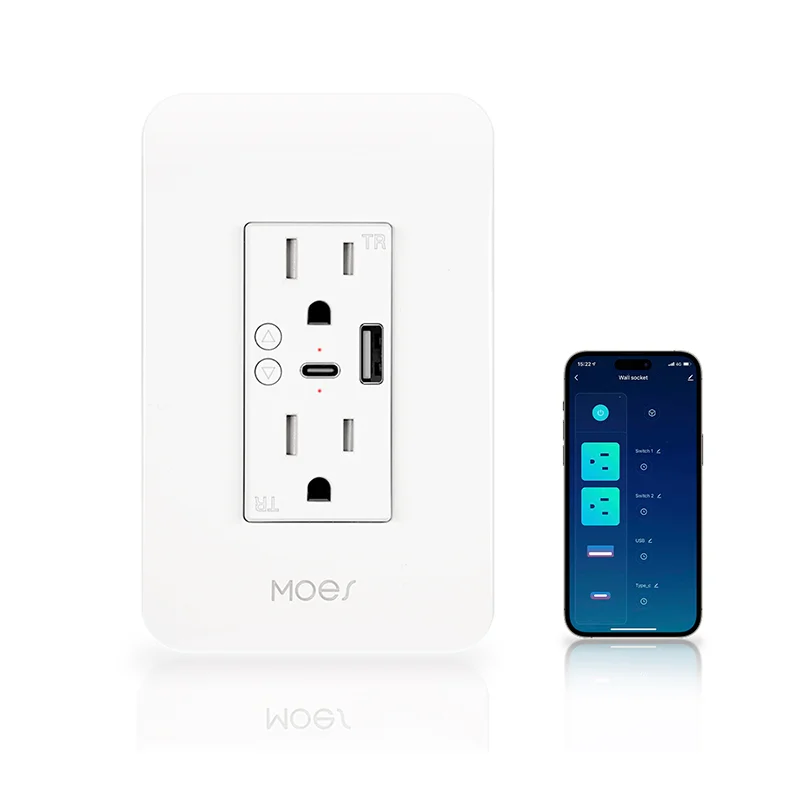
Assign every planned endpoint a device power class before anyone builds a packing list.
Line-voltage wall switches and in-wall modules live on branch circuits and often need a neutral in the box. Plug-in smart plugs and wall sockets need a grounded receptacle and a load that fits the published rating.
Battery or low-voltage sensors need battery or USB/adapter notes, not switch-loop assumptions. Hubs, gateways, and control panels need continuous AC (or PoE) plus placement. A smart thermostat needs HVAC wire status, including whether a common (C-wire) is present.
| Device power class | Typical endpoints | Electrical inputs to freeze first |
|---|---|---|
| Line-voltage wall control | Smart switches, dimmers, in-wall relays | Circuit ID, neutral/ground, box depth/gang, load type |
| Plug-in / receptacle | Smart plugs, smart wall sockets | Grounded outlet yes/no, load watts, circuit label |
| Sensor / low-voltage | Presence, leak, gas, door sensors | Battery vs wired power, mount location, radio family |
| Hub / gateway / panel | Gateways, control panels, media gear | Continuous power circuit, surge note, ventilation |
| Thermostat | Wi-Fi / Matter / Zigbee stats | C-wire status, heating system type, wire count photo |
A living-room “smart lighting” bid that never names power class is how a neutral-required switch lands in a switch-loop stairwell. Write the class on the row before the SKU column.
Log circuit identity, load type, and whether power is continuous or switched before you approve hardware.
Mark the breaker ID or panel schedule line for each endpoint. Note fixture or appliance type—LED lighting behaves differently from legacy lamps, so control and load pairing must be written down, not guessed. For plugs and sockets, write the connected appliance class and an approximate wattage so the published device rating can be checked later.
When two crews share a floor plan, the circuit column stops “we thought that was on lighting two” debates during commissioning. Load / circuit rows keep the smart home wiring story tied to the panel schedule.
Photograph each junction box or receptacle location and mark neutral, ground, depth, and gang layout before ordering line-voltage controls.
Many smart switches need a neutral so their radio stays powered when the lamp is off. Older switch-loop boxes often bring only hot and switched-hot—community installers still ask for switches that work without a neutral because that condition is common. Treat missing neutrals as a documented gate, not a last-hour SKU swap.
| Box / outlet field | What to record | Why it blocks install |
|---|---|---|
| Neutral present? | Yes / no / unknown after meter | Neutral-required wall controls cannot mount |
| Ground / receptacle type | Grounded three-prong vs two-prong | Smart plugs need proper grounding path |
| Box depth / fill | Depth note; crowded conductors | Smart bodies are deeper than toggles |
| Gang layout | 1–4 gang; shared neutrals | Multi-gang orders need per-opening photos |
From the field: Home Assistant users still open threads asking for wall switches that don’t require a neutral wire, because many boxes simply do not have one—document that fact before the truck rolls. (source)
Smart plugs belong on grounded three-prong outlets. Two-prong receptacles are a grounding upgrade job, not a “use an adapter and hope” line on the sheet. Junction box photos belong in the same folder as the signed sheet.
Note spare breaker spaces and whether a capacity review is open before you add always-on hubs, panels, or large device counts.
A full load center with no spare spaces is a project input, not an afternoon surprise. When spaces or remaining headroom are tight, crews may plan circuit expansion—including a subpanel in some jobs—but a subpanel redistributes available capacity; it does not invent new utility service by itself. Write “spaces available / full / review needed” on the sheet and name the owner of that review.
Do not invent ampacity formulas on the input sheet. Capture the observation (spaces, known continuous loads, open questions) and leave calculated load work to the licensed electrician of record.
Give hubs and control panels a continuous-power plan and a placement note before endpoints pair to them.
Integrators treat home-run labelling and rack documentation as backbone work; the same discipline applies to the hub’s electrical feed. Always-on gateways and panels benefit from a circuit that is not shared with noisy appliance loads, plus surge protection where the job requires it. If PoE cameras or touchscreens share a switch, note PoE class and power-budget ownership on the same page.
A gateway stuffed behind a refrigerator compressor on a shared circuit is a documentation failure that looks like an RF failure. Hub / gateway / panel rows should stay visible to both the electrician and the integrator.

Keep one archive sheet keyed by device class so electricians, low-voltage crews, and distributors share the same gates.
| Field | Switches | Plugs / sockets | Sensors | Hubs / panels | Thermostats |
|---|---|---|---|---|---|
| Power class | Line-voltage | Plug-in | Battery / LV | Continuous AC / PoE | HVAC low-voltage |
| Circuit / breaker | Required | Required | If wired | Required | HVAC transformer note |
| Neutral / ground | Neutral + ground | Grounded outlet | N/A or adapter ground | Outlet ground | C-wire / commons |
| Junction / mount | Box depth / gang | Receptacle type | Mount photo | Closet / rack | Stat location photo |
| Load / rating check | Fixture watts | Appliance watts | N/A | Hub draw note | System type |
| Sign-off | Crew + date | Crew + date | Crew + date | Crew + date | Crew + date |
Print the sheet beside the floor plan. Revision dates matter when a remodel changes boxes after the first walkthrough. That single page is what turns smart switch installation quotes into installable jobs.
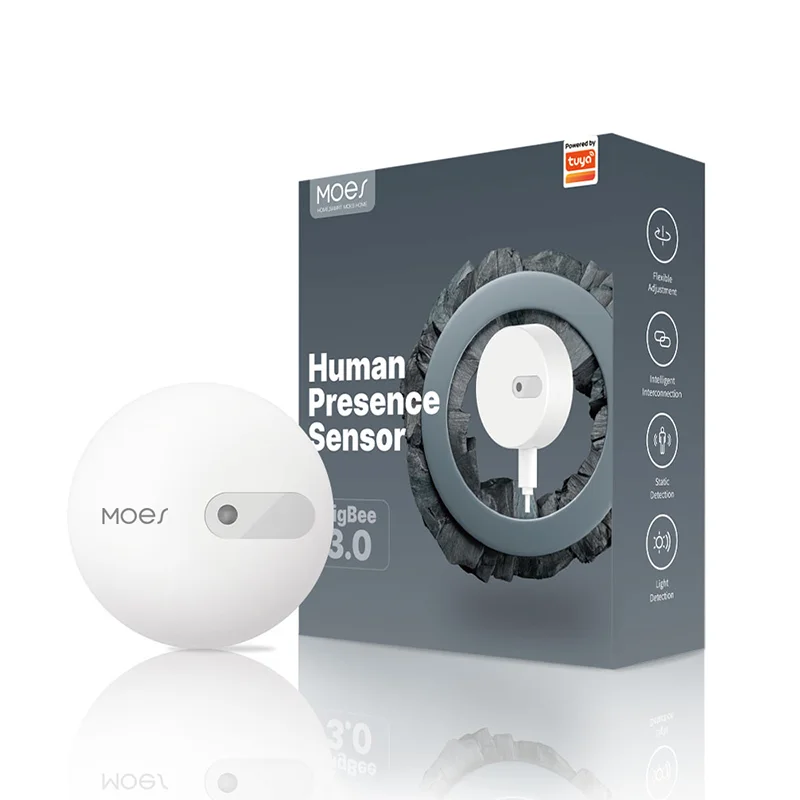
After electrical gates pass, match MOES device classes from the Tuya Smart Home Products category—do not reverse the order.
For plug-in jobs with a grounded outlet and a modest load, the MOES WiFi Smart Power Socket Plug US (model WP-USD) publishes AC100V–240V 50/60Hz operation and rated power under 200W on its product page—use those figures only for that SKU. For sensor rows on battery or low-voltage power, browse Zigbee presence options such as the MOES ZigBee Human Presence Sensor. When the sheet already logs continuous hub power, the MOES Wireless Bluetooth MESH Gateway is a hub-class example to evaluate against placement notes.
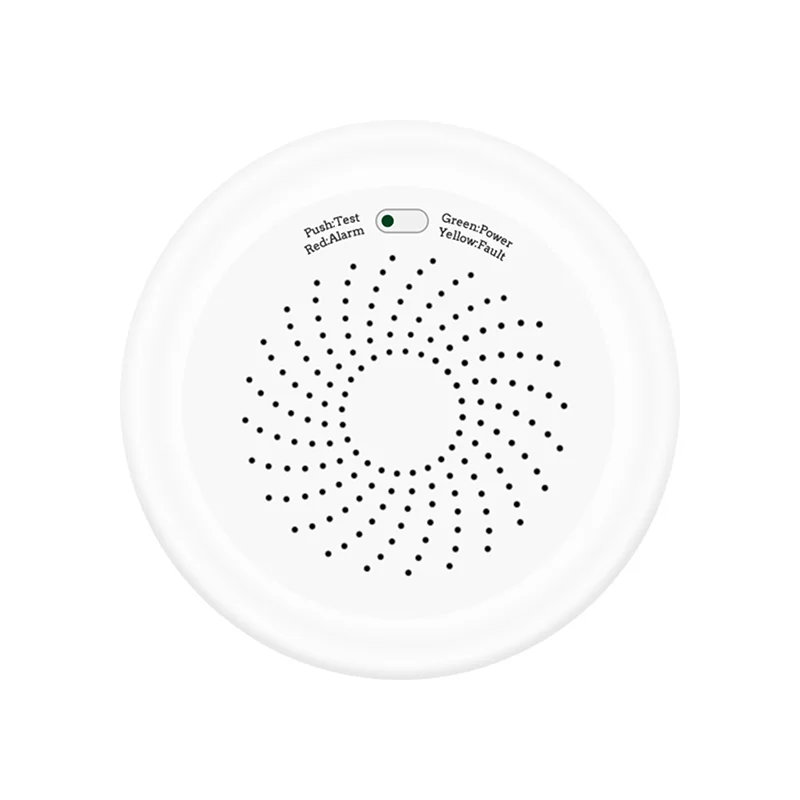
Wall-switch jobs still need neutral and gang notes first. Star Feather collection-scoped gang listings are described as neutral-wire products, and Light Mode and Scene Mode cannot run at the same time—record those conditions on the switch row when that family is shortlisted. US labels on MOES pages name form factor, not market approval.
Skip a SKU when the sheet shows a failed gate for its power class. When inputs are complete and samples are needed, use Contact Us.

Freeze device power class, circuit/load notes, neutral or ground status, junction or mount details, panel spare-space status, and hub continuous-power notes before cartons ship.
Many do, because the electronics need a return path when the lamp is off. Some no-neutral designs exist, but the sheet must show the box condition before anyone orders either path.
Smart plugs generally need properly grounded three-prong outlets. Treat two-prong receptacles as a grounding upgrade input, not a packing-list workaround.
Many smart thermostats need a common (C-wire) for continuous power. Photograph the existing wire bundle and mark C-wire status before swap day.
Review early when the panel is full, spare spaces are scarce, or the job adds always-on hubs and many continuous loads. Expansion options redistribute capacity; they do not create unlimited headroom by themselves.
Hubs and gateways work more reliably on continuous, quieter circuits with surge protection where required. Log circuit ownership on the sheet instead of borrowing an appliance outlet at the last minute.
Licensed electrical crews should own branch-circuit, panel, and receptacle changes. Sensor battery swaps and low-voltage mounts can sit with the integrator when the sheet says so—write the owner name.
Use the Tuya Smart Home Products category to shortlist plugs, sensors, gateways, thermostats, and switches only after the matching electrical gates pass for each row.

OTHER SMART DEVICES
Jun 13,2026
OTHER SMART DEVICES
Jun 12,2026
TUYA SMART HOME PRODUCTS
Jun 12,2026
 +86 137 3639 3028





