


by NOVA

Aug 30, 2026
Smart home device types are the functional classes—control, sensing, coordination, and climate—that distributors and installers must name before opening a Tuya smart home products catalog. This page supplies a B2B device type / classification map, a protocol axis, and RFQ rows channel buyers can paste into intake forms and price lists.
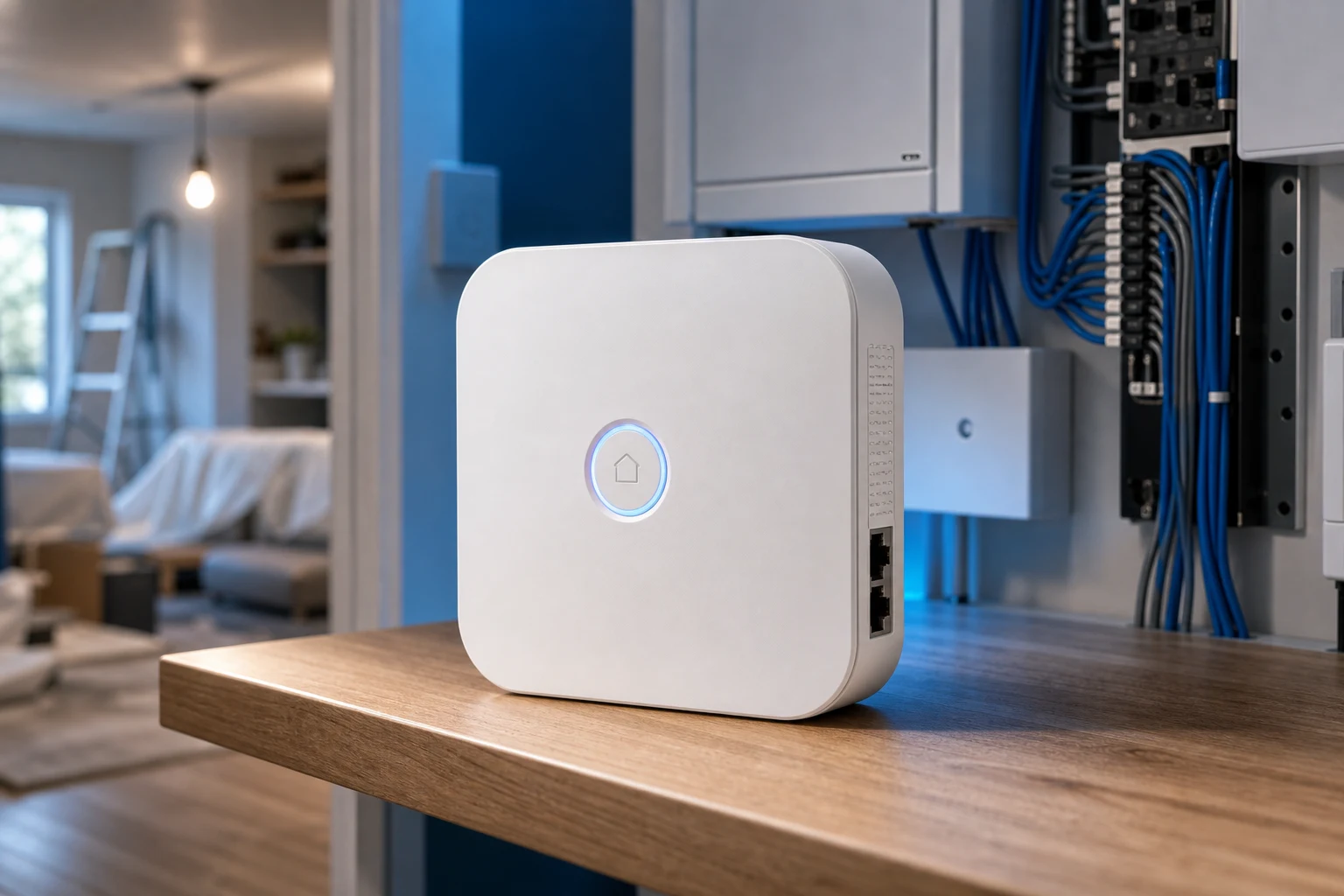
Device type—not a single “smart device” bucket—should drive a channel RFQ. Collapsing switches, sensors, gateways, and thermostats into one line item forces installers to re-qualify every quote and duplicates SKUs across price lists.
Smart home device types separate jobs that fail when collapsed: a wall switch actuates a fixed circuit, a leak sensor reports water, a gateway pairs radios, and a thermostat modulates HVAC. Wikipedia’s home automation overview notes that systems connect controlled devices to a central hub or gateway—classification starts by naming which layer each line item belongs to.
| Layer | Device role | Typical RFQ mistake |
|---|---|---|
| Control | Actuate power to loads | Quoting a plug when the job needs an in-wall switch |
| Sensing | Supply automation inputs | Listing “sensor” without door vs motion vs leak type |
| Coordination | Pair devices and host scenes | Omitting a coordinator when stocking Zigbee sensors |
| Climate | Modulate heating/cooling | Treating a thermostat SKU like a lighting switch |
Channels that skip this map often duplicate SKUs across price lists or mix protocols on one shelf without demo boundaries—a pattern the MOES smart home product portfolio planning article warns about when tiers are not labeled.
Control-class hardware opens or closes power paths—or, on specific SKUs, sends scene events while keeping loads powered. SparkFun’s switch tutorial describes a switch as selecting between an open circuit and a closed circuit; smart switches, plugs, and modules inherit that electrical job even when app control is added.
Smart switch SKUs usually mount in a wall box and replace or augment a traditional plate. Smart plug or socket SKUs actuate plug-in loads without opening the wall. Smart module SKUs hide behind an existing plate or in a junction box for OEM and retrofit projects where the visible finish must stay unchanged.
| Control form | Mounting / wiring context | RFQ must specify |
|---|---|---|
| In-wall switch | Fixed circuit in box | Gang count, neutral status, region format |
| Smart plug | Plug-in load | Outlet type, max load, indoor/outdoor |
| Module / relay | Behind plate or in box | Box depth, neutral, load rating |
Important: SmartThings community installers note that whether a load terminal actually controls a device depends on switch design—some models allow bypass or scene-only behavior and some do not. Confirm the wiring mode on the exact SKU before classifying a line item as standard load control.
For plug-class examples, MOES lists WiFi smart sockets under the Tuya smart home products pillar alongside wall switches—same ecosystem, different device class.
Sensor-class devices supply the inputs automation rules consume—they do not replace load actuators. Smart sensor families include contact, motion, leak, smoke, CO, gas, temperature, and humidity types; each belongs on its own RFQ line rather than a generic “sensor” bucket.
Independent hub taxonomies such as the Mios device category API enumerate smart sensor subtypes with distinct category IDs—door/contact, leak, motion, smoke, CO, gas, heat, tilt, and intrusion—each implying different placement, power, and certification questions on an RFQ.
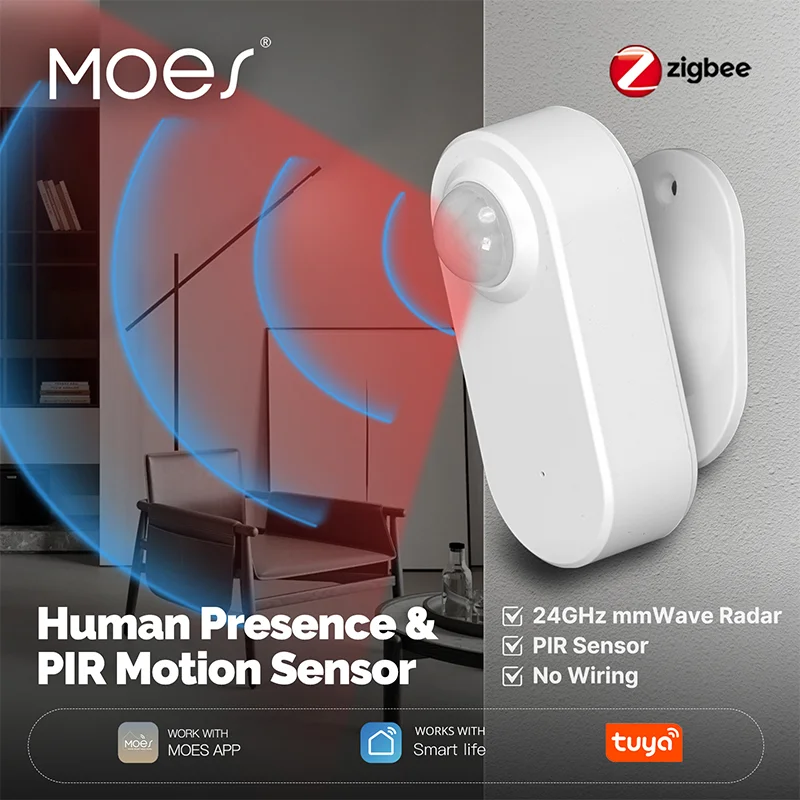
Treat every sensor line as its own class. A motion smart sensor triggers occupancy automations; a contact sensor reports open/closed doors; a leak sensor guards mechanical rooms. Mixing them under one “sensor SKU” on a price list forces installers to re-qualify every quote.
Channels planning security-heavy assortments should split inventory by sensor type and by radio protocol. A Zigbee / WiFi / Matter plan matters here: a Zigbee motion sensor paired with Wi-Fi-only plugs still needs a smart home gateway that speaks Zigbee—sensor class and protocol class are two columns, not one.
Coordination hardware pairs devices, holds scenes, and bridges radios—it is not interchangeable with a switch or sensor. A smart gateway / hub sits at the center of most multi-device projects; Wikipedia describes that hub (sometimes called a gateway) as the unit connecting controlled devices to apps and automation logic, while SmartThings forum threads show buyers routinely confuse hub, bridge, and gateway naming on RFQs.
MOES public navigation places gateway listings and control panels under Tuya smart home products separately from switch and sensor families—useful evidence that coordinators belong on their own RFQ line, not bundled silently with load devices.
Climate-class devices modulate heating, cooling, or HVAC interfaces—they are not generic switches. Wikipedia lists HVAC remote control and climate management among primary home automation applications; hub taxonomies place thermostats and HVAC controllers in a dedicated HVAC category distinct from lighting switches.
When a project mentions “smart home devices” for comfort or energy management, split thermostats, radiator controllers, and fan-coil interfaces from lighting control on the RFQ. A smart thermostat SKU carries setpoint logic, HVAC wiring labels, and sometimes room sensors—different documentation from a gang switch.
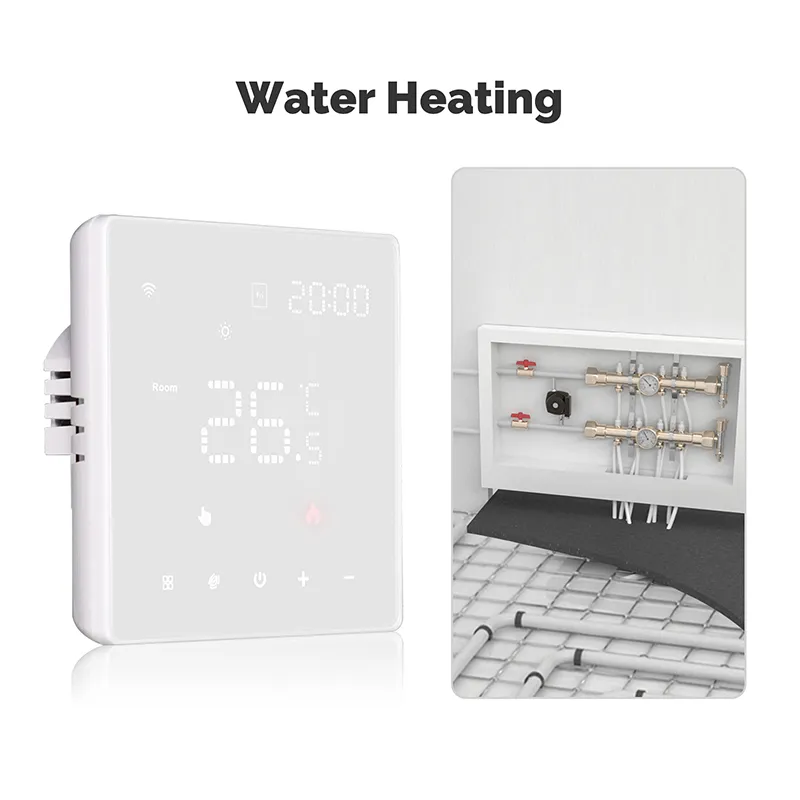
Load-management plugs and meters may sit adjacent to climate projects but remain control or metering classes unless they implement temperature setpoints. Keep those rows separate so procurement teams do not compare unlike SKUs on price alone.
Locks, cameras, and curtain motors belong on their own RFQ lines—not inside switch or generic sensor buckets.
Smart lock SKUs combine access control with radio pairing and often battery or wired power budgets distinct from wall switches. IP camera or doorbell-class devices add continuous power, bandwidth, and storage expectations that load-control SKUs do not share. Curtain motor and garage-door controller lines are motorized load classes: they need travel limits, torque notes, and sometimes neutral or dedicated circuits—different from a plug-in lamp load.
| Specialty class | Typical RFQ fields | Common mis-file |
|---|---|---|
| Smart lock | Door prep, protocol, battery vs wired | Listed as “security sensor” |
| Camera / doorbell | PoE vs Wi-Fi, storage, bandwidth | Listed as “plug device” |
| Curtain / shade motor | Track length, torque, neutral | Listed as lighting switch |
| Garage door controller | Dry contact vs proprietary hub | Listed as generic module |
When a project mixes these with switches and sensors, keep specialty rows in the matrix and document protocol on a separate column—mixed Zigbee locks still need a coordinator even if Wi-Fi cameras do not.
Protocol is a second axis—not a device class. Wi-Fi devices join the LAN directly; Zigbee and Bluetooth Mesh devices typically need a coordinator; Matter aims to unify commissioning across ecosystems but still requires compatible hardware on each end. Industry Matter documentation groups endpoints by standardized device types (locks, sensors, thermostats, and similar)—useful when a channel price list must align with cross-brand commissioning, even though RFQ rows should still follow the functional classes above.
Wikipedia notes that home automation suffers from platform fragmentation—mixed-protocol shelves without tier labels create pairing-support debt. Distributors should label assortments by radio and app ecosystem before margin discussions begin.
| Protocol / ecosystem | Typical device classes | Channel planning note |
|---|---|---|
| Wi-Fi | Plugs, switches, cameras, some sensors | Router capacity and SSID planning |
| Zigbee | Sensors, switches, locks | Coordinator SKU required |
| Bluetooth Mesh | Lighting, some MOES gateways | Pairing workflow distinct from Wi-Fi |
| Matter (where listed) | Cross-brand commissioning | Verify SKU-level Matter support on datasheets |
For Zigbee-heavy switch assortments after protocol is fixed, see the MOES Zigbee smart switch buyers guide. For plug-class depth, see the smart plug WiFi buyers guide.
Copy this matrix into a channel intake form so every RFQ / channel buyer shares one vocabulary before SKU comparison begins.
| RFQ line | Device class | Protocol (if known) | Minimum fields |
|---|---|---|---|
| Wall box control | Switch | Wi-Fi / Zigbee / Matter | Gang, neutral, load type, region |
| Plug-in control | Smart plug | Usually Wi-Fi | Outlet type, indoor/outdoor, max load |
| Hidden retrofit | Module | Varies | Box depth, neutral, load rating |
| Door/window input | Contact sensor | Often Zigbee | Mounting, battery vs wired |
| Occupancy input | Motion sensor (PIR/mmWave) | Often Zigbee | Coverage area, pet immunity |
| Water/gas safety | Leak or gas sensor | Varies | Alert routing, valve interlock? |
| Fleet coordinator | Gateway / hub | Multi-mode or single | Radios needed, scene count |
| Room UI + coordinator | Control panel | Often multi-radio | Screen size, integrated gateway? |
| HVAC setpoint | Thermostat | Wi-Fi / Zigbee | HVAC system type, wiring |
| Access control | Smart lock | Often Zigbee / Matter | Door prep, battery, protocol |
| Video / doorbell | Camera | Wi-Fi / PoE | Power, storage, bandwidth |
| Motorized load | Curtain / shade motor | Varies | Track, torque, neutral |
SparkFun reminds readers that switches carry maximum current ratings—exceeding them is a hardware failure risk. ENERGY STAR guidance on lighting controls stresses matching controls to compatible loads. Those principles apply whether the SKU is a switch, plug, or dimmer-class product.
After classes and protocols are documented, open the MOES Tuya smart home products pillar—not a single SKU—to browse families that match each RFQ row. Public sub-navigation includes smart switches, thermostats, modules, gateways, sensors, plugs, panels, and specialty devices such as curtain motors and detectors.
When an RFQ names multi-radio coordination for Zigbee sensors plus Wi-Fi switches, the MOES Tuya wired multi-mode smart home gateway listing is a bounded coordinator example: its public title references ZigBee, WiFi, and Bluetooth Mesh hub functions with Smart Life app scene modes. Use it only when those radios match the project record—Wi-Fi-only retrofits with no Zigbee sensors may not need that SKU tier.
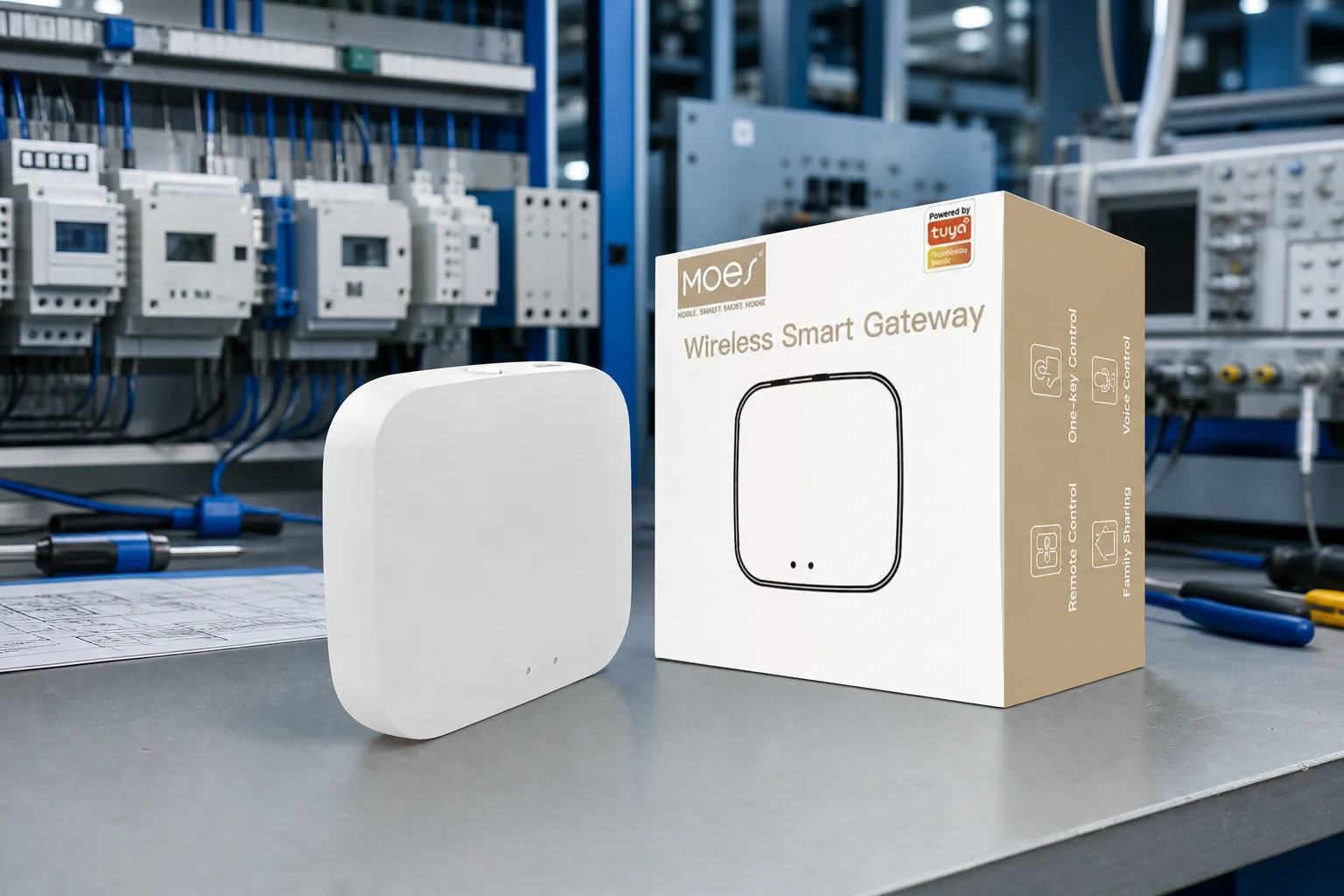
Pair coordinator examples with load and sensor families from the same pillar rather than treating one gateway image as proof for every device class.
For assortment tier planning after types are fixed, read the portfolio planning article linked above. Installers documenting partner co-marketing gates should use the smart home wiring partner marketing project inputs sheet.
Crews logging cross-class electrical fields should complete the smart home devices electrical installation project inputs checklist before cartons ship. For OEM packaging or labeling questions, use Contact Us with the completed matrix attached.
These answers cover residual smart home device types and protocol questions after the body sections—each maps to a class or RFQ row above.
At minimum: control (switch/plug/module), sensing (contact, motion, leak, air-quality), coordination (gateway/panel), and climate (thermostat/HVAC interface). Protocol and region format are separate columns.
A switch mounts in a wall box and controls a fixed wired circuit; a plug controls a plug-in load at an outlet. They share app features but differ in wiring, ratings, and installer labor.
Door/contact, motion, leak, smoke, CO, gas, temperature, and humidity smart sensor lines should appear as distinct RFQ rows with their own mounts and power sources.
Many Wi-Fi SKUs operate without a dedicated smart home gateway, but mixed Zigbee sensor projects still need a coordinator. Name the radio plan on the RFQ before assuming hub-less operation.
Climate class—alongside HVAC interfaces—not with lighting switches or plug loads.
Treat them as specialty classes—access control, video/security, or motorized loads—not as switches or sensors. Add separate RFQ rows with mount, power, and integration notes.
By radio tier and demo script—Zigbee / WiFi / Matter labels on separate shelf or price-list sections—so pairing support stays traceable.
Start at Tuya smart home products, then drill into switch, sensor, gateway, thermostat, or specialty motor families that match your matrix rows.


OTHER SMART DEVICES
Jun 13,2026
OTHER SMART DEVICES
Jun 12,2026
TUYA SMART HOME PRODUCTS
Jun 12,2026
 +86 137 3639 3028





