


by NOVA

Sep 18, 2026
Types of smart home sensors are classified by the detection job each line item must own—motion or occupancy, contact, leak, climate, ambient light, life-safety smoke or carbon monoxide, and energy monitoring—before a channel compares brands or SKUs.
Distributors and installers use that map to stock and quote. The pages that follow keep switches, plugs, and gateways out of this sensor list, keep Nest Protect smoke-chamber taxonomy on its own guide, and end with a live MOES SKU only after the class is locked.
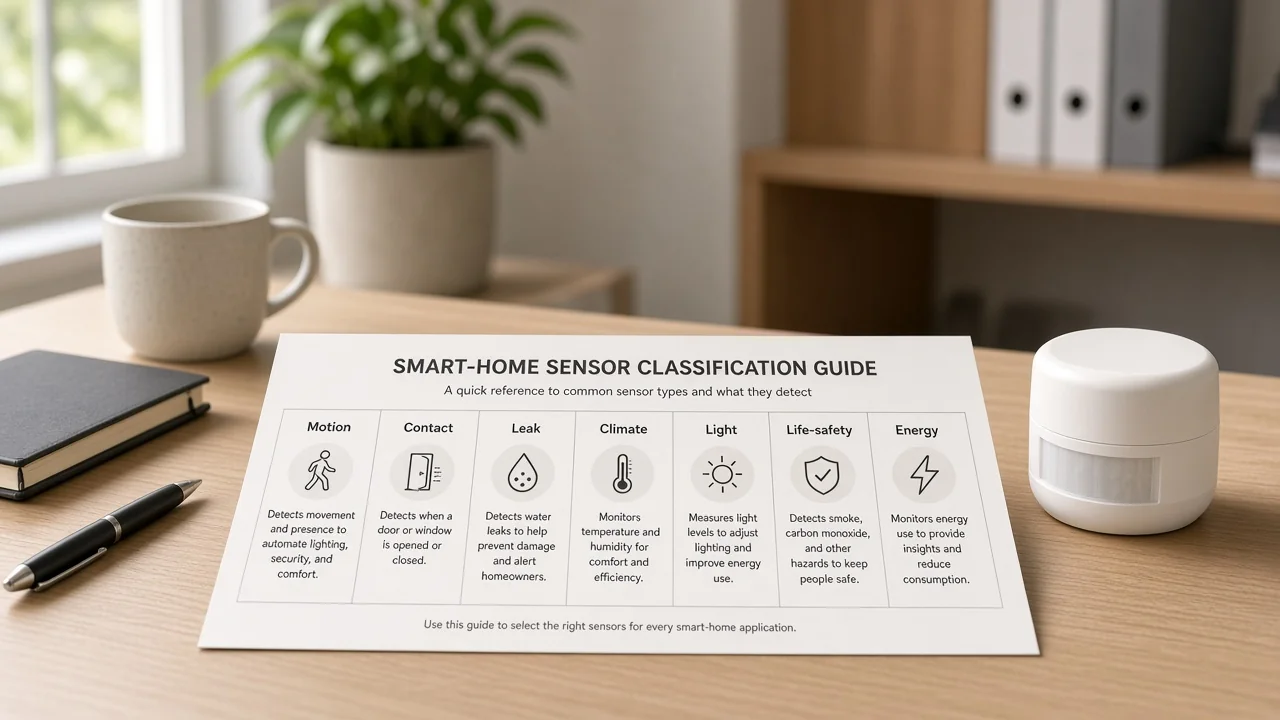
Sensors are stocked by detection job, not by brand family alone. A channel map groups inputs that measure a physical or environmental change, then hand that change to a hub, app, or automation rule.
| Sensor class | What it detects | Typical channel use | Common RFQ trap |
|---|---|---|---|
| Motion | Movement through a view | Hallway lighting, security trip | Quoted for rooms where people sit still |
| Occupancy / presence | Continued human presence | Offices, living rooms, bathrooms | Treated as identical to cheap PIR motion |
| Contact | Open / closed state | Doors, windows, cabinets | Confused with motion occupancy |
| Leak / flood | Water at a leak point | Under sinks, washers, heaters | Replaced by a shutoff valve on the quote |
| Temperature / humidity | Climate comfort values | HVAC scenes, bathroom fans | Filed on a smoke or CO line |
| Ambient light / photocell | Brightness / lux | Daylight harvesting, dusk scenes | Mixed with smoke-chamber photocell language |
| Smoke / CO (life-safety) | Fire particles or carbon monoxide | Documentation of listed alarms | Swapped for comfort automation inputs |
| Energy / CT | Current or energy use | Panel monitoring, utility insight | Assumed to be a smart plug |
Multi-sensors can combine motion, lux, and temperature in one housing. The RFQ still names each sensing job the project actually needs.
For switches and gateways, use the smart home device types guide. For smoke-chamber detector types, use the Nest Protect sensor type guide.
Motion detects movement. Occupancy and presence keep an occupied state while people sit still.
Most residential motion SKUs use passive infrared (PIR). They react when a warm body crosses detection zones.
An occupancy / presence sensor often adds millimeter-wave (mmWave) radar, or a hybrid of PIR plus radar, so a person reading or typing does not look like an empty room. Buyers may also write occupancy sensor on the same line.
That split changes stocking. A smart home motion sensor with PIR is usually battery-friendly and fits hallways, stair landings, and closet approaches.
Presence and mmWave designs usually draw more power and are often mains- or USB-powered. Mount points and spare planning change with that power choice. Dual-technology motion that requires two methods to trip can cut nuisance trips on security quotes, but it still answers a motion question, not an occupancy question.
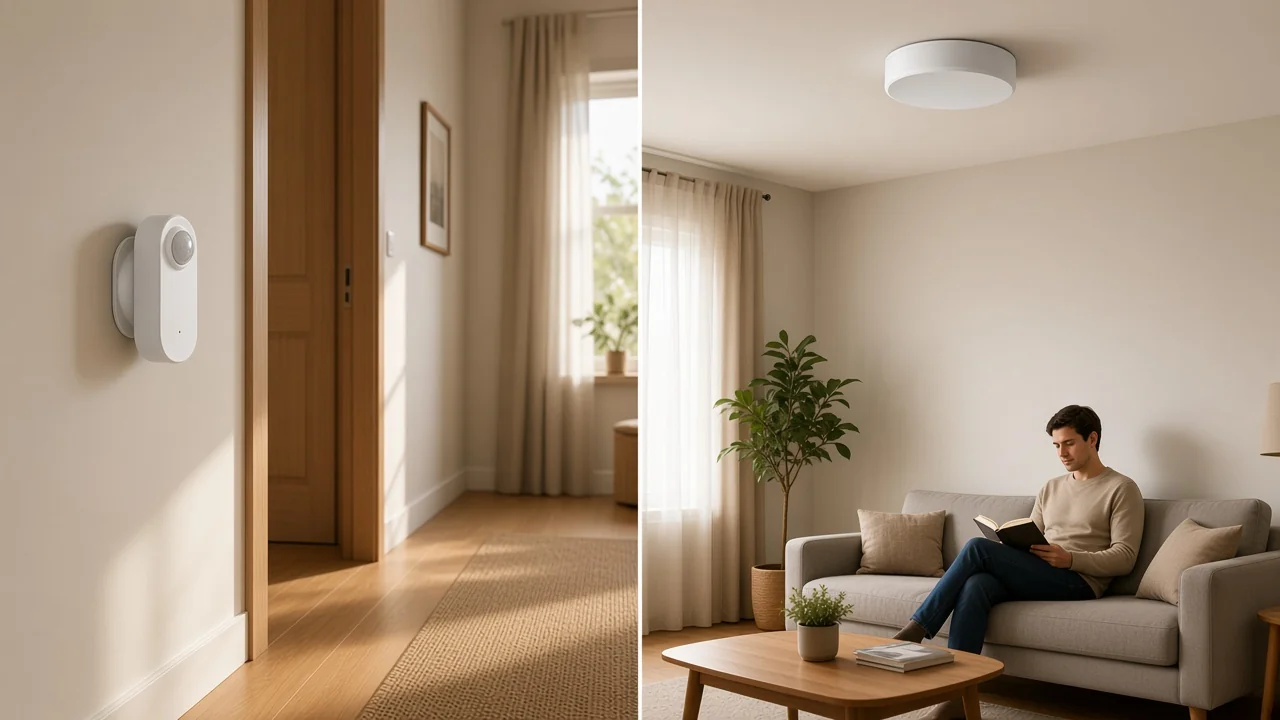
From the field: False alarms often start with placement. PIR units near heat vents or sunlit glass can trip on temperature change — Homey mmWave vs PIR.
mmWave units can react to fans or curtains when sensitivity stays wide open. Name who tunes sensitivity and who revisits the mount after commissioning.
When a buyer says “motion for the living room,” ask whether lights must stay on while someone sits still. If yes, the line item is presence or occupancy.
Contact sensors report open and closed state, not whether a room is occupied. The usual form is a two-piece magnet and reed pair on the door or window and on the frame.
Channels use contact lines for entry monitoring, HVAC interlocks when a window stays open, and lighting scenes at doors. They leave indoor motion or presence coverage on a separate line.
On an RFQ, record gap tolerance, indoor versus outdoor rating, and whether tilt or vibration is also required for specialty openings.
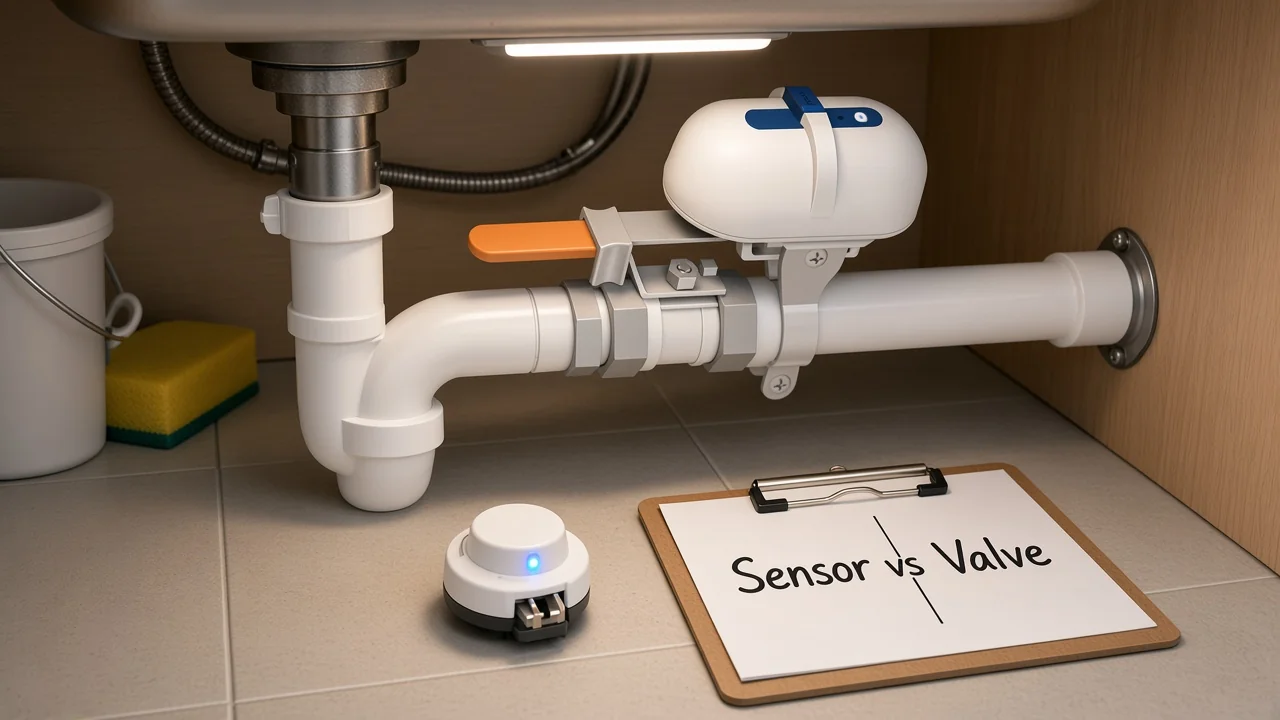
A water leak sensor detects moisture at a leak point. A shutoff valve closes supply. Those are different line items even when they automate together.
Place the water leak sensor under a sink, beside a washer, or next to a water heater—not somewhere else in the same room. Some projects only need an alert. Others need supply to close when moisture appears.
That second outcome often pulls a shutoff valve onto the quote. Live MOES catalog evidence shows a Wi-Fi water and gas pipeline auto shut-off valve that can link with smart water sensors. The valve remains an actuator on the paperwork.
As of the 2026-09-18 catalog check used here, MOES did not list a dedicated flood or water leak sensor SKU. Document the leak class first, then match live inventory or pair an adjacent valve with an explicitly named sensor line.
A temperature / humidity sensor supports climate automation. An ambient light or photocell sensor measures brightness for lighting scenes. Neither class is a smoke or carbon monoxide alarm.
Temperature and humidity inputs drive HVAC scenes, bathroom exhaust, and basement dampness watches. Ambient light sensors help lighting systems follow real daylight instead of a fixed clock.
Keep naming clean. Climate values on a multi-sensor do not move the line onto life-safety paperwork. An ambient-light photocell for lighting control is also different from the light receptor inside a photoelectric smoke chamber.
If the buyer needs heating control rather than a bare climate probe, a thermostat is an adjacent control device. It still sits outside this sensor-class map.
Smoke alarm / CO alarm lines stay on listed life-safety paperwork. Comfort and automation inputs stay on their own lines.
NFPA education pages describe listed smoke alarms, interconnected protection, monthly testing, and replacement age measured from manufacture date. They also keep a kitchen-distance note that reduces cooking nuisance. Carbon monoxide is taught as its own topic, with listed CO alarms where codes or standards require them.
Important: Motion, presence, climate, or path-light features do not take the place of listed smoke or carbon monoxide alarms. Keep life-safety on a separate documentation line. For detector-type taxonomy when a buyer names Nest Protect, use the Nest Protect classification guide.
Community automation threads show the same boundary from another angle. Incidental path-light sensing on a life-safety device is not an exposed motion deliverable for lighting scenes. File a motion or presence sensor when the project needs motion automation.
An energy / CT monitor measures consumption. It is a different class from a smart plug that only switches one outlet.
Many whole-home designs use current transformers around insulated conductors in a panel, plus a meter or gateway that reports usage. Field notes from a U.S. Department of Energy evaluation describe CT clamp and panel meter installs that required electrician involvement and a safety check before work continued.
Put labor ownership, panel access, and data destination on the energy RFQ before anyone compares consumer marketing names.
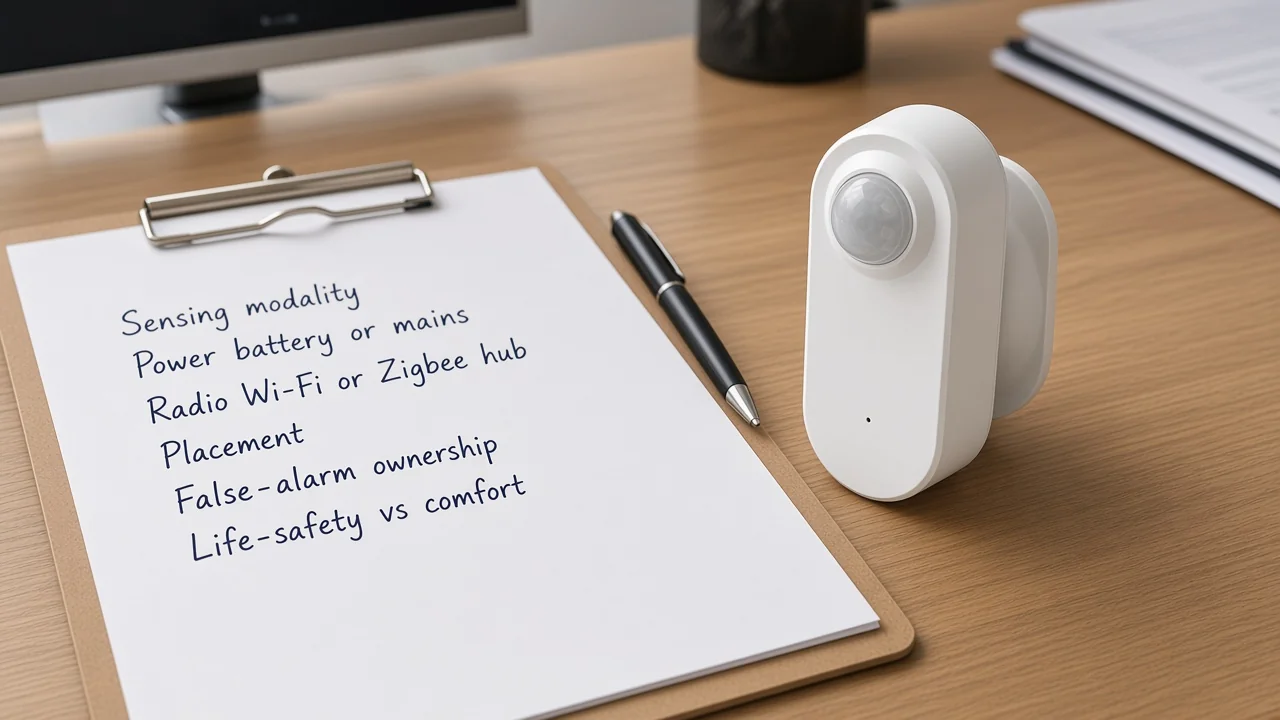
Lock modality, power, radio, placement, false-alarm ownership, and life-safety versus comfort before SKU comparison. Brand sheets look similar until these fields diverge.
| RFQ field | What to record | Why it changes the quote |
|---|---|---|
| Sensing modality | PIR, mmWave, hybrid, contact, probe, CT, listed smoke/CO | Wrong modality fails the job even if the radio matches |
| Power | Battery versus mains / USB | Presence and mmWave often need power the aisle PIR SKU does not |
| Radio / hub | Wi-Fi direct versus Zigbee with a Zigbee hub / gateway | Zigbee presence sensors need a hub plan and spares |
| Placement constraints | View, leak point, panel access, outdoor rating | Placement drives missed events and nuisance trips |
| False-alarm ownership | Who tunes sensitivity and revisits mount points | Support cost needs a named owner |
| Life-safety vs comfort | Listed alarm line versus automation input | Keeps life-safety paperwork separate |
Protocol marketing should not own this taxonomy. A separate Zigbee device map can cover radio-centric device lists later. This page stays on detection jobs.
After the class is locked, match a live SKU—or keep the class documented until inventory exists.
For motion and occupancy projects that need presence while people sit still, and that already plan a Zigbee hub / gateway, a live matching option is the MOES ZigBee human presence PIR sensor. That page names model ZSS-HP05-A presence sensor details: 24 GHz radar combined with PIR, Zigbee 3.0, dual AAA cells, and illuminance reporting.
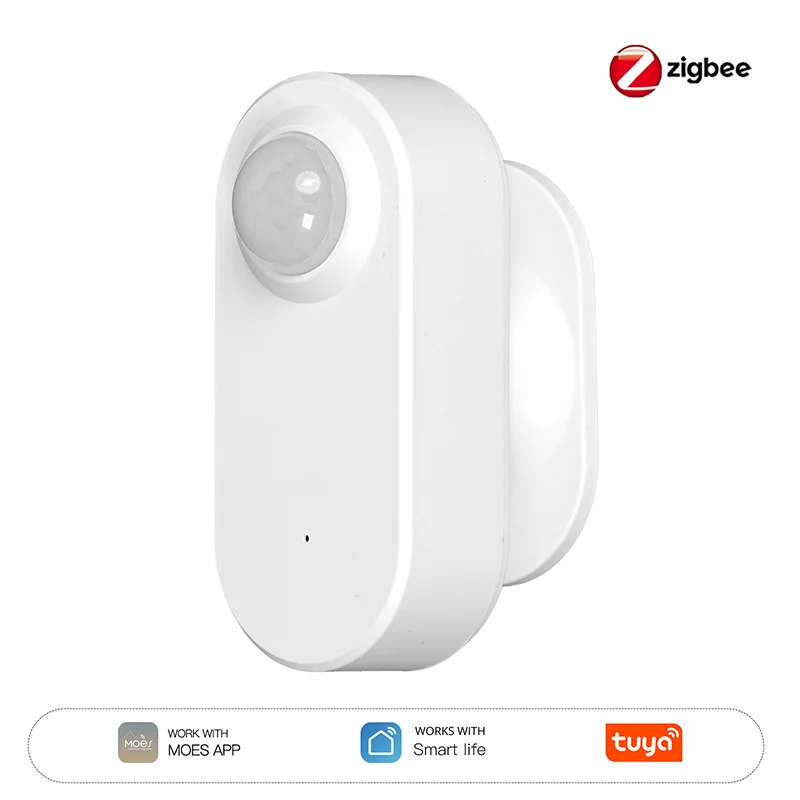
Use that SKU when the RFQ already says presence or hybrid motion-plus-presence. Skip it when the buyer needs listed smoke or CO protection.
For leak workflows, the live Wi-Fi water and gas pipeline auto shut-off valve can sit beside a leak-sensor line as an actuator. Keep the valve off the flood-sensor line item. Star Feather wall switches and Star Ring thermostats remain adjacent control devices when lighting or heating must react after sensors fire.
Browse the broader assortment on the Tuya smart home products pillar after the class map is clean. If the RFQ is smoke detection or a dedicated flood probe and live inventory has no matching sensor SKU, keep the class on the quote and source honestly.
These questions cover the residual checks that usually appear after the class map is drafted.
Stock by detection job: motion, occupancy or presence, contact, leak or flood, temperature and humidity, ambient light, life-safety smoke and carbon monoxide, and energy or CT monitoring. Multi-sensors can combine jobs, but the RFQ still names each required sensing function.
Motion RFQs prioritize detecting movement and often accept battery PIR in transitional spaces. Occupancy or presence RFQs require the occupied state to hold while people sit still, which usually means mmWave or hybrid sensing and a different power plan.
Zigbee sensors typically need a compatible Zigbee hub or gateway for pairing and automation. Wi-Fi sensors may talk to an app without that hub, but they bring their own power and network trade-offs. Record the radio and hub plan before SKU comparison.
Place a water leak sensor at the leak point. A shutoff valve closes supply. They can automate together, but they remain different line items.
No. Life-safety smoke and CO protection stay on their own documentation line. Comfort and automation sensors stay off that paperwork.
At minimum: sensing modality, power, radio or hub dependency, placement constraints, false-alarm ownership, and whether the line is life-safety or comfort or automation.
The catalog check used for this article found live presence sensors and a shutoff valve, and did not find a smoke product or a dedicated flood or water leak sensor SKU. Document the class first, then match only live inventory.
An energy / CT monitor measures consumption, often at the panel with electrician involvement. Smart plugs switch a load and may report partial energy data for that outlet. Keep panel CT monitoring on its own sensor class when the project needs whole-home or branch metering.




OTHER SMART DEVICES
Jun 13,2026
OTHER SMART DEVICES
Jun 12,2026
TUYA SMART HOME PRODUCTS
Jun 12,2026
 +86 137 3639 3028



