by NOVA

Oct 12, 2026
A smart home garage door opener in this catalog is a controller that signals the motor unit already installed. Retail pages often sell the whole operator instead. This article separates those two purchases, then stays with the radio, voltage, hub line, and status marks printed for the Wi-Fi controller.
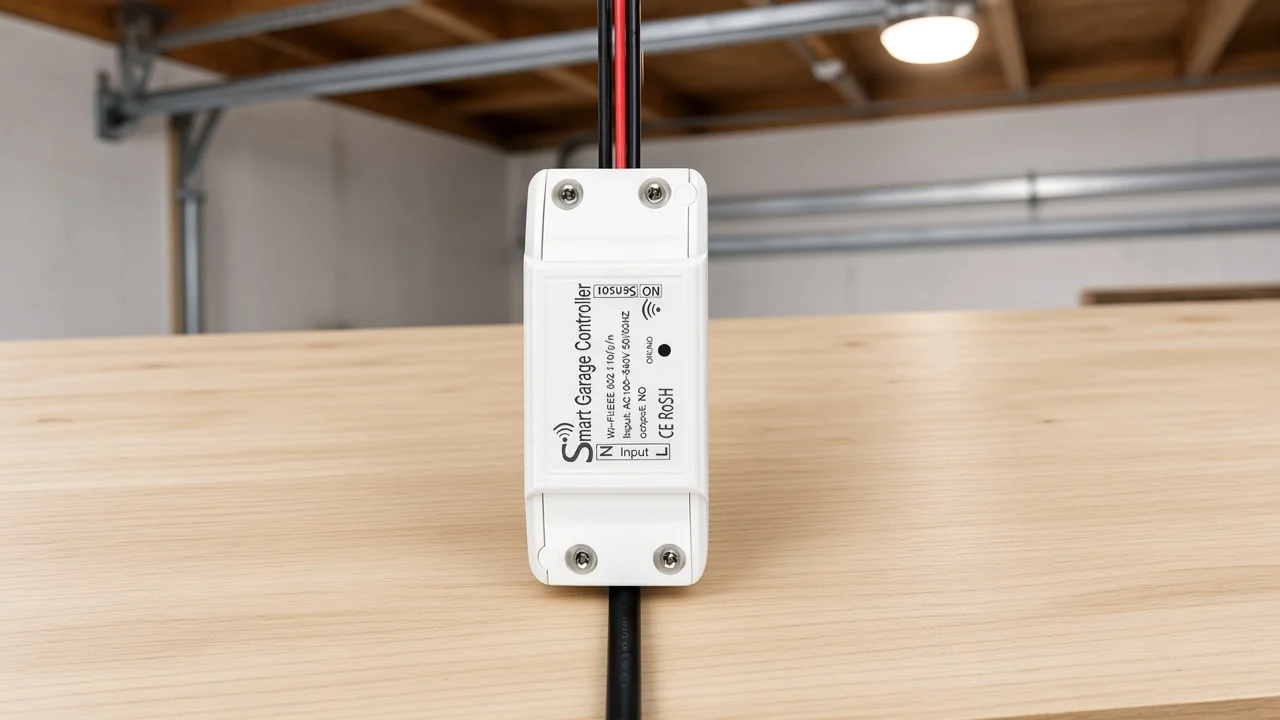
The phrase names the add-on when the house already has a working garage door operator. DASMA’s sectional-door terminology points “garage door opener” at the operator, meaning the electric or air-powered mechanism that opens and closes the door. Consumer Reports uses the same split in plain language: the opener is the motor and track, and the controller is the small device tied to that motor.
A channel quote that says “smart home garage door opener” can mean either purchase. One buyer wants a new belt, screw, or wall-mount operator with its own radio built in.
Another buyer wants a module that leaves the existing operator in place. Google’s overview of this query shows both paths side by side, which is why the catalog wording has to pick one.
In the MOES line, the live item is the second path. The product page says the module is added to the current opener so a phone can operate, monitor, and automate the door. The motor, rail, and the opener’s own obstruction sensors stay with the operator that is already there.
| Quoted name | What moves the door | What the purchase includes |
|---|---|---|
| Motor-unit opener | The garage door operator | Mechanism, rail, and the opener’s own safety devices |
| Controller | A signal into the opener already installed | The add-on module and the radio the page names |
A wifi garage door opener in a big-box listing is usually the first row. A smart garage door opener controller is the second row. Quoting the second row as if it included horsepower or a new rail will not match the page you are about to read.
A distributor on that call can settle the mix-up with one question. Does the building already have an operator that moves the door, or is the operator itself the thing being bought?
The first answer stays on this controller. The second answer belongs with a motor-unit supplier.
Start with the cycle the operator already knows how to run. DASMA’s operator glossary calls a control station a push-button device that activates the door. It calls a relay a switch run by a coil, and a receiver a wireless device that takes a signal from a transmitter and uses it to activate the door.
That vocabulary is the useful picture for a B2B quote. Someone at the wall presses a button. A remote sends a radio message.
A Wi-Fi module can sit in the same role if the opener accepts its output. None of those inputs is the motor.
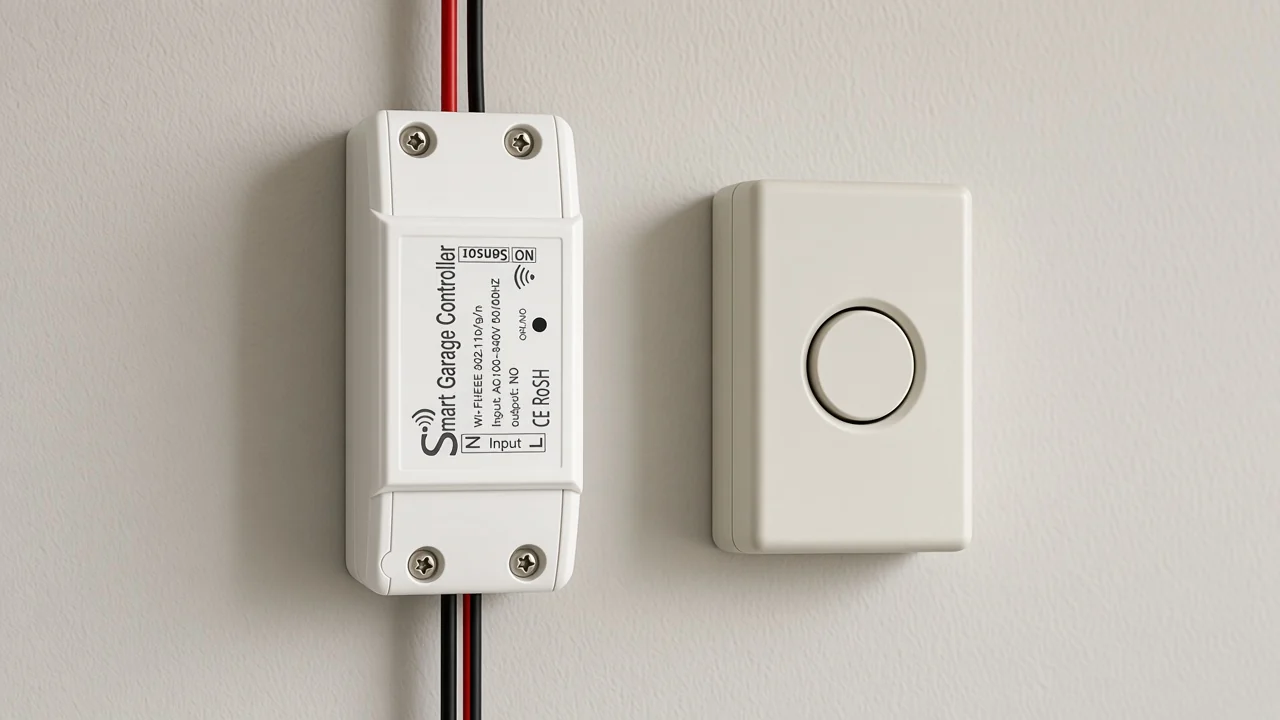
The live page says the module connects to most garage door opener models and tells the reader to check the model in the sixth picture. When the opener is missing from that picture, the page names a self-learning remote adapter as an optional companion. The adapter copies the remote that already belongs to the motor.
That adapter sentence is the compatibility path printed for awkward openers. It is not a promise that every learn-button color will accept a plain contact. People who wire relays for a living already know some newer operators speak a coded serial protocol instead.
From the field: On a Hubitat thread, one installer wrote that with Security+ 2.0 “straight dry contact doesn’t work anymore,” and another described hard-wired reed sensors used only to track door position. Source: Hubitat community.
Keep the opener’s entrapment protection with the operator. A DASMA note links UL 325 with entrapment protection for residential garage door operators.
The controller page does not print a listing number, so the quote should not invent one. The beams and force limits stay on the operator the house already has.
Radio, voltage, and hub are the three fields that change the price of a mistake. The description block lists model MS-102, Wi-Fi at 2.4GHz under IEEE 802.11 b/g/n, and a supply of 90-250V AC at 50/60Hz.
The same block lists a frequency band of 2.412-2.484GHz and a maximum radio transmit power of less than 16 dBm. Nothing in that block names Zigbee, a second radio, or a hub.
The gallery label reads Input AC 100-240V 50/60Hz and Output: NO. The description and the label are both on the live page, and they do not use the same voltage string. A quote should show both, then follow the label on the unit that ships if the two still disagree.
| Quote field | Printed for this controller | Still ask the project |
|---|---|---|
| Radio | Wi-Fi only, 2.4 GHz band in the spec block | Whether the garage actually has that band |
| Supply | 90-250V AC in the description; AC 100-240V on the gallery label | Which string is on the carton in the shipment |
| Hub | No hub required | None, unless a different SKU is substituted |
| Output mark | Output: NO on the device label | Whether the existing opener accepts that output or needs the remote-copy adapter |
| Door report | Animated door position in the app | Which sensor, if any, the project will add |
The page says Wi-Fi is the only radio and that no hub is required. Voice names printed beside the phone app are Alexa, Google Home, and Yandex.
Smart Life and Tuya are the apps named for shared control with other MOES devices. Those names are the ecosystem line. They are not a HomeKit claim, and they are not a Zigbee claim.
Door position status on this page is an animated garage door inside Smart Life, plus phone alerts and a history of on and off times. Countdown and repeat timers are printed in the same feature list. The open command can succeed while the status picture is still wrong if the project never decided how the door’s position is sensed.
The long description does not name a reed switch, a tilt sensor, or a laser. The gallery label’s “NO” mark tells you the output style of the module. It does not describe a door magnet.
Hubitat users who already solved the open command still added a separate contact because they wanted open and closed as its own signal. Another thread there describes wiring the relay in parallel with the existing door switch.
Treat those as two lines on the quote. Line one is how the module asks the operator to move. Line two is how anyone, including the app animation, knows the door finished the move.
Mixing them produces a module that clicks and a customer who still walks out to look.
The page also prints multi-user access and a package-delivery story. Read that story as a use case the copywriter chose, not as a measured delivery result.
A camera is mentioned only as something the buyer may add. It is not listed in the technical block.
A wall switch breaks or makes a lighting circuit in a box behind a plate. That product class is already explained in What B2B Buyers Should Clarify About a Smart Switch Before Quoting. The garage controller does not take a gang box, a load type, or a neutral-wire question from that article.
A hidden relay module for lighting is a different object again. What a Zigbee Relay Module Is in a Wall Box covers a module that sits in a lighting path. The garage page you are reading is a Wi-Fi controller for an existing operator, and its label talks about an output mark rather than a lamp load.
Sensor classes have their own map. Types Of Smart Home Sensors: A B2B Classification Guide is the place for contact, motion, and environmental sensors. This page should not grow a second taxonomy just because door position has to be reported.
Send readers who already know the class to the qualification sheet: How Should Installers Qualify a Smart Garage Door Opener Controller?. That article owns the field checklist. This one owns the noun.
The Wi-Fi garage door controller page is a single SKU story. It repeats “add this module to your current opener,” then lists phone control, the animated status, alerts, history, timers, and no monthly subscription fees.
A two-year warranty line is printed there as well. Copy the warranty as a line on that page, not as a service policy you have expanded.
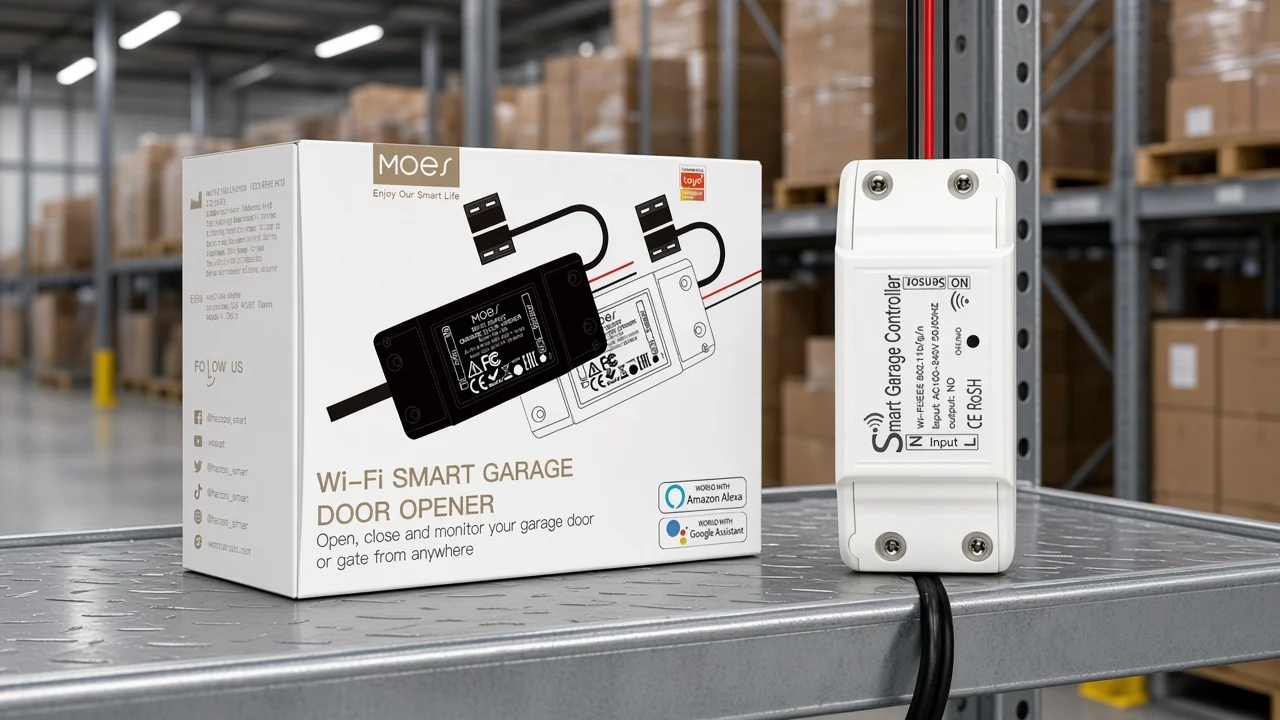
The carton photo names Alexa and Google Assistant. The description adds Yandex and the Smart Life / Tuya app note. When a marketplace listing adds HomeKit, Matter, or Zigbee, it has left the page.
Compatibility stays picture-scoped. The reader is told to check the opener model in the sixth picture, and the self-learning remote adapter is the optional path when that check fails.
Horsepower, door weight, and a listing mark are not in the description or the technical block. Leave them off the quote.
Hand a buyer this short list, and stop there:
The commercial home for this SKU is the Other Smart Devices category, and the product page is the MOES Wi-Fi Smart Garage Door Opener Controller. Use that page when the project already has an operator and needs the Wi-Fi module described above. Use a motor-unit supplier when the project needs a new operator.
The same page is the wrong recommendation for a lighting wall switch, a Zigbee in-wall module, or a sensor-only kit. Those quotes fail for a physical reason: they do not signal an existing garage door operator, and they do not carry this label.
If the radio, the voltage pair, or the output mark still does not match the opener on site, stop and ask before the carton ships. The contact path is contact us. Bring the opener brand, the learn-button color if it has one, and whether the project needs only the open command or also a separate door report.
The questions below are the ones buyers ask when a listing mixes a new operator with an add-on controller.
Yes, when the existing unit is the operator and you add a controller it will accept. MS-102 is sold as that add-on. It does not arrive as a replacement motor, rail, or set of safety beams.
The common ones in field notes are a coded opener that ignores a plain contact, a status picture with no real sensor behind it, and a cloud path the buyer did not mean to depend on. The MS-102 page answers the hub and subscription lines for this SKU. It does not remove the need to match the opener.
This article does not price myQ. That name belongs to another brand’s app. On the MS-102 page, the fee line that is printed says there are no monthly subscription fees.
“Best” on this query is usually a brand ranking. For this catalog the useful answer is the class: a controller for the operator already installed, with Wi-Fi printed and a hub line that says none is required. Rank a different SKU only after its own page is open.
If the buyer means the mechanism, they are shopping for a garage door operator, and horsepower, drive type, and door weight belong on that manufacturer’s page. If they mean the add-on in this catalog, the comparison is among controllers, not among motors.
No. The page says no hub is required, and it limits the radio to Wi-Fi. Do not copy a Zigbee hub from a different MOES article into this quote.
No. The technical block and the gallery label stay with Wi-Fi, the voltage strings, and Output: NO. Horsepower and Zigbee are not printed, so they stay out of the quote.




OTHER SMART DEVICES
Jun 13,2026
OTHER SMART DEVICES
Jun 12,2026
TUYA SMART HOME PRODUCTS
Jun 12,2026
 +86 137 3639 3028