


by NOVA

Oct 10, 2026
A zigbee relay module is a small radio plus a switch that lives in a box and joins a Zigbee network. The buyer is usually trying to keep a finished plate and still turn a load on or off from an app, so the quote has to name the hidden part, the hub, and the load words the product page actually prints.
That job sits on the Smart Modules path. Network role, meaning end device, router, or coordinator, is a different question and stays on what a Zigbee device is.
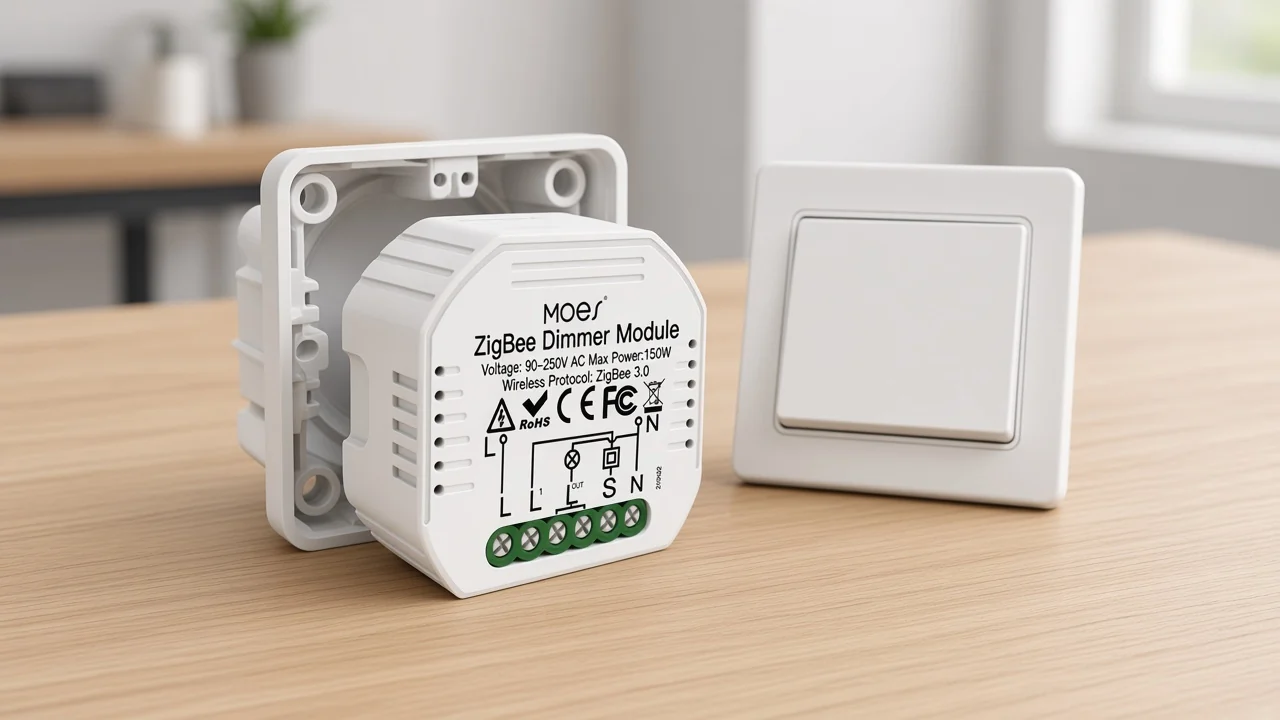
A zigbee relay is the hidden radio-and-switch, not the protocol and not the plate on the wall. The Connectivity Standards Alliance describes Zigbee as a mesh and a shared device language. The module is the object that uses that radio to open or close a load.
Shopping pages blur the word. A plug, a finished wall plate, a DIN board, and a tiny in-wall part all show up under the same search.
The useful cut is physical. If the part is meant to disappear into a box, and a separate plate or a separate hub still has to be named, you are looking at this class.
The radio receives a command from the network it joined. The switch inside then connects or breaks the load.
Some listings do that with a plain on-off contact. The live MOES example on Smart Modules does it as a dimmer.
Both are still modules. Neither one is the hub that formed the network.
Buyers hear “module” and picture a bare chip. On this query the word means a finished part with terminals, a housing, and a stated way to join a hub.
The chip inside is the maker’s problem. The quote’s problem is the housing, the load, and the hub line.
A stair-light request shows the split cleanly. The channel is asked to make the light respond from a phone without changing the plate the homeowner already likes.
The object that goes in the box is the module. The plate stays a plate.
The phone path still needs whatever hub that module’s page names.
The module hides behind or beside the plate. The plate itself is a wall switch, and that is a different product.
A smart wall switch is the finished control people touch. An in-wall relay is the part they should not have to see.
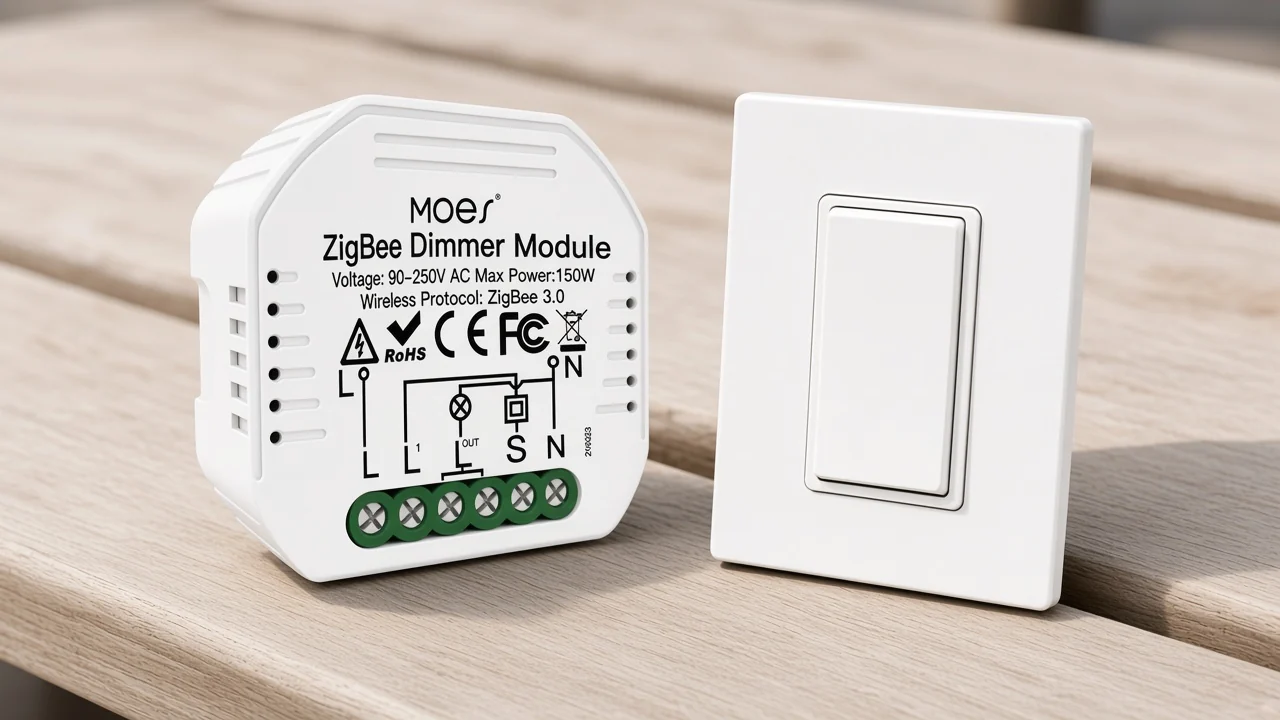
Installers who already like a Shelly-style retrofit ask to keep the traditional wall switch and put the module in the wall. They also warn that the box still has to hold the module, the old conductors, and the wire nuts.
MS-105Z is written for that hidden spot. The copy says to hide it in the wall switch box of a traditional switch, and it says the module is only suitable for a reset switch.
A rocker plate is a different mechanical ask. If the site still has rockers, this SKU is the wrong line even when the radio family matches.
The same page limits the module to a reset switch and allows 1-way or 2-way dimming. Two-way here means two switches on one light, which the page states directly.
It does not mean two relay channels, and it does not mean a gang count. Leave gang blank unless a different page prints one.
Box depth is the practical partner to that switch note. The housing is small, but the terminals, the existing splices, and the plate screws still share one opening. A distributor who quotes the module without asking about the box is guessing at labor.
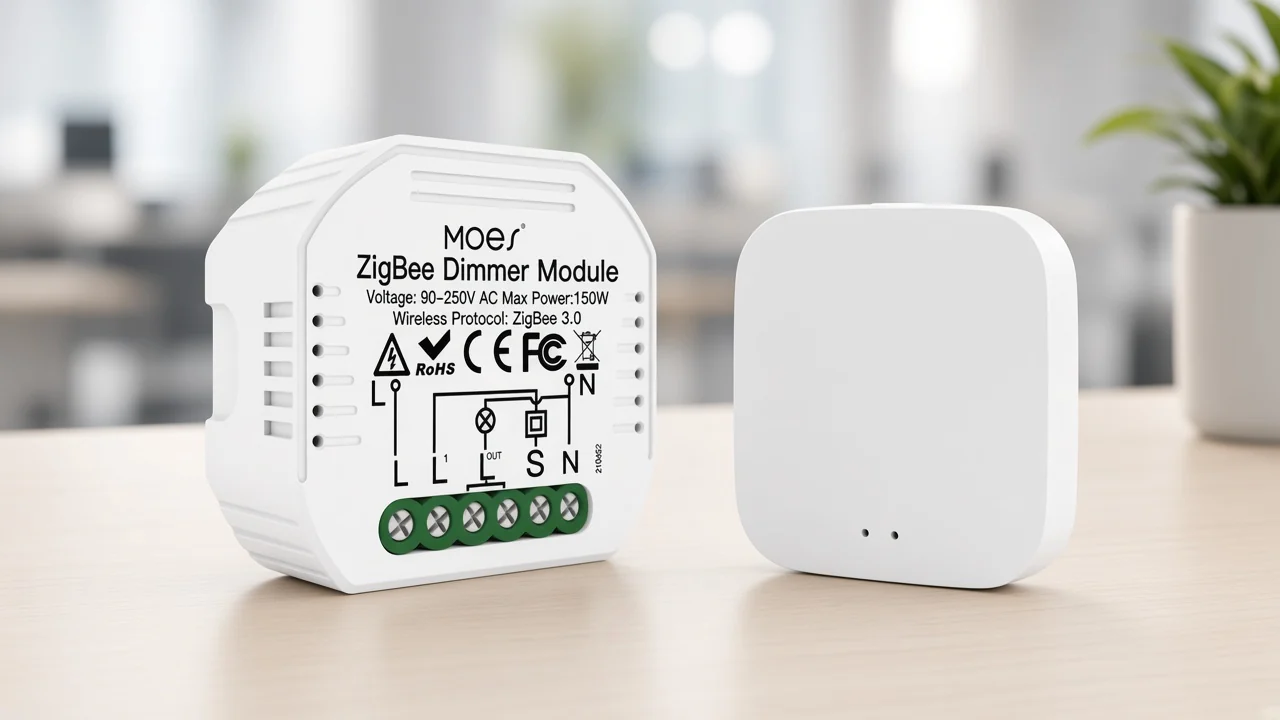
App and voice control on the MS-105Z page require a special Tuya ZigBee hub that is already connected. The module joins that hub. It does not replace it.
From the field: A public Zigbee software thread records a buyer whose new switch device was not recognized by the hub software already running in the house – name the hub family on the quote before the module ships. Source: Zigbee2MQTT unsupported-device discussion.
The live hub path on this site is ZHUB-W. That page calls the product a bridge and a control center, and it limits compatibility to Tuya ZigBee 3.0 smart products. Adding devices, reset, third-party control, and group control are hub jobs written on the hub page.
ZHUB-W lists electrical parameters of 5V 2A and a Micro USB DC5V charge type. Its radio line is ZigBee 802.15.4.
Those figures belong on the hub row of the quote. They are not the module’s mains supply, and they should not be copied onto the dimmer line.
The hub page also says the zigbee hub must work in the 2.4 GHz Wi-Fi band. Read that as the hub’s setup path for the app, not as a claim that the module itself associates to a Wi-Fi access point. The module’s own protocol line is ZigBee 3.0.
Stock the pair when the channel wants app scenes. A carton of modules with no hub leaves the join step with nowhere to land. A carton of hubs with no module is a coordinator appliance, which is the other article’s subject, not this one.
Voice assistants show up in the module copy only after that hub is connected. Alexa and Google Home are named there as voice paths through the hub and the Smart Life or Tuya app. They are not a second radio inside the module housing.
Copy the watt line, the reset-switch note, and the 1-way or 2-way note. Do not borrow an amp rating from a DIN board that happened to rank for the same words.
| Quote question | Hidden module | Wall switch | Hub appliance |
|---|---|---|---|
| What the buyer holds | Radio plus a switch for a box | Finished plate | Separate network box |
| Where it is installed | Behind the plate or in a box | On the wall | Shelf, cabinet, or desk |
| Live MOES example | MS-105Z dimmer module | Different category | ZHUB-W |
| What the quote must add | Hub line and load watts | Plate gang and wiring the switch page prints | Power rail and ZigBee family |
The live table lists 90-250V AC at 50 and 60 hertz, and a housing of 52×47×18 mm. Max power on that same table is 75W at 110V and 150W at 220V.
Operating temperature runs from -10℃ to 40℃, and the case limit is printed as Tc +80℃. IP20 is the enclosure mark.
On the radio line, the band reads 2.400-2.483GHz, and maximum radio transmit power is printed as less than +20 dBm. Those are MS-105Z lines.
Those figures stay on this SKU rather than every relay board in the search results.
Search also splits off dry contact. Some multifunction modules and some multi-channel boards print a potential-free output, meaning the relay closes a circuit and does not feed mains out of its own terminals.
MS-105Z does not print dry contact. It prints a mains voltage and a watt ceiling for a dimmer.
If the project is a boiler enable, a gate strike, or a garage trigger, this dimmer page is the wrong evidence. Ask for a page that actually says dry contact.
Lamp type changes the job again. A relay that cuts power to the lamp fights bulbs that need constant power.
Zigbee lamps that expect to stay energized will drop off the network when a series module opens the circuit. The usual pairing is a module with ordinary lamps, or a wall control that leaves power on the smart lamps.
Read MS-105Z as a dimmer for the connected light, with the traditional switch still in the story. It is not written as a detached button for a bulb that must never lose power.
Neutral is a community worry, and it is a real one on older switch drops. The MS-105Z page does not offer a no-neutral option in its table.
Wiring language on that page names the reset switch and the stated voltage range. If the box has no neutral, stop and use a page that discusses that wiring.
Do not take the labor from a Sonoff listing.
Timers, schedules, and countdown intervals are app features in the module copy, including short countdowns and a one-hour example. They depend on the Smart Life or Tuya app after the hub join. They are not local buttons on the housing.
The Zigbee product in the live Smart Modules category is a zigbee dimmer module, model MS-105Z. The table names the product type as Smart Dimmer Module. The title still says dimmer switch relay module, which is why it belongs in this class conversation.
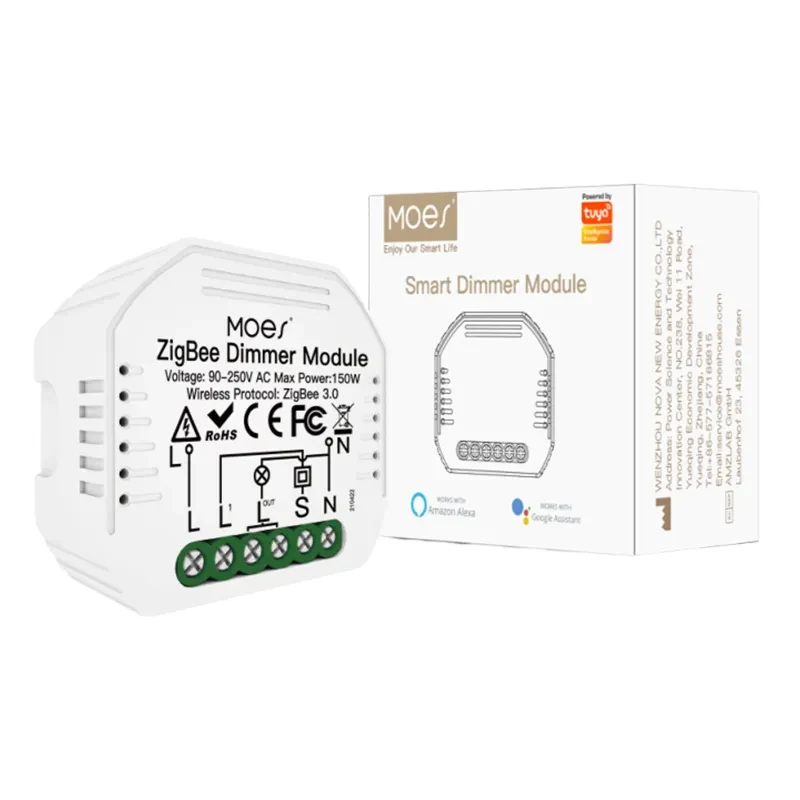
MS-105Z is printed as a Smart Dimmer Module, and the title also calls it a relay module. Brightness is part of the offer: the copy says 1/2 way dimmable, with brightness from voice or the Smart Life app, and it says a traditional switch and the module can work without interfering with each other.
That is a dimmer job. An on-off-only board would say so with channels and contact type.
This page says dimming.
The MS-105Z ZigBee dimmer module fits a channel that already wants a hidden ZigBee 3.0 dimmer, a reset switch, and a Tuya ZigBee hub on the same quote. It is a poor fit when the request is a multi-gang plate, a dry contact, a Wi-Fi module with no hub, or a finished wall switch the homeowner will touch every day.
Pair the hub from the hub page, not from memory. ZHUB-W is the Tuya ZigBee 3.0 wireless gateway written as the bridge for matching products.
Use it when the module line is the one being quoted. Leave it off the line when the buyer already named a different coordinator and the module page’s hub family does not match that coordinator.
Size helps the box conversation. 52 by 47 by 18 millimetres is the printed housing, with IP20.
That is small enough for many EU and UK boxes, which the copy mentions, and still large enough to fight a crowded splice. The photo on the product page shows the terminal block and the carton.
Use that photo when the channel needs to see the part. Use the watt line when they need to see the load.
If the printed hub family, the reset switch, and the watt ceiling all match the project, the SKU can go on the line. If one of those three is open, the honest next step is contact with the missing field named, rather than a guessed substitute from a different radio.
The quote should copy four things from the module page and one companion from the hub page: product type, hub family, load watts, switch type, and the 1-way or 2-way note. Anything else stays off the line until a page prints it.
| Field | Copy from MS-105Z | Leave blank on this SKU |
|---|---|---|
| Product type | Smart Dimmer Module | A plain on-off channel count |
| Protocol | ZigBee 3.0 | Mesh role |
| Supply | 90-250V AC, 50 and 60 hertz | An amp rating |
| Max power | 75W at 110V / 150W at 220V | A motor or HVAC current |
| Switch | Reset switch, 1-way or 2-way | Rocker, or a gang number |
| Companion | Special Tuya ZigBee 3.0 hub | A Wi-Fi-only gateway |
| Housing | 52×47×18 mm, IP20 | A DIN-rail claim |
| Radio | 2.400-2.483GHz, under +20 dBm | A range promise |
Read the two rows as a pair. The module row carries mains, watts, the reset switch, and the dimmer type.
The hub row carries 5V power, 802.15.4, and the Tuya ZigBee 3.0 family lock. Mixing those rows is how a receiver orders a wall plate, or ships a module with no way to join.
Warehouse staff need a short receiving note. Write “hidden dimmer module, reset switch, hub required” on the module line and “ZHUB-W hub” on its own line.
Carton pickers then see two objects in the shipment. One object will disappoint the installer who expected a plate, and it will disappoint the installer who expected the module to form a network by itself.
Check the load before the line is firm. Compare the lamp watts with 75W on 110V or 150W on 220V, using the supply the project actually has.
A brighter fixture than that ceiling needs a different SKU, not a footnote. A heating contactor or a gate motor is a different contact type, because this page never calls itself dry contact.
Taken together, the class comes down to four decisions. Name the hidden radio-and-switch, keep the plate as a plate, put the hub on its own line, and copy only the load words this dimmer page prints.
A Zigbee relay is a wireless part that takes a network command and opens or closes an electrical load. In this class the part is a module for a box, not the hub and not the wall plate.
Here it means a finished hidden part: radio, terminals, and a housing, usually joined through a hub. It does not mean a bare radio chip, and it does not mean every Zigbee product in a catalog.
On MS-105Z, yes for the app and voice path the page describes. The copy requires a special Tuya ZigBee hub, connected, before those controls. ZHUB-W is the matching hub page on this site.
Often that is the point of a module, and MS-105Z is written to hide in the box of a traditional switch. The same copy limits the switch type to a reset switch, so a rocker plate is a different mechanical fit. The box also has to have room.
No. A dry-contact listing closes an isolated circuit and says so.
MS-105Z prints mains voltage, a watt ceiling, and dimming. Use a dry-contact page only when the project is a boiler, a strike, or another enable circuit.
A module that removes power will drop bulbs that need to stay powered. Pair this kind of module with ordinary lamps, or choose a control method that leaves the smart lamps energized. MS-105Z is described as dimming the connected light, not as a detached button for always-on bulbs.
Copy maximum power of 75W at 110V and 150W at 220V, plus the 90-250V AC supply at 50 and 60 hertz. Add the reset-switch note and the 1-way or 2-way dimming note. Leave amp rating, gang count, and dry contact blank on this SKU.




OTHER SMART DEVICES
Jun 13,2026
OTHER SMART DEVICES
Jun 12,2026
TUYA SMART HOME PRODUCTS
Jun 12,2026
 +86 137 3639 3028



