


by NOVA

Oct 28, 2026
A zigbee 3 button switch search is usually a class cut before it is a cart line. The digit “3” may count wireless buttons on a scene remote, gangs on a mains wall plate, or—by a common mix-up—traveler ways on a multi-location circuit. This page sits on the Smart Switch path and freezes those meanings against printed MOES wall pages instead of inventing a SKU title that concatenates the whole search string.
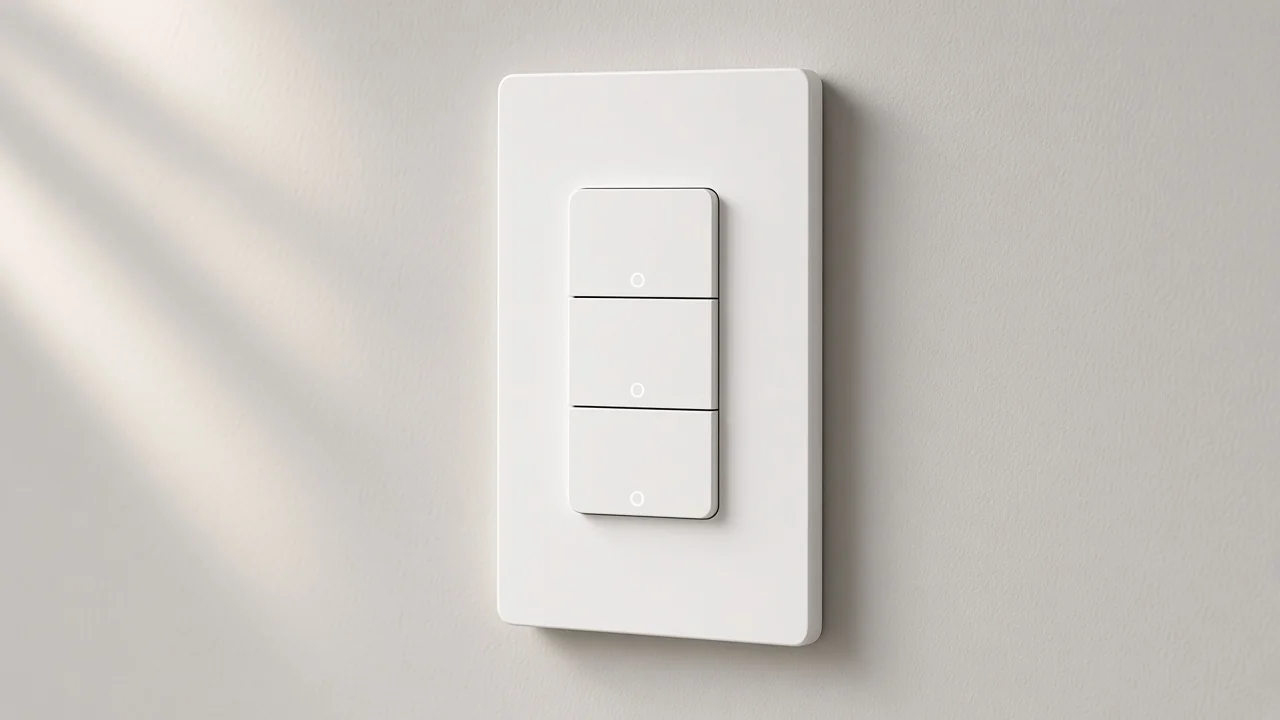
Wireless three-button Zigbee controls command scenes through a hub; a wall faceplate smart switch interrupts mains power to lighting loads on the plate people touch.
Shopping SERPs for this head term lean hard into a wireless scene switch class: three tactile buttons, press-action marketing, stick-on mounts, and a gateway note. That object is useful when the project already has smart loads and only needs another press surface.
An in-wall smart switch is a different object. It lives in the lighting circuit. Pressing a gang opens or closes a relay path to a lamp.
Independent education pages put the same cut in plain language: a wireless controller does not switch an ordinary wired light by itself; the wall device does.
For procurement, that split is the first RFQ checkbox. If the buyer pasted a scene-remote photo into a wall-switch line, stop and rename the form factor before anyone copies amp ratings from the wrong page.
A generic Zigbee button enquiry follows the same wall-versus-wireless cut at noun level. This article keeps the focus on what the digit “3” is counting once that form factor is known. Handheld Zigbee remote framing stays with the sibling remote clarification.
Button count, gang count, and way/traveler language are three different cells; writing “3” once without a noun is how wrong cartons ship.
Trade buying guides treat gangs as the number of switches on one faceplate. A 3-gang wall switch presents three positions. Each position usually maps to its own lighting channel when the page is a multi-gang wall switch.
A 3-way switch story is about hallway ends and traveler paths, not about how many rockers sit on a single decorative plate. Screwfix’s switch guide keeps gangs and ways in separate definitions for that reason. Keep a clear 3-way vs 3-gang note on every sheet that mixes hallway language with plate counts.
| What the digit “3” might mean | What the quote should freeze | Wrong cart risk |
|---|---|---|
| Three wireless buttons | Battery scene remote / wireless button class | Ships a wall plate into a keyfob PO |
| Three gangs on one faceplate | Multi-gang mains wall switch | Ships a single-gang or a remote |
| Three-way / multi-location control | Traveler or app association language | Ships a three-button remote into a hallway pair |
HomeSmart’s switch primer adds a practical wall note: gang often equals rocker or button count on the plate you are replacing. Match the plate the crew will see, then decide whether any extra gang is a wired load or a scene assignment—without treating that assignment as proof a wireless keyfob SKU exists on this catalog.
A 3-gang Zigbee switch quote therefore names plate positions first. It does not borrow scene-remote marketing as if those presses were already wired loads.
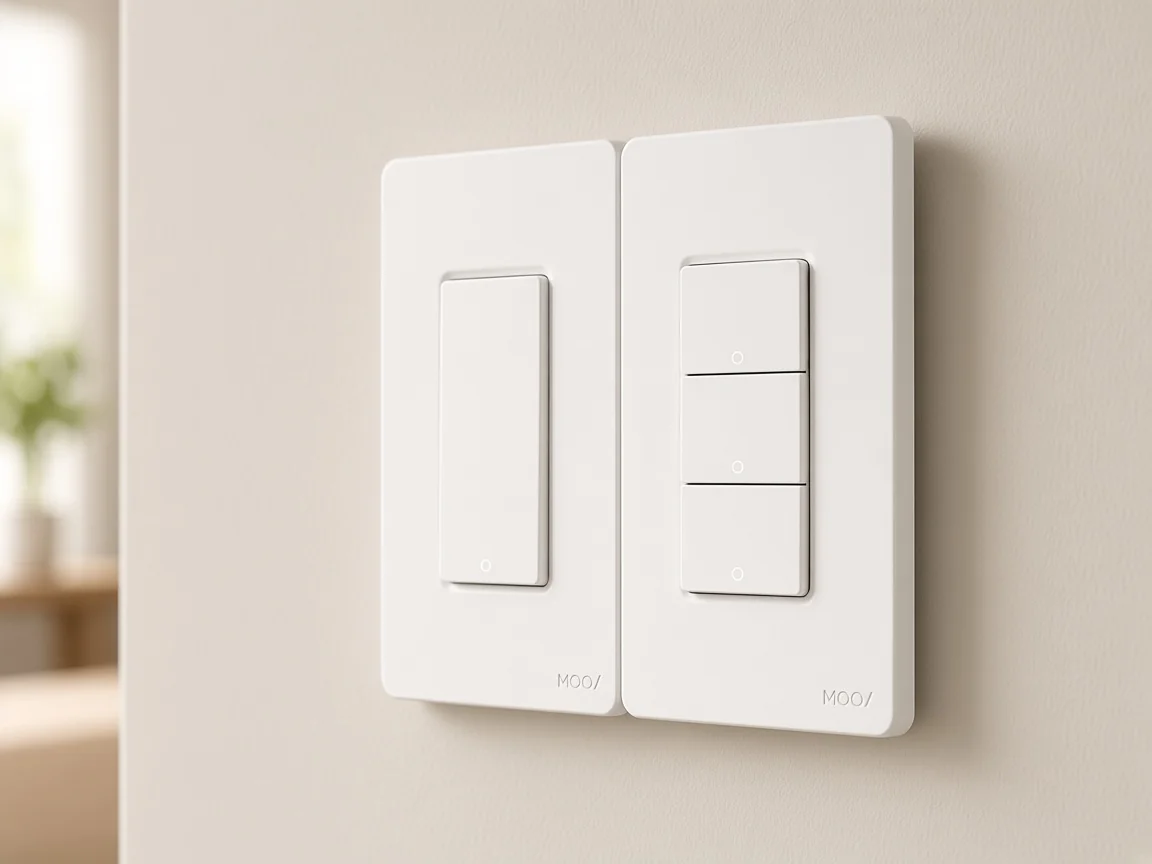
A printed 2/3 Way mark on a Zigbee wall page is multi-location association language, not a promise of three buttons on the faceplate.
The live MOES Zigbee wall light switch that prints Neutral Wire or No Neutral Wire also prints 2/3 Way. The page explains multi-control association for circuits where more than one switch controls one light, and it limits association to one gang per switch.
That is hallway logic, not a “three button” count. If a distributor copies “3-way” into the button-count field, the cart drifts toward either a traveler kit story or a three-button remote while the listing is still talking about association.
Keep way language on its own line. Keep button/gang language on another. Deep two-location field lists already live on the published 3-way project-inputs page; this clarification only blocks the digit collision.
No live MOES title equals the exact string “Zigbee 3 button switch.” The catalog prints multi-gang wall Zigbee switches, a wall push-button switch family with optional gang counts, and separate 2/3 Way dual-wiring pages.
| Live page | What the title/body prints | Honest use on this enquiry |
|---|---|---|
| Product 1543 US ZigBee wall switch | 1–4 Gang; Neutral Wire; Model ZS-B-US; 10A/Gang; Total 10A; ZigBee 3.0; 90–240V AC | Bind when the quote needs a three-position wall path inside the printed 1–4 gang range |
| Product 1575 Star Ring ZigBee3.0 Push Button Switch | Zigbee push button switch faceplate; optional 1/2/3/4 Gang; Max Current 10A; AC 100–240V; Tuya ZigBee hub required | Adjacent Star Ring aesthetics; do not invent a “3 button” title |
| Product 1544 dual-wiring wall switch | Neutral or No Neutral; 2/3 Way; Total 10A | Contrast only—ways are not button counts |
Product 1543 is the clean multi-gang wall bind for this cluster. The title already prints a 1–4 gang range, so a three-gang wall job can sit inside that range without renaming the SKU.
Copy Neutral Wire, 10A per gang, 10A total, ZigBee 3.0, and Model ZS-B-US exactly as printed.
Product 1575 is the Star Ring wall push-button page. The title says Push Button Switch. The body prints optional 1/2/3/4 Gang panel language.
That optional print can support a three-position Star Ring aesthetic when the RFQ says so. It still does not authorize inventing a product title that reads “Zigbee 3 button switch.”
Channel notes that already walked the 2-gang + module + no-neutral string live on the 2 gang Zigbee switch module no-neutral clarification. Reuse that sheet when the enquiry is about hidden modules or missing neutrals; keep this page on button/gang/way language.
Freeze form factor, what “3” counts, the Zigbee hub / gateway line, and the printed current band before any carton leaves the dock.
Start with form factor: mains wall faceplate versus wireless button/remote class. If the buyer wants a handheld remote story, that ownership sits with the sibling Zigbee remote clarification, not with a forced wall-plate bind here.
Next, write the noun beside the digit: buttons, gangs, or ways. Leave the cell blank rather than guessing.
Then copy radio and hub words from the chosen page. Zigbee is a low-power mesh family that typically joins through a coordinator.
Live Star Ring and dual-wiring Zigbee wall pages print a Tuya ZigBee hub requirement for normal app use. Put that hub on the BOM as its own line.
NIST’s industrial wireless deployment guide still opens with objectives and environment before device selection. On a lighting quote, that mindset is practical: decide whether the site needs a finished plate or a wireless press surface, then select the page that prints those words.
From the field: Hubitat users often see multi-gang Zigbee wall channels as a multi-endpoint / child device path. Source: Hubitat 3-gang Zigbee switch thread.
One thread reports a dashboard tile that drove all three loads together until each gang had its own control path. Treat endpoint independence as an RFQ note when the project needs three separately automated channels.
Skip invented Matter claims, efficiency percentages, C-wire notes, and surge ratings. If the sheet still needs a plain-language smart switch noun reset, use that sibling once and return here for the digit “3.”
For a three-position mains wall quote inside a printed 1–4 gang range, bind the US 1–4 Gang ZigBee wall switch (Product 1543, Model ZS-B-US) and copy only its printed Neutral Wire, current, and ZigBee 3.0 fields.
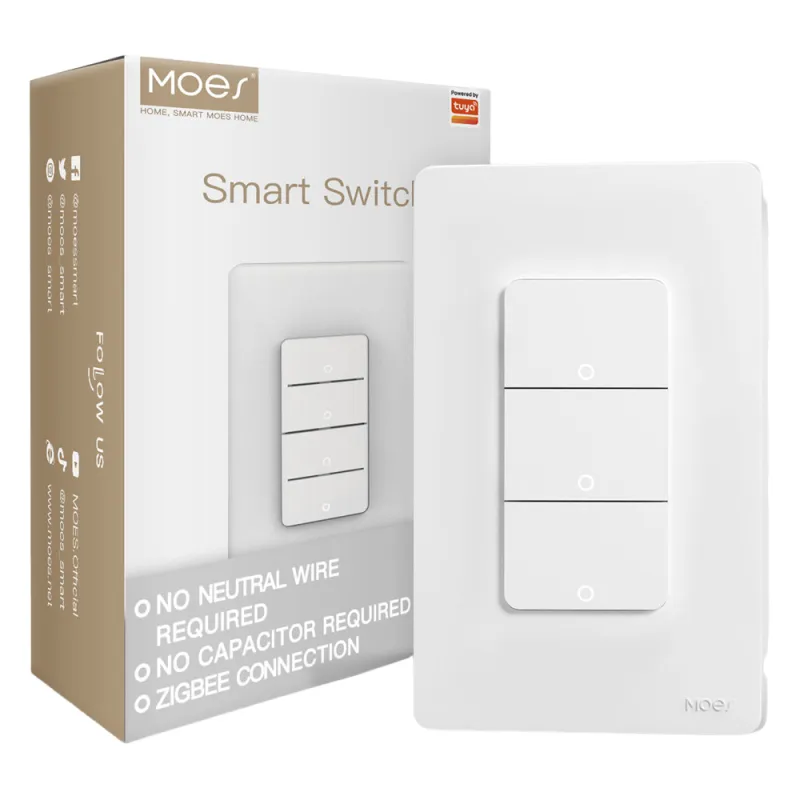
That page is the honest shortlist when the crew is replacing a multi-gang wall plate and the radio family must stay Zigbee. It does not claim to be a battery scene remote, and it does not need a fictional “3 button” title to cover a three-gang path.
Choose the Star Ring ZigBee3.0 Push Button Switch (Product 1575) only when the enquiry wants that wall push-button switch family and the optional 1/2/3/4 Gang print matches the plate count. Keep the title honest: Push Button Switch, not “Zigbee 3 button switch.”
If the buyer still means a wireless three-button scene remote, say the exact title is absent on this catalog, keep the wall bind off the PO, and route the wireless-button class language through Post 3247 while the sibling remote article owns handheld remote framing.
For channel questions outside these printed fields—MOQ, packaging, or project constraints—use Contact Us rather than inventing parameters the product pages do not print.
Not automatically. On shopping SERPs, “3 button” often means a wireless scene remote.
A 3-gang wall switch is a mains faceplate with three positions. Freeze form factor before you freeze the digit.
No. 2/3 Way language marks multi-location control or association. Button or gang count is a separate cell on the quote.
No. Live titles print multi-gang wall switches, Star Ring push-button plates, and 2/3 Way dual-wiring pages. Treat the search string as a clarification cluster.
Use Product 1543 when the job needs a mains multi-gang wall plate and a three-position path sits inside the printed 1–4 gang range. Copy Neutral Wire, 10A/Gang, Total 10A, and ZigBee 3.0 as printed.
Only by following the page’s optional 1/2/3/4 Gang print and Star Ring push-button wording. Do not rename that page to “Zigbee 3 button switch.”
Yes when the product page prints a Tuya ZigBee hub requirement. Keep the hub as its own BOM line.
Use the Zigbee button clarification once for the wall push-button versus wireless button noun cut, then return here for button-versus-gang-versus-way language on the digit “3.”


OTHER SMART DEVICES
Jun 13,2026
OTHER SMART DEVICES
Jun 12,2026
TUYA SMART HOME PRODUCTS
Jun 12,2026
 +86 137 3639 3028





