


by NOVA

Sep 07, 2026
Before a commercial electric smart dimmer with motion sensor installation search turns into a truck roll, freeze load and dimming compatibility, occupancy mode versus vacancy intent, sensor placement notes, neutral wire status with line and load IDs, LED minimum load checks, and who owns cutover plus sensor commissioning—on one signed sheet. This page is for electricians, integrator coordinators, and distributors packing smart dimmer with motion sensor jobs when buyers arrived on that brand-class phrase. It is not a manufacturer install manual and not a product-by-product comparison.
You will get the copper, dimming, and sensor fields brand PDFs skip, plus a cutover checklist that keeps occupancy sensor dimmer installation paperwork ahead of any SKU ship.
When the sheet passes, browse the smart switch pillar for US/EU wall-switch and dimmer families. If the open question is a generic Commercial Electric smart switch without a dimmer-and-motion thesis, or a deep 3-way motion diagram, those belong on separate sheets—not here.
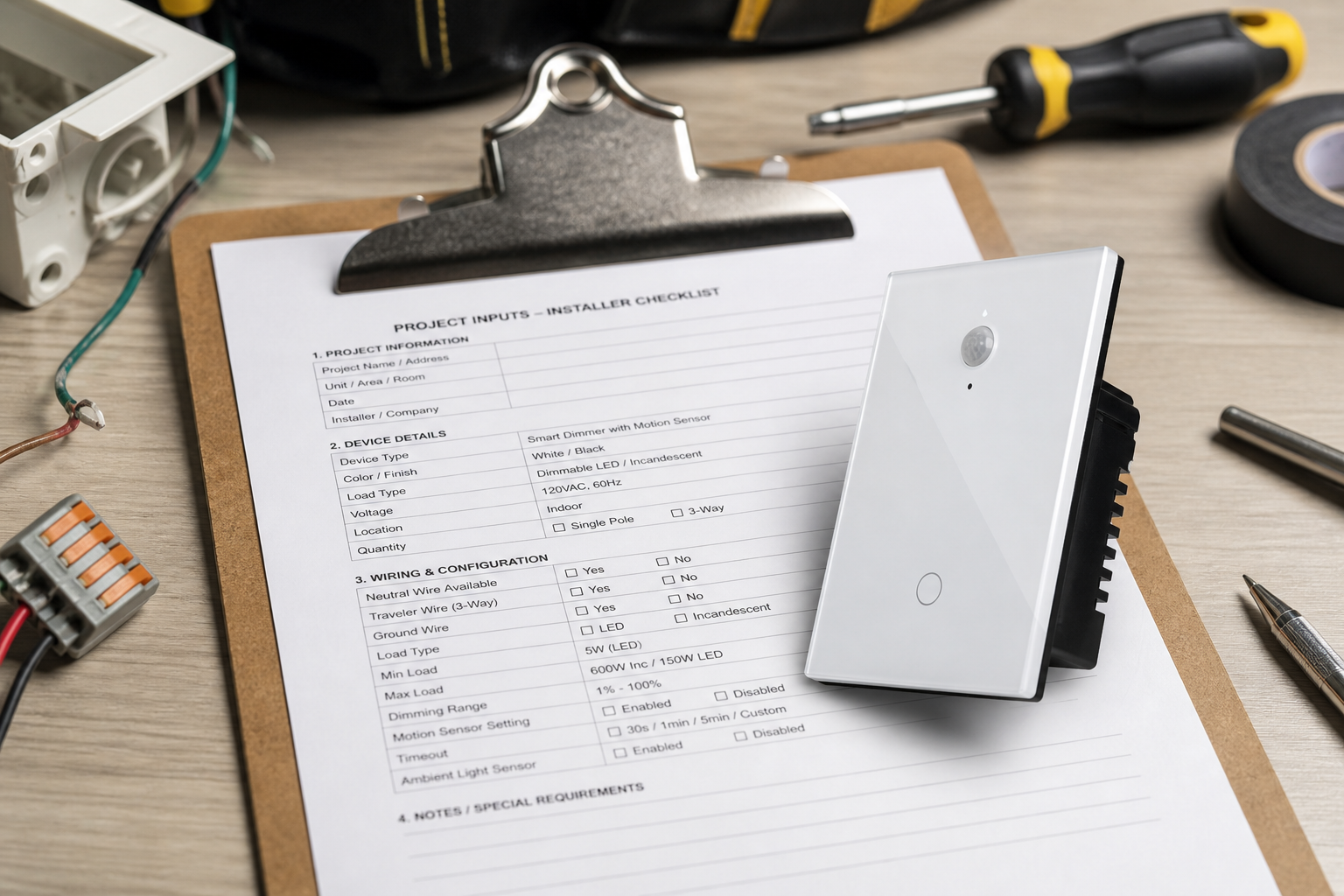
Document the dimmer-and-motion circuit before anyone reprints a brand PDF or opens the app. Search results for this phrase are packed with manufacturer cards and retailer guides; those pages rarely force crews to archive which conductor was line, whether the load is dimmable LED, whether vacancy mode smart dimmer behavior was requested, or who is allowed to pair after cutover.
A project-input sheet turns that noise into order gates. Channel teams can staple the signed sheet to the pick ticket so the hardware leaving the warehouse matches the labeled box and the sensor behavior the occupant actually wants.
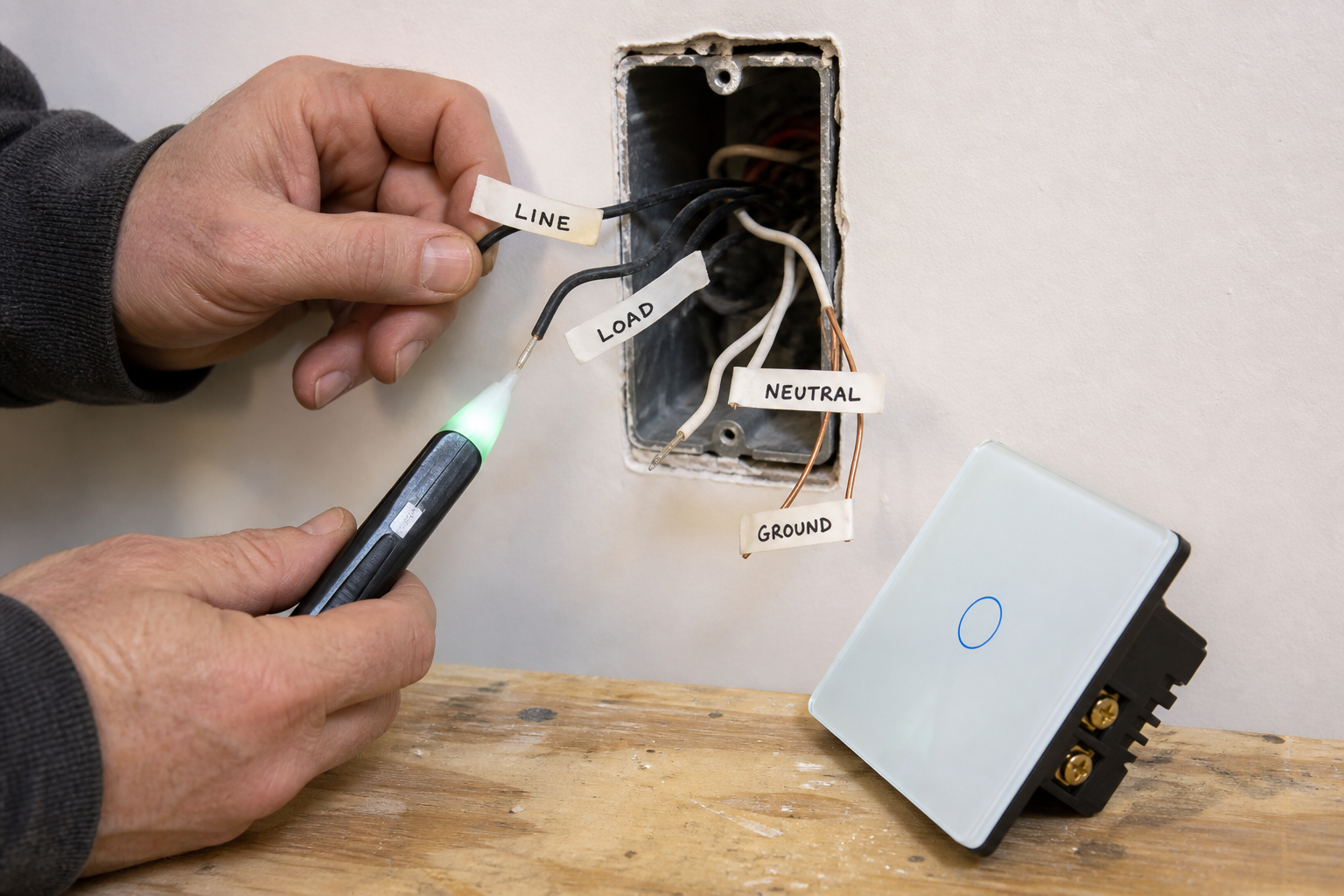
Mark line, load, neutral, and ground before any wire leaves a screw. For a typical single-pole US lighting box on a dimmer-plus-sensor swap, confirm which conductor feeds the fixture and which stays hot from the panel, then find whether a white or gray neutral group is spliced in the rear—never assume jacket color alone proves identity.
Educational summaries of NEC 404.2(C) note that many lighting switch locations serving halls, stairs, and habitable rooms are expected to provide a grounded conductor so electronic controls—smart switches, dimmers, and occupancy sensors—can stay powered—subject to Code exceptions and local adoption. Confirm the applicable Code edition with the project electrician, and treat that citation as planning context rather than an inspection result.
Automated-switch community guides still land on the same field rule: most hardwired electronic controls expect a neutral, and low-wattage LED or fluorescent loads under about 20 W rarely survive old no-neutral leakage tricks. Missing neutral on a motion-dimmer sheet is a stop-order item—pull a conductor or choose a datasheet that explicitly allows the no-neutral path for that load—while leaving the deep without-neutral buying path to its own package.
Ground stays on the same row. Bond device grounds to the house ground; do not invent a bootleg neutral on the ground path to “make the switch wake up.” If travelers or a second switch leg appear in the box, mark the job as multi-way and escalate to a datasheet that actually supports that topology before ordering a single-pole-only kit.
| Field | What to write | Why it matters |
|---|---|---|
| Line | Photo ID + tester confirmation | Always-hot feeder |
| Load | Photo ID + fixture path | Switch leg to lamp |
| Neutral | Present / absent / fixture-only | Powers electronics while lamp is off |
| Ground | Present / bonded / missing | Safety path—not a neutral substitute |
| Multi-way note | Single-pole / travelers present | Stops single-pole kits on multi-way boxes |
| Label owner | Who marked wires before disconnect | Archive accountability |
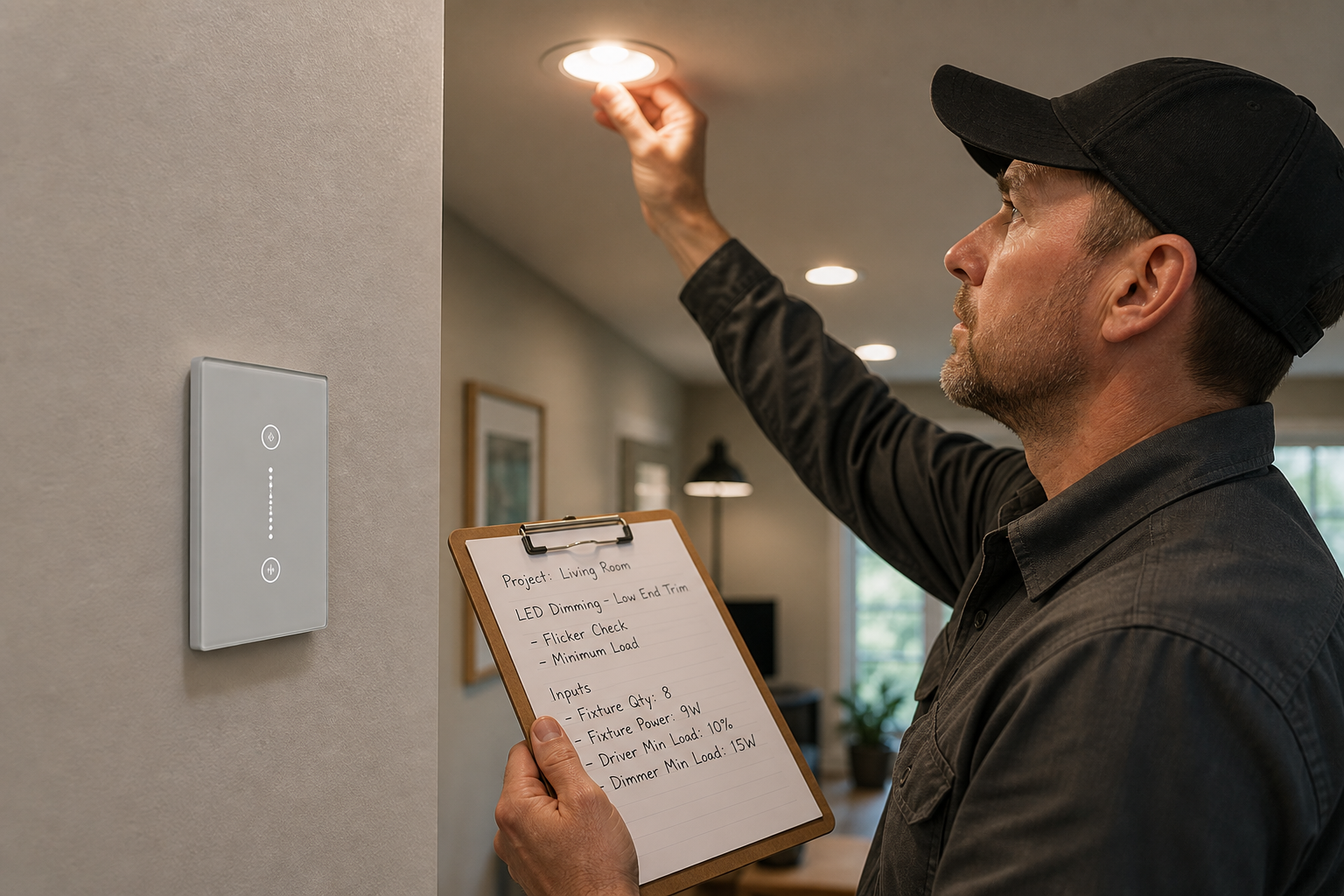
Write the LED load type, other lamp/driver classes, and whether the job needs dimming beside every SKU candidate. Electronic dimmers and motion controls often publish maximum wattage by load family and sometimes a minimum load; LED hallway strips that sit under that minimum flicker, ghost, or refuse to turn off cleanly—especially when the control chops the waveform for dimming.
Record how many fixtures sit on the switched leg, a rough wattage total, whether lamps are labeled dimmable, any known picky LED driver, and whether a low-end trim or bypass accessory is expected. If a datasheet lists an LED compatibility table or a required accessory, copy that accessory number onto the sheet before the warehouse picks hardware. Do not invent brand watt tables from memory—use the sheet that ships with the chosen SKU.
Important: Treat LED flicker after a dimmer-or-motion swap as a load-compatibility and connection check first—undersized LED loads, non-dimmable lamps on a dimmer, and loose landings are common culprits—before blaming the app firmware. — planning note aligned with community LED/min-load concerns (SmartThings automated-switch wiring FAQ)
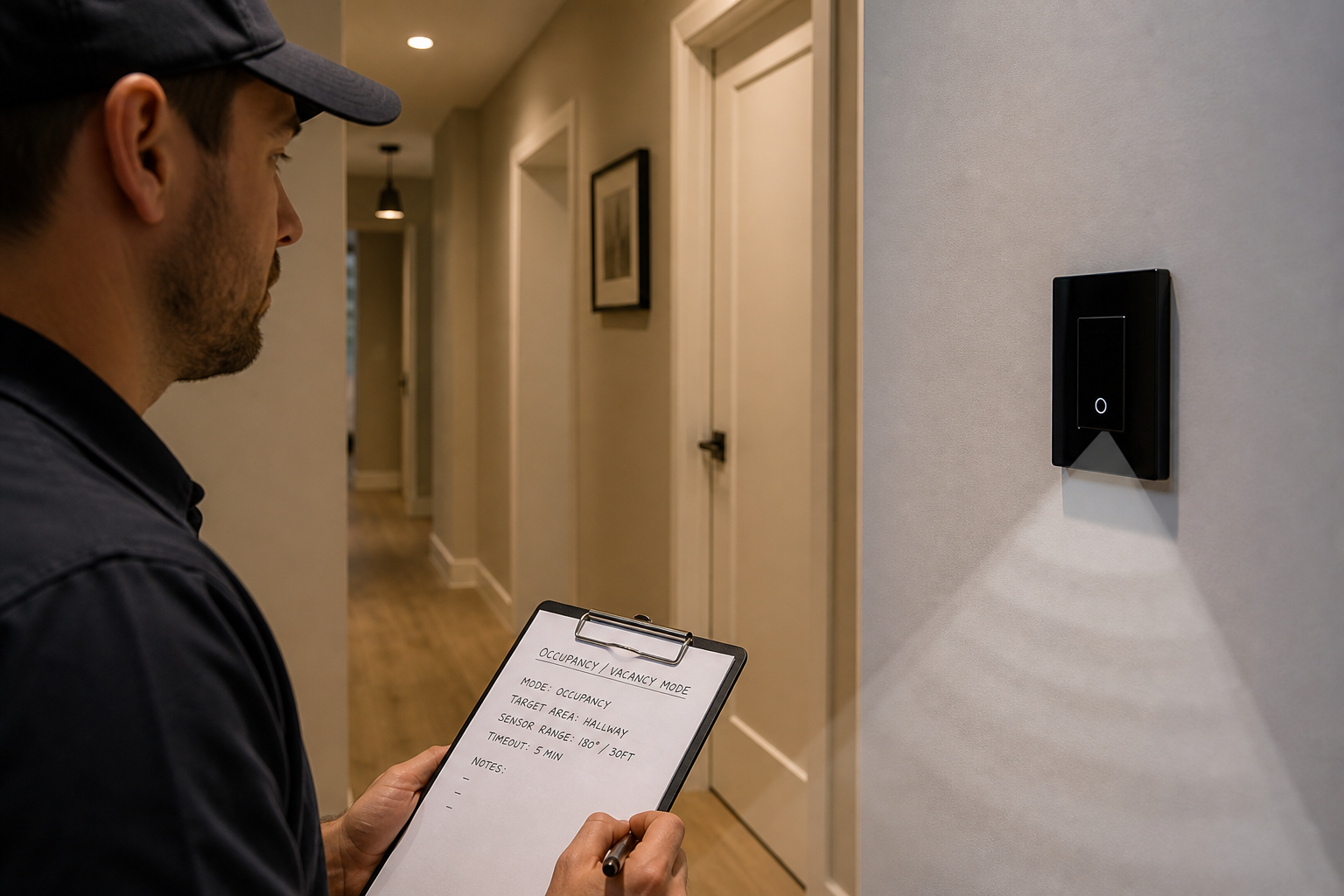
Sign whether the room should auto-on or stay manual-on before anyone touches the app. Green-building and energy-efficiency guidance distinguishes occupancy sensors (automatic on and automatic off) from vacancy sensors (manual on, automatic off); vacancy is often preferred when accidental auto-on wastes energy or startles occupants.
On the sheet, write the requested mode, timeout or grace-period intent, and who is allowed to change it after handoff. Institutional design notes also remind teams that sensor technology and space type matter—still occupants in offices or classrooms may need different detection expectations than a high-traffic hallway. Community threads about motion dimmers show the same pain: flipping occupancy to vacancy without a walk-test leaves crews chasing “the light only turns on when my hand is an inch away” tickets that are really mode and sensitivity mismatches.
From the field: Integrators who change occupancy to vacancy overnight without a signed walk-test often see the app lag and the sensor feel “broken” until someone re-validates sensitivity and timeout in the room. (community example)
Log where the sensor looks before crews treat false triggers as a defective unit. Wall-box motion dimmers see a cone of the room from a fixed height; HVAC vents, glass doors, adjacent hall traffic, and pets can create nuisance trips that no amount of Wi-Fi re-pairing will fix.
Write mounting height intent, facing direction, known nuisance sources, and whether auto-on is even appropriate for that doorway. Keep this to decision fields for the cutover—detailed home coverage matrices and 3-way sensor-head location rules belong on their own project-input sheets when those topologies are the job.
If placement is doubtful, escalate a different mounting location or a mode change to vacancy before the truck leaves—do not discover the false-trigger pattern after the app is already waiting.
Freeze topology photos and commissioning fields before purchase orders move. Professional smart-home infrastructure practice still insists on labeling both ends and archiving network notes; carry that habit onto a dimmer-and-motion cutover sheet so the next crew inherits copper IDs, mode intent, and pairing ownership together.
Prove the wall circuit before anyone owns the phone setup. Live install overviews for Wi-Fi smart controls repeatedly sequence the job as restore power, test manual operation, then pair.
Binding the app while line and load are still swapped usually shows up as an “offline” device complaint that is really a copper mistake. After pairing, walk-test the signed occupancy or vacancy behavior, timeout, and a simple motion pass before calling the job complete.
| Input | What “done” looks like |
|---|---|
| Line / load IDs | Tagged + photo with tester note |
| Neutral status | Present / absent / fixture-only — verified by |
| Ground | Bonded / missing — action noted |
| Load / dimming | LED / CFL / incandescent / mixed + approx. watts + dimmable Y/N |
| Min-load / trim note | Checked / accessory noted / N/A |
| Sensor mode | Occupancy / vacancy — signed |
| Timeout / grace intent | Written + owner |
| Placement / false-trigger notes | Facing, height intent, known nuisances |
| Protocol path | Wi-Fi direct / hub — named |
| Pairing ownership | Manual test owner + app bind owner |
| Sensor walk-test | Pass / fail + date |
| Photos archived | Before disconnect, labeled |
| Sheet sign-off | Name, date, distributor PO reference |
When every row is filled, the sheet is ready to travel with the pick ticket. Incomplete rows are stop-work for ordering—not suggestions.
Offer a bounded next SKU only after copper, load, and commissioning rows are signed. On the live MOES Tuya WiFi Star Feather Series US Switch page, models WS-SF-US1/2/3/4 are listed as a Wi-Fi US-format wall-switch family rated 90–250V AC with 10A per gang (10A total). Collection and fact-package wording describe those US entries as neutral-wire products, and Light Mode cannot run simultaneously with Scene Mode on that family.
Quote Star Feather when the sheet already shows US form factor, a present neutral, Wi-Fi commissioning, and load within those page ratings. Treat it as the wall-switch path for matching jobs. Keep dimmer-plus-motion requirements on the sheet as SKU-class fields for whatever motion-capable dimmer the project actually specifies—do not present Star Feather as a Commercial Electric motion-dimmer substitute, and do not invent integrated occupancy-dimmer claims the live product page does not state.
Tip: When a pick ticket still lists Light Mode and Scene Mode as concurrent requirements for Star Feather US, resolve that exclusivity in writing before samples ship. — source: MOES Star Feather collection / fact package (modes cannot run simultaneously).
After the checklist is signed, browse the smart switch pillar for nearby families—including dimmer assortments when the sheet calls for dimming—or use Contact Us for channel packaging questions. Do not treat this section as an RFQ workflow.

Freeze load and dimming compatibility, occupancy versus vacancy intent, sensor placement notes, line/load/neutral/ground, LED minimum-load checks, topology photos, pairing ownership after a manual wall test, and a sensor walk-test—not a reprint of a brand PDF.
Many electronic Wi-Fi units do. Record whether the box has a usable neutral before ordering; absent neutrals need a pull or an explicit no-neutral datasheet on a separate sheet.
Write auto-on versus manual-on, timeout or grace intent, and who may change the mode after handoff. Vacancy (manual on / auto off) is often chosen when accidental auto-on is unwanted.
Check load class, dimmable lamp labeling, approximate wattage against the control’s minimum-load expectations, low-end trim or bypass accessories, and connection quality before blaming firmware.
Restore power, prove manual wall control, then assign who binds the app. Commission occupancy or vacancy and walk-test the room after copper is proven.
Log travelers or multi-way notes on the sheet and escalate to a datasheet that supports that topology. Do not force a single-pole-only kit; deep 3-way motion wiring belongs on its own project-input sheet.
Only after the signed sheet shows US format, a present neutral, a Wi-Fi path, and load inside the published 90–250V AC and 10A-per-gang (10A total) ratings for WS-SF-US models. That is a wall-switch fit check—not a motion-dimmer combo claim.
No. It is a project-input checklist for smart dimmer with motion sensor jobs that often start from that search phrase. It does not publish third-party wiring diagrams, ratings, or certifications.


OTHER SMART DEVICES
Jun 13,2026
OTHER SMART DEVICES
Jun 12,2026
TUYA SMART HOME PRODUCTS
Jun 12,2026
 +86 137 3639 3028





