


by NOVA

Jul 31, 2026
Smart lock Zigbee requests reach distributors weekly, and the honest answer requires splitting one question into four. Compatibility is a chain: the lock SKU, the coordinator it joins, the platform profile that exposes it, and the credential handover that makes it usable. The MOES public catalog currently verifies WiFi-titled lock listings and a strong Zigbee coordinator — not a Zigbee lock SKU — so this checklist shows distributors how to serve the demand today without inventing evidence.
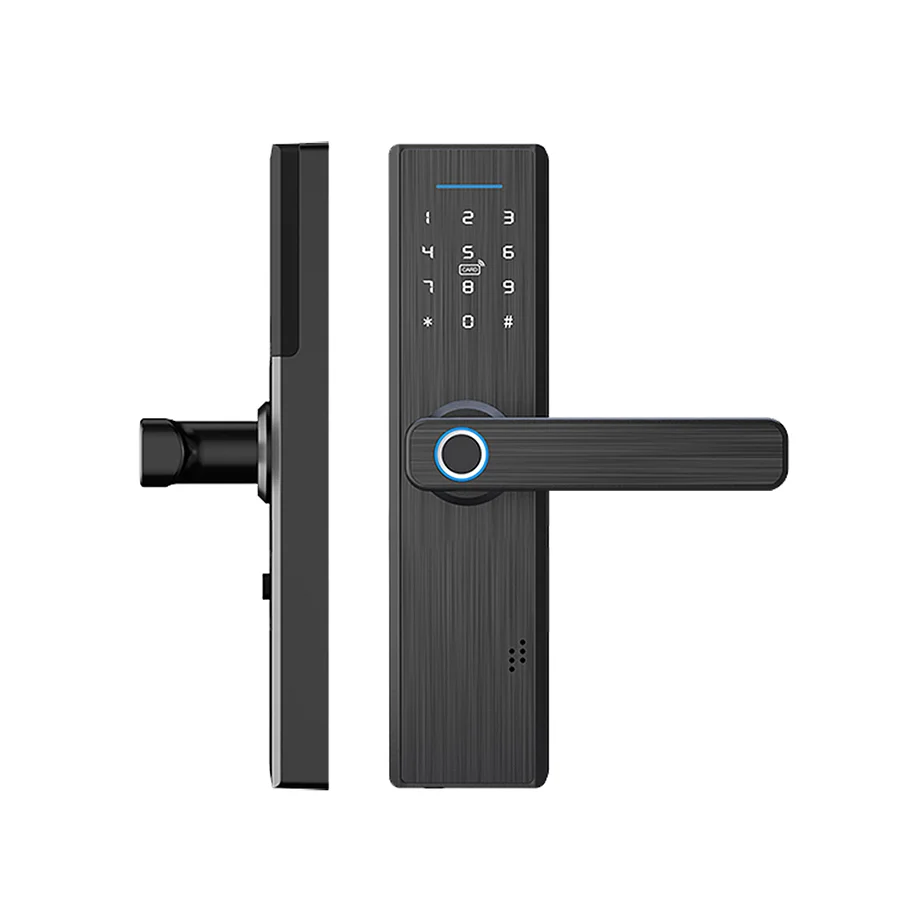
MOES catalog image from the lock family; protocol variants and battery figures are datasheet items.
Locks are the one smart-home category where a dead radio means a person standing outside a door. Protocol choice therefore drives battery service intervals, offline behaviour, and which gateways a property must already own — three facts that decide support costs for years after the sale.
Distributors also carry the mismatch risk. A carton of WiFi locks sold into a Zigbee-standardized property either forces a network redesign or comes back as returns, and both outcomes erase the line’s margin.
The checklist that follows exists to move that risk onto paper. Ten minutes of evidence gathering per property costs less than one pallet of returned door hardware, and the questions repeat across every lock brand a distributor will ever carry.
Four links make the chain, and every link needs written evidence before a compatibility promise leaves the warehouse.
| Chain link | What to verify | Evidence source |
|---|---|---|
| Lock SKU | Zigbee radio and profile named for the exact model | Supplier datasheet via RFQ |
| Coordinator | Gateway listing with Zigbee 3.0 wording | Verified MOES listing title |
| Platform profile | Lock functions exposed in the app ecosystem | Written platform confirmation |
| Credential handover | Who administers codes and fingerprints | Project handover plan |
Battery economics sit underneath the chain. Battery-powered devices benefit from low-power mesh protocols — the design logic documented by the Connectivity Standards Alliance — but real battery months are a datasheet figure per model, never a category assumption.
Two lock listings are verified in the public catalog, both WiFi-titled. The MOES WiFi multiple unlocking fingerprint lock states multiple unlocking with fingerprint security in its title. The WiFi smart security door lock with 3D face recognition states a camera-led recognition SKU.
The coordinator side is verified separately: the MOES Tuya ZigBee 3.0 wireless smart gateway hub carries a title naming an automation control center for Tuya ZigBee 3.0 products. What a public search did not verify is a Zigbee lock SKU — and a distributor’s quote should say exactly that, then route the requirement into an RFQ.
Credential policy outlives hardware choice. Fingerprints, codes, cards, and app keys each carry an administration duty — who enrolls tenants, who revokes a departed cleaner, who audits the log — and that duty needs a named owner per property before quantity discussions.
| Credential method | Typical duty holder | Handover risk if unnamed |
|---|---|---|
| Fingerprint enrollment | Property manager on site | Departed users keep access |
| PIN codes | Rental operations team | Codes shared beyond tenants |
| Cards or fobs | Front desk or facilities | Untracked duplicates circulate |
| App keys | Commissioning account owner | Account leaves with the installer |
The table looks bureaucratic until the first tenancy change. Properties that skip it discover months later that nobody can say who still opens which door, and the remediation cost lands on whoever sold the locks.
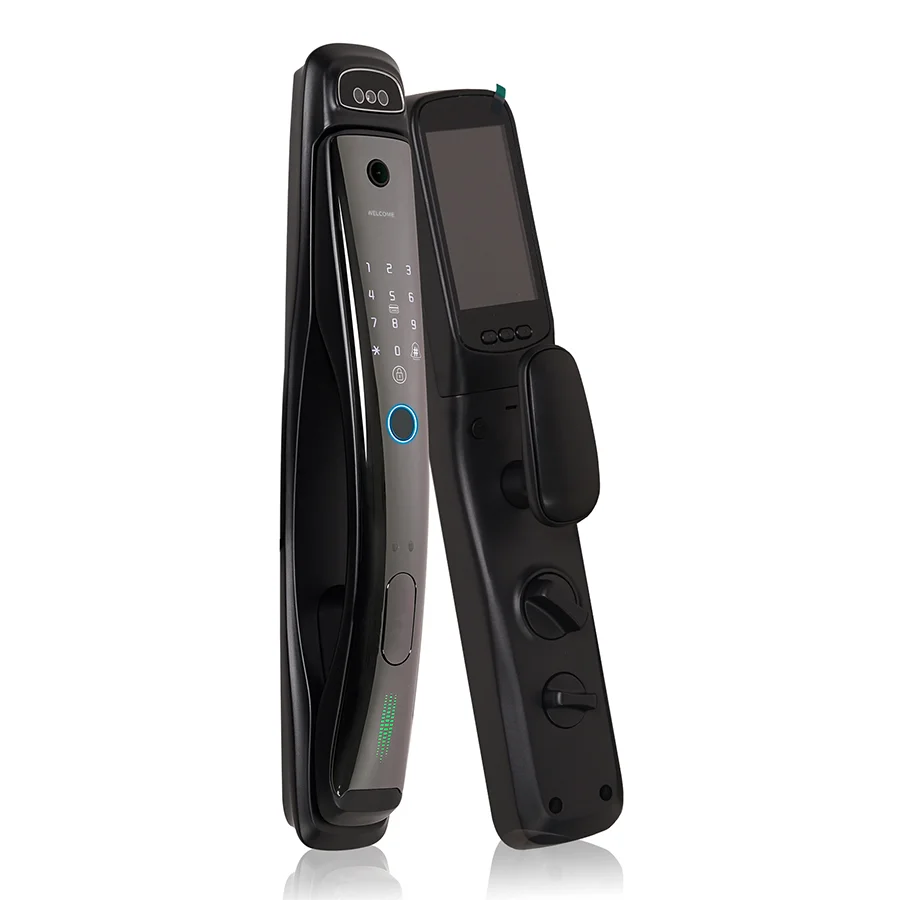
Camera-led alternate from the MOES catalog; credential policy decides between lock families.
Platform ecosystems form the second planning layer. Tuya-based properties, Matter-oriented programs, and mixed-radio buildings each expose lock functions differently, and the ecosystem split is covered across our Matter compatibility guide, the Zigbee gateway buyer’s guide, and the Bluetooth Mesh versus Zigbee hub comparison. Confirm ecosystem support per exact model in writing; adjacent-model evidence does not transfer.
The bounded lock-side recommendation today is the MOES WiFi multiple unlocking fingerprint lock listing. Its title names the multiple-unlocking, fingerprint-security scope most rental and residential buyers actually need, and it can be stocked while the Zigbee lock requirement travels through the RFQ.

Product image from the MOES catalog; unlock methods and battery months per the datasheet, not the photo.
The face-recognition listing stays a deliberate alternate for camera-led credential policies. Neither WiFi listing should be silently rebadged as the Zigbee answer: a distributor who states the protocol boundary and pairs the gateway listing with an RFQ keeps both the sale and the credibility.
Pause when door photos and cut-out dimensions are missing, when the credential administration owner is unnamed, or when the buyer’s specification requires a Zigbee lock that no listing title currently verifies. Doors are unforgiving hardware — a lock that fits the network but not the door still comes back.
Escape-route and certified access-control doors trigger a different stop. Those carry regulated equipment classes in most markets, and smart-home lock SKUs must not be quoted into them without written compliance confirmation for the destination market.
Send the package through Contact Us or the OEM/ODM channel, and consolidate lock lines within the other smart devices range.
A public catalog search did not verify a Zigbee lock SKU at the time of writing. The verified lock listings are WiFi-titled, and the Zigbee requirement belongs in an RFQ.
One states a WiFi multiple unlocking fingerprint lock with intelligent security; the other states a WiFi smart security door lock with 3D face recognition and a camera.
Low-power mesh radios spend less energy on network upkeep, which is why the category leans toward them — but real battery months are always a per-model datasheet figure.
Often yes at the app layer, where both device families meet in the same ecosystem. Confirm the exact scene behaviour per model in writing before promising it.
The credential administration owner, enrolled-user process, revocation process, audit expectations, and the commissioning account transfer plan.
Quantities per phase, spares, samples, target market and labeling, packaging, manual language, delivery schedule, and any OEM or ODM branding scope.


OTHER SMART DEVICES
Jun 13,2026
OTHER SMART DEVICES
Jun 12,2026
TUYA SMART HOME PRODUCTS
Jun 12,2026
 +86 137 3639 3028





