


by NOVA

Sep 04, 2026
The main advantages of zigbee for B2B channels are a self-healing zigbee mesh network, low-power end devices for battery sensors, dense fleets that stay off the Wi-Fi LAN, and standardized Zigbee 3.0 pairing demos—once the RFQ locks a Zigbee coordinator / hub and a mains-powered router backbone. Those advantages of zigbee technology become selection fields for distributors and OEM buyers building assortments under Smart Modules, not a full disadvantages matrix and not an application-path taxonomy.
You will map each upside to RFQ proof fields, then see a bounded ZigBee 3.0 dimmer-module example for channel kits. For use-case path planning (lighting vs sensors vs modules vs gateway-first), keep the Zigbee application RFQ selection checklist open beside this page.
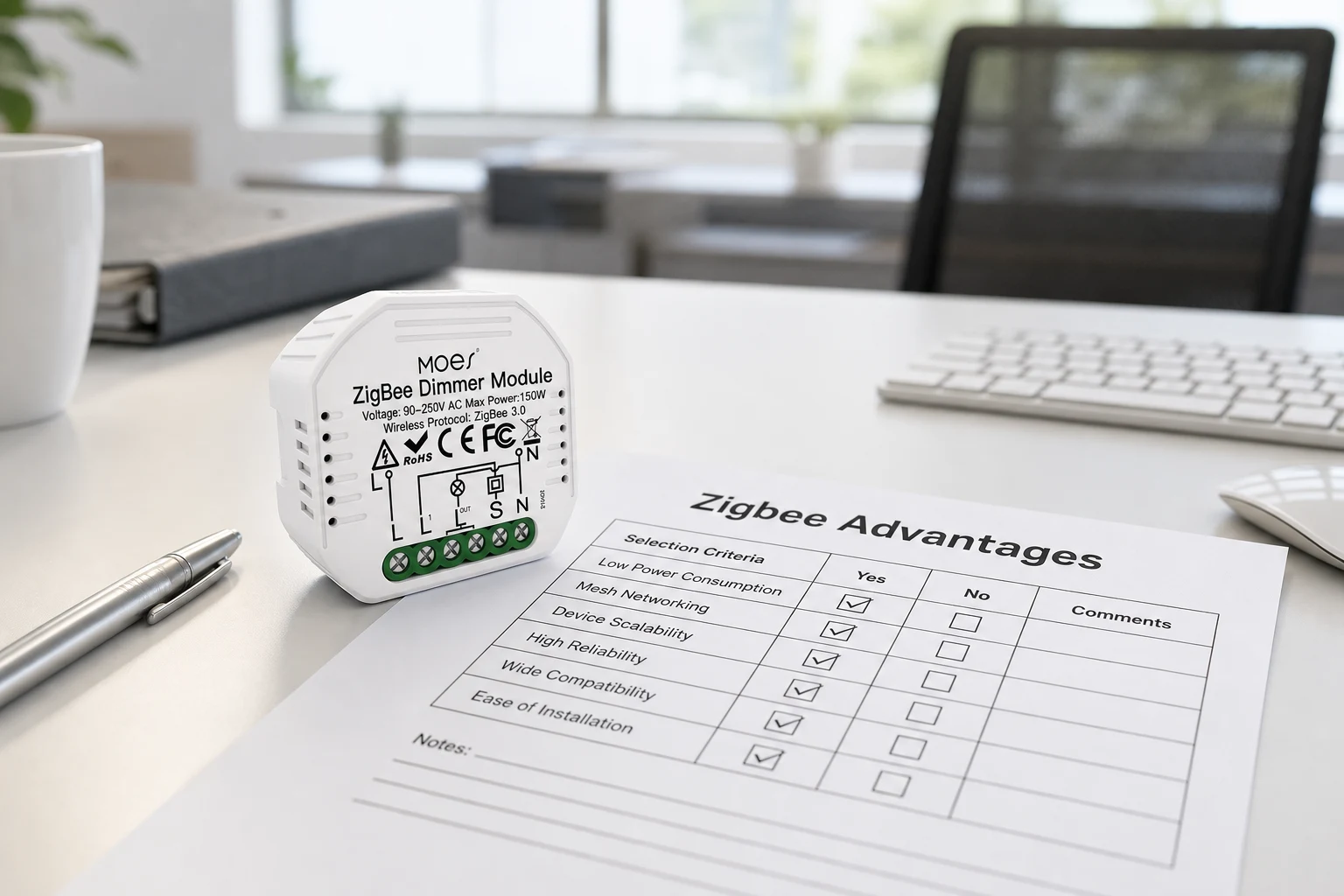
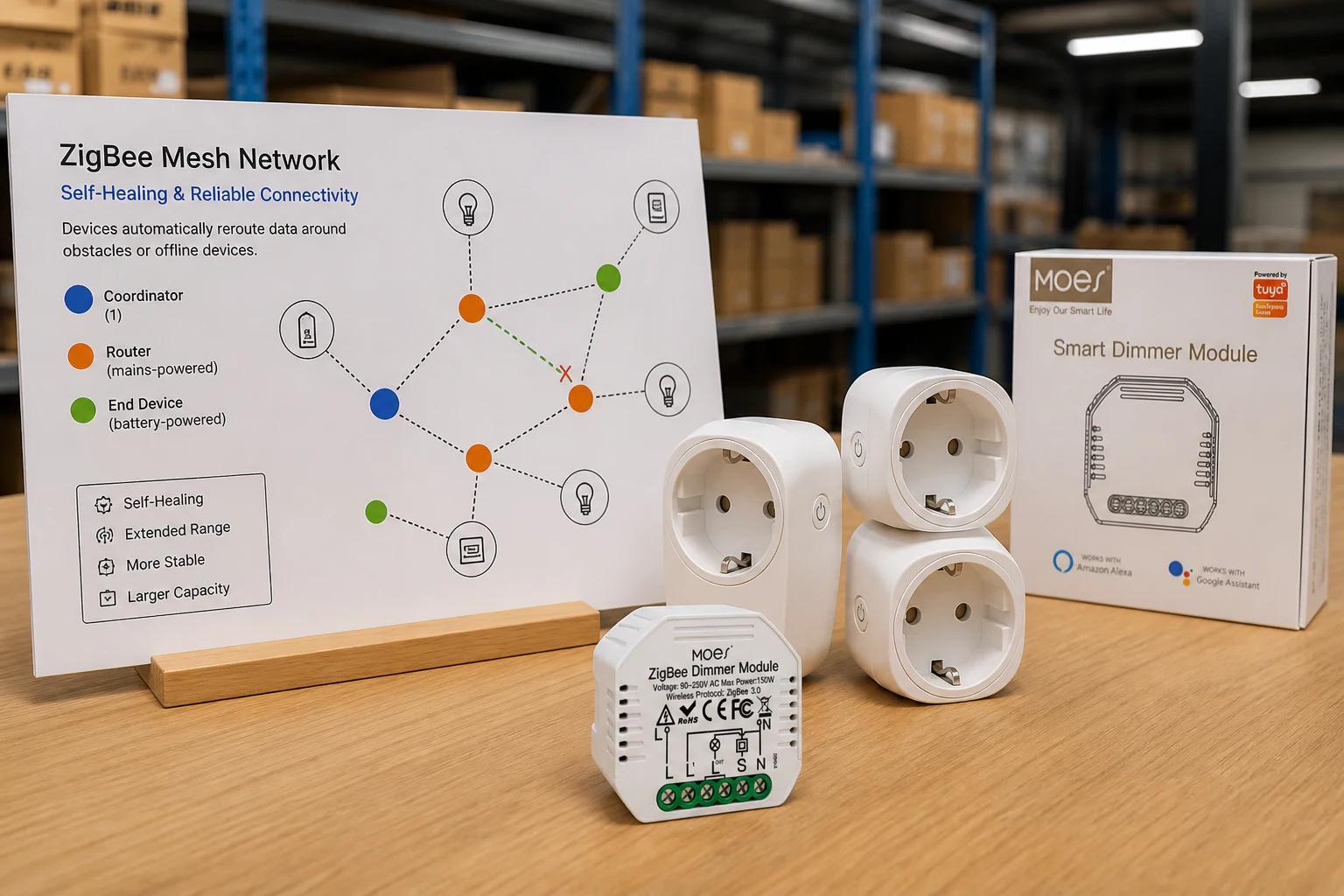
Zigbee’s self-healing mesh is a primary RFQ upside when mains-powered routers are planned into the assortment. The Connectivity Standards Alliance describes Zigbee as a proven, self-healing mesh that reduces single points of failure while keeping power use low—exactly the reliability story channel buyers need when they quote multi-room lighting and sensing packages.
In practice, always-on Zigbee routers (plugs, in-wall modules, many mains actuators) relay traffic so a temporary node outage does not strand every end device. Experimental work comparing Zigbee with Matter over Thread also highlights Zigbee’s route-recovery agility in small-to-medium, relatively static deployments—useful language when a distributor sells “mesh that heals” rather than “one Wi-Fi stick per switch.”
| Upside | What the mesh does | RFQ proof field |
|---|---|---|
| Self-healing | Alternate routes after a router drops | Named mains router SKUs + placement density |
| Coverage growth | More powered nodes extend reach | Floor-plan router count vs end-device count |
| Agility | Fast recovery in modest homes/offices | Project scale note (rooms / floors) |
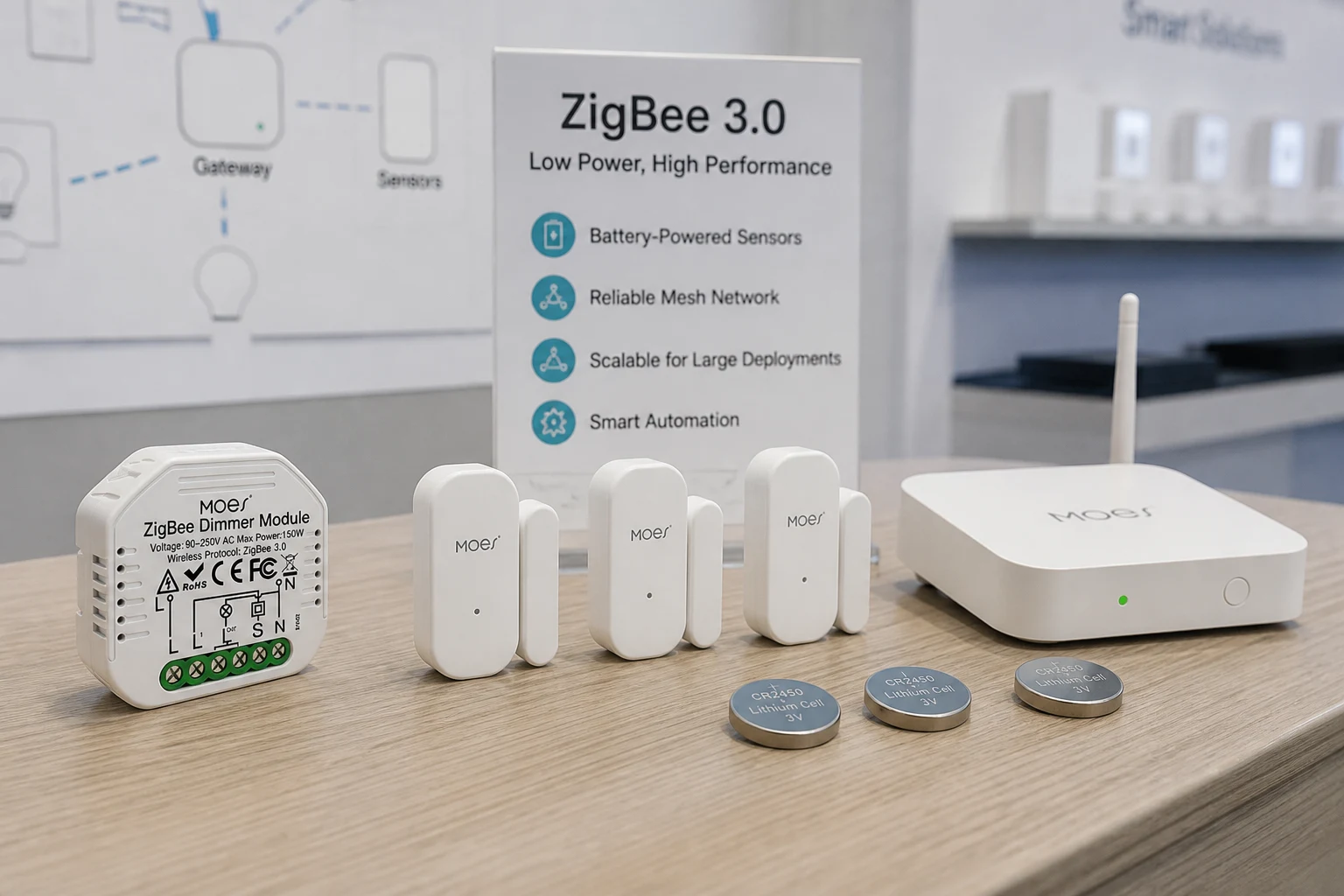
Zigbee sleepy end devices keep sensors off-air most of the time, which is a core advantages of zigbee over wifi story for battery fleets. Silicon Labs documents the Sleepy End Device pattern: the radio turns off when idle, the parent buffers messages, and the child polls when it wakes—so coin-cell door, window, and motion sensors can stay on the network without living on Wi-Fi keepalives.
Silicon Labs’ smart-home technology comparison states the same commercial upside in plain terms: Zigbee consumes very little power, so battery-operated devices can last for years, while a hub/gateway is part of the architecture. Treat “years” as protocol education language in the RFQ narrative—do not invent a MOES battery warranty from that sentence.
When a channel quote mixes cameras (Wi-Fi) with dozens of contact sensors (Zigbee), write the power model on the sheet: Zigbee end devices sleep; Wi-Fi endpoints stay associated. That single line prevents sales teams from promising “no hub, same battery life.”
Zigbee moves dense sensor fleets onto a separate mesh so the Wi-Fi LAN stays free for cameras, tablets, and phones. Hubitat practitioners repeatedly prefer Zigbee for motion sensing and cite the ability to place more nodes on a mesh than typical Wi-Fi AP client budgets tolerate—useful buyer language when an integrator is packing sensors into every hallway.
The fleet upside only holds when the RFQ lists end-device count separately from router count. Shipping fifty sleepy sensors with two routers is not the same mesh story as shipping fifty sensors with a planned plug/module backbone.
From the field: Hubitat users often prefer Zigbee on motion detectors and note that Zigbee can carry more nodes on a mesh, while also warning that crowded 2.4 GHz Wi-Fi (apartments, dense subdivisions) can erase that advantage unless channels are planned. (source)
Zigbee 3.0 and global 2.4 GHz SKUs simplify pairing scripts and multi-region catalogs. Community buyers point out that Zigbee devices are not split into Z-Wave-style regional frequency families the same way, which matters when a distributor stocks one Zigbee module family for multiple export markets.
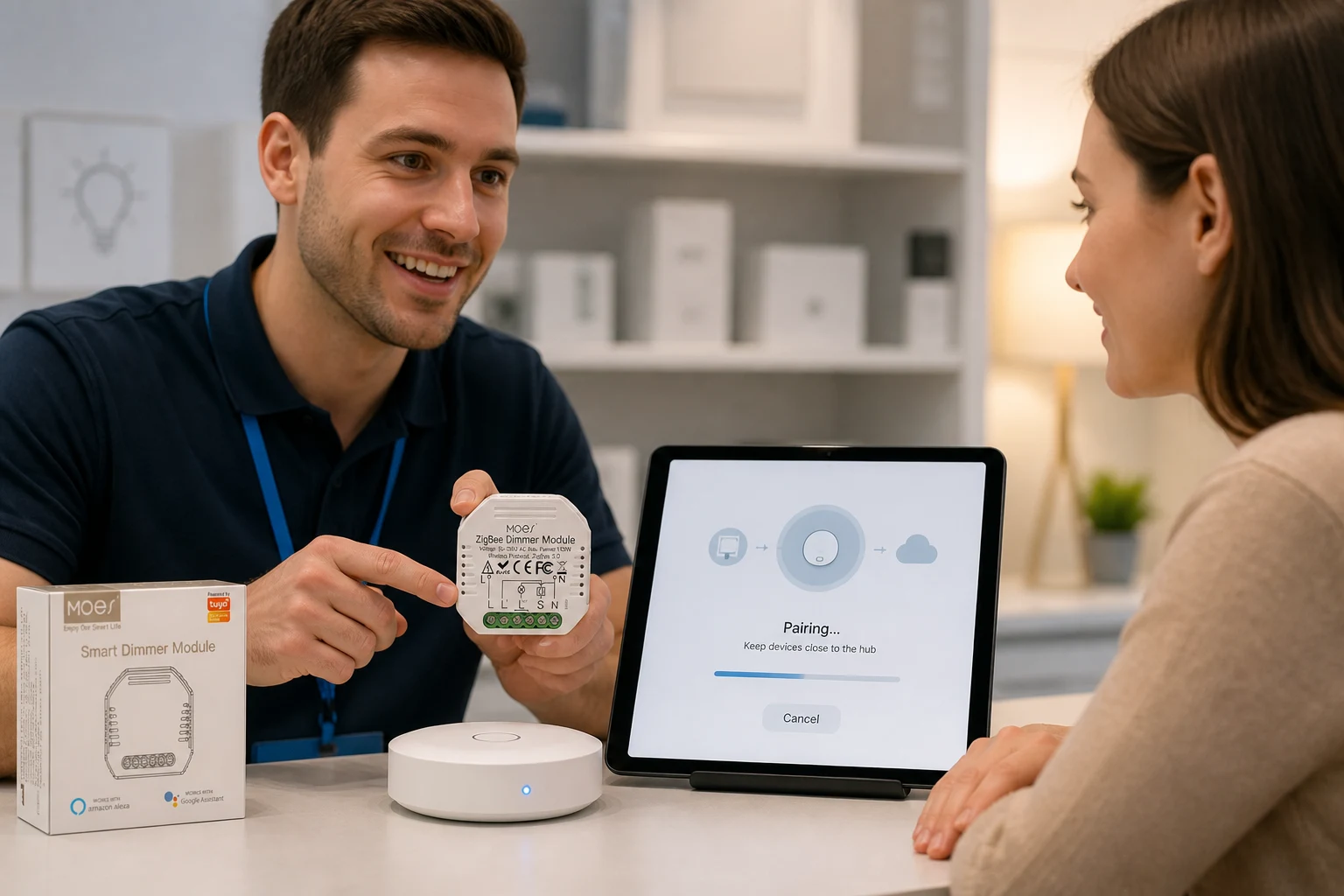
Pairing expectations become a channel upside when the RFQ names: hub model, join mode (permit join / hub pairing window), and the in-app family (for Tuya/Smart Life kits, the ZigBee hub path). CSA’s interoperability framing—certified products speaking a common application language—supports a demo script that does not reinvent pairing per SKU colorway.
Inexpensive mains-powered Zigbee plugs also show up in field advice as cheap repeaters, so assortment planners can stock router-capable SKUs beside modules without treating every line as an end device.
Demo-ready hub + module kits turn Zigbee advantages into repeatable channel scripts. A showroom table with one ZigBee hub, one ZigBee dimmer/relay module, and two mains plugs lets sales walk mesh, pairing, and local control without arguing Wi-Fi password politics.
Under the Smart Modules pillar, retrofit modules are a natural Zigbee assortment path: hide a ZigBee 3.0 dimmer relay in a wall box, keep the rocker, and still sell the mesh story. Lock the demo script on the RFQ: power the hub first, open pairing, join the module, prove local dimming, then show a second powered node as a router—not “scan Wi-Fi QR and hope.”
Lock hub, router density, sensor count, channel plan, and pairing demo before you treat Zigbee upsides as guaranteed. The checklist below is the decision tool for channel buyers; it is not a full disadvantages matrix.
| Upside claimed | RFQ field to lock | Pass signal |
|---|---|---|
| Self-healing mesh | Mains router SKUs + count vs end devices | Routers on every floor/wing plan |
| Low-power sensors | Sleepy end-device SKUs + battery class | Sensors listed as Zigbee ED, not Wi-Fi |
| Dense fleets | Total nodes + separate Wi-Fi camera budget | Zigbee mesh ≠ Wi-Fi client count |
| Global assortment | Zigbee 3.0 / hub family named | One pairing SOP across regions |
| Demo readiness | Hub + module kit on sales floor | Timed pairing demo script |
Write a light caveat next to the claim—not a second article.
Deep multi-hop or heavily loaded meshes can lose Zigbee’s agility edge as reactive routing overhead grows, per comparative testbed work on Zigbee versus Matter over Thread.
Crowded 2.4 GHz Wi-Fi congestion can also blunt mesh reliability until Zigbee and Wi-Fi channels are planned.
If the project is “no hub allowed,” Zigbee’s low-power upside does not transfer to a hub-less Wi-Fi SKU set—Silicon Labs lists a hub/gateway as part of the Zigbee pattern.
Use the MOES Tuya ZigBee 3.0 Smart Dimmer Switch Relay Module as a bounded module-assortment example under Smart Modules. The live listing (MS-105Z) is a ZigBee 3.0 dimmer relay module that requires a Tuya ZigBee hub, publishes 90–250V AC operation, max power 75W at 110V / 150W at 220V, and a 52×47×18 mm form factor for retrofit boxes.
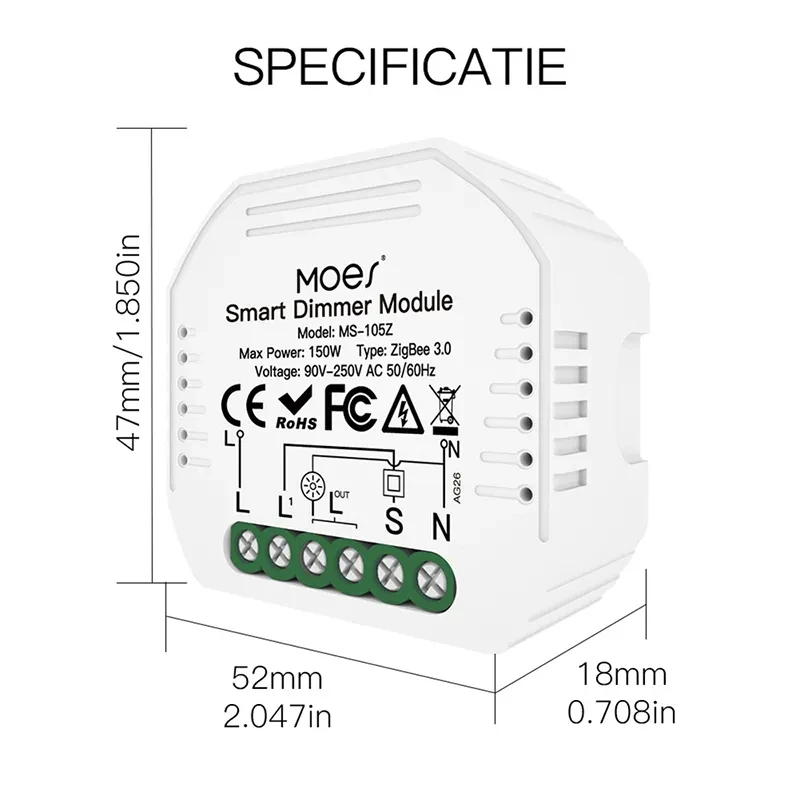
Why it fits this upside checklist: it is a mains ZigBee actuator that can sit in a demo kit beside a hub and help tell the mesh + pairing story for channel assortments. Why not stretch it: those electrical and radio figures apply only to MS-105Z; it is not a Wi-Fi module, and it does not replace a full disadvantages review or a project-wide mesh survey. Browse more retrofit options on Smart Modules, or contact MOES when the RFQ needs hub + module kit packaging.
Self-healing mesh reliability, low-power sleepy end devices, dense sensor fleets off the Wi-Fi LAN, and standardized hub-based pairing. CSA frames mesh and low power as core Zigbee traits; channels should still lock hub and router density on the RFQ.
Zigbee end devices can sleep between short packets, while Wi-Fi sensors typically maintain association traffic. Silicon Labs positions Zigbee for long-lived battery devices and notes it is not for high-speed data—so keep cameras on Wi-Fi and sensors on Zigbee when the quote allows two networks.
Yes for the mesh architecture described here. Silicon Labs lists a hub/gateway among Zigbee’s practical requirements, and MOES ZigBee module listings require a Tuya ZigBee hub for app linkage.
Mains-powered routers relay traffic and can recover alternate paths when a node drops. That is the reliability upside distributors sell—provided the RFQ stocks routers, not only sleepy sensors.
Yes when they join as sleepy end devices with a parent router buffering messages. That is the stack pattern Silicon Labs documents for battery-operated leaves.
When the project forbids a hub, when 2.4 GHz Wi-Fi is extremely crowded without a channel plan, or when the mesh is pushed into deep multi-hop overload where Zigbee’s reactive routing overhead rises. Those are light caveats—not a full disadvantages matrix.
Hub model, router SKUs and density, end-device count, Zigbee channel vs Wi-Fi plan, pairing SOP, and the demo kit bill of materials.
Yes when the sales floor keeps one hub family and a short permit-join script for Zigbee 3.0 modules. Stock a module such as MS-105Z with the matching hub so the demo matches the RFQ.


OTHER SMART DEVICES
Jun 13,2026
OTHER SMART DEVICES
Jun 12,2026
TUYA SMART HOME PRODUCTS
Jun 12,2026
 +86 137 3639 3028





