


by NOVA

Oct 15, 2026
A zigbee dimmer changes lamp brightness and joins a Zigbee network, usually after a hub is in place. The live catalog prints that job twice: once as a hidden module and once as a wall plate. Wi-Fi dimmers in the same shop are a different radio, and the on/off relay article keeps the click-only job.
The useful split is brightness versus a hard on/off. A buyer who only needs the lamp fully on or fully off is looking at a switch.
A buyer who needs evening level, a night level, and full level is looking at a dimmer. Zigbee is the radio family those two dimmer pages name.
The Connectivity Standards Alliance describes Zigbee as a mesh and a shared device language, so certified products can sit on one network. That description does not set a watt limit for MOES. It only explains why a hub or coordinator shows up in the conversation at all.
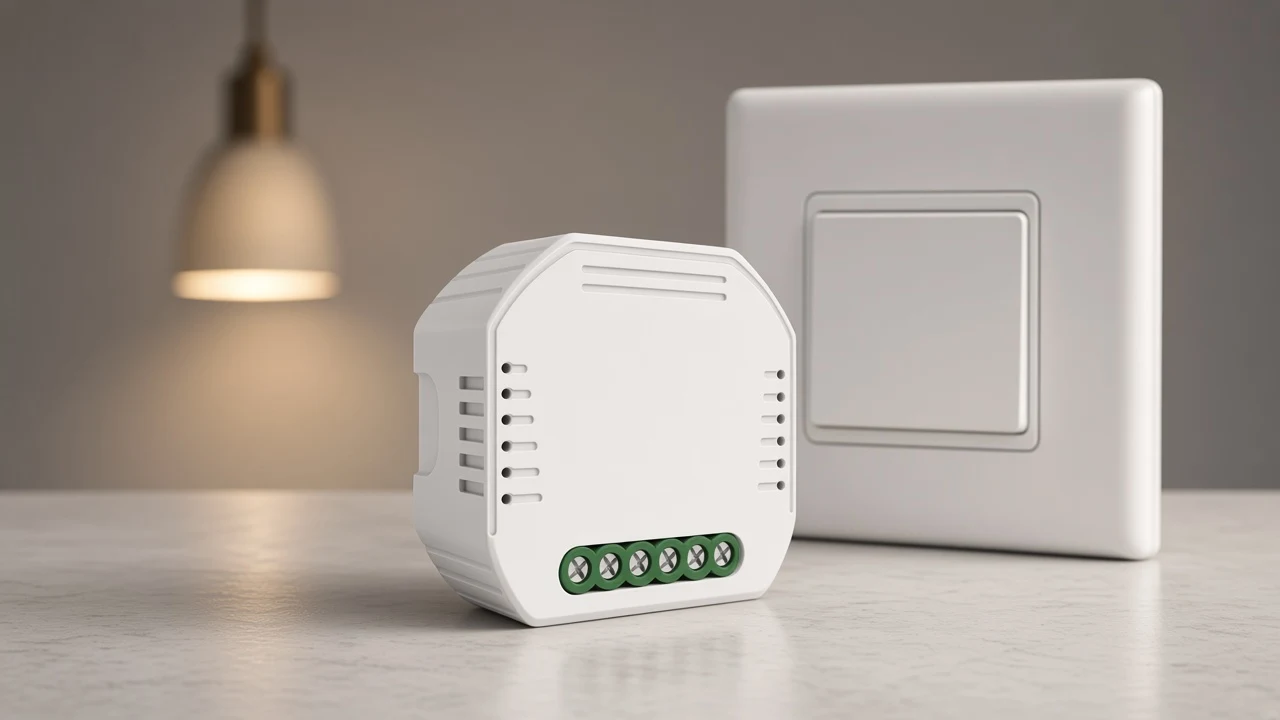
It changes the lamp’s level, not merely whether the circuit is closed. On the module page the level moves from the app or from voice once the hub path is connected. On the wall page a long press up brightens and a long press down dims, while a single click still turns the lamp on or off.
That is the whole noun. Shopping grids mix plug-in dimmers, rotary plates, and tiny modules under one heading because they all “dim.” A quote still has to name which object is being bought.
The Smart Modules hub is where the hidden parts of this catalog live. The wall plate lives with the switch family, but its job on this keyword is still level, not a plain click.
Shoppers also wonder if Zigbee remains current, and if it pairs with another lighting brand. Those questions are about the network’s future and about brand pairing. They do not change the brightness job printed on these two pages.
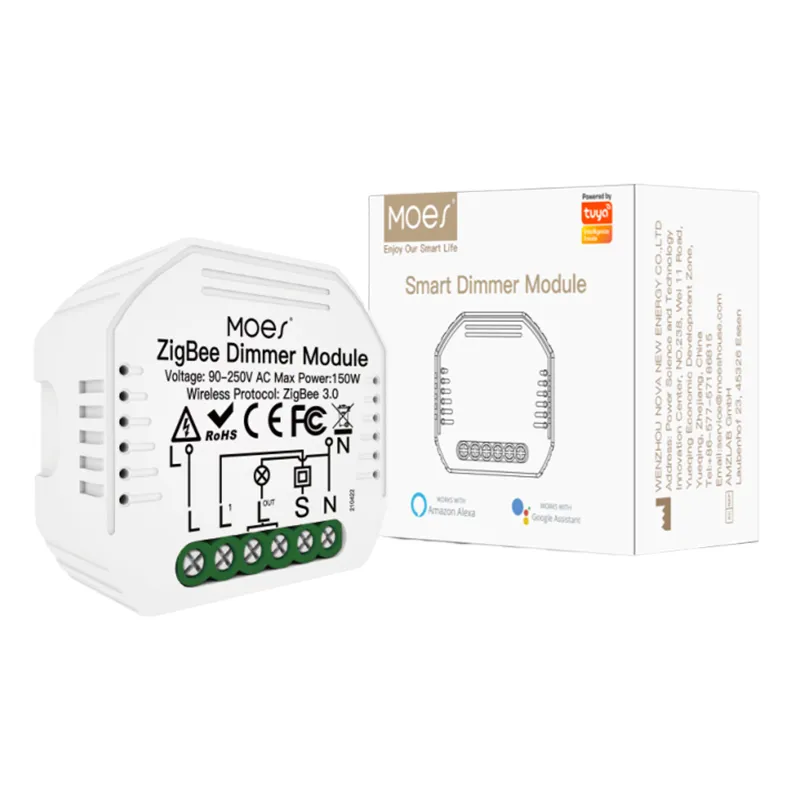
Look in the wall box for a zigbee dimmer module. Product 1579 is model MS-105Z, and the page calls the product type a Smart Dimmer Module.
It is meant to sit in a wall box with a traditional plate left in place. The page says the module and the original switch can work independently, and it limits the module to a reset switch.
For the wall plate, order product 1534, the Star Ring series, model ZS-SR-EUD1/2/3. That row is the zigbee dimmer switch.
The plate itself is the control: press, long-press, and the app association the page describes for double or triple control. You are replacing the visible control, not hiding a second device behind an old plate.
A retrofit that must keep the existing plate starts with MS-105Z. A room that is getting a new glass plate starts with Star Ring. Ordering one because the other was out of stock changes both the wiring conversation and what the user touches every day.
The module title still contains the words “relay module.” Read the product type and the brightness sentences before you treat that title as an on/off part. The dimming reading belongs on this page. The click-only reading belongs on the relay article linked further down.
Copy the load line from the page you are actually ordering. The module page prints 90-250V AC at 50/60Hz, with maximum power of 75W at 110V or 150W at 220V.
The wall page prints adjustable brightness from 1%-100%. The wall maximum load is 600W incandescent at 220V, 300W incandescent at 110V, 200W LED or CFL at 220V, and 100W LED or CFL at 110V.
| Page | Form printed | Radio printed | Load line to copy |
|---|---|---|---|
| MS-105Z, product 1579 | Smart Dimmer Module | ZigBee 3.0 | 75W at 110V / 150W at 220V, 90-250V AC 50/60Hz |
| Star Ring ZS-SR-EUD1/2/3, product 1534 | Wall dimmer plate | ZigBee 3.0 | 1%-100% brightness; INC 600W/220V and 300W/110V; LED/CFL 200W/220V and 100W/110V |
From the field: A Hubitat user said the LEDs buzzed when dimmed, and tied the noise to the way the dimmer cuts the mains wave — https://community.hubitat.com/t/zooz-question-switches-buzzing/36240
That note is about noise at a dimmed level. A second Hubitat thread asked why a buyer would still choose leading-edge dimming instead of trailing-edge dimming for LED loads. A CSA box-dimmer certificate does print trailing-edge dimming, with an LED band and a halogen band, and it says the device can pair to a Zigbee gateway.
Another CSA record describes a 600W unit as a leading/trailing edge ZigBee dimmer. Those certificates show that edge type is a real listing field in the wider market.
MS-105Z and Star Ring do not print leading edge or trailing edge. A buzz complaint cannot be closed from either MOES page. If the project needs an edge type, that field has to come from a document that actually prints it.
The Star Ring page also prints a curtain open/closed percentage. Use the brightness sentence for lamps. Leave the curtain sentence on curtain quotes.
MS-105Z prints a Tuya ZigBee hub as part of bringing the module into Smart Life, Alexa, or Google voice control. The same page says ZigBee 3.0 is there so the module can stay on a local Zigbee signal when ordinary Wi-Fi is weak.
The wall page prints ZigBee 3.0 and app association, and it does not print a hub sentence. Quote the hub only where the module page prints it.
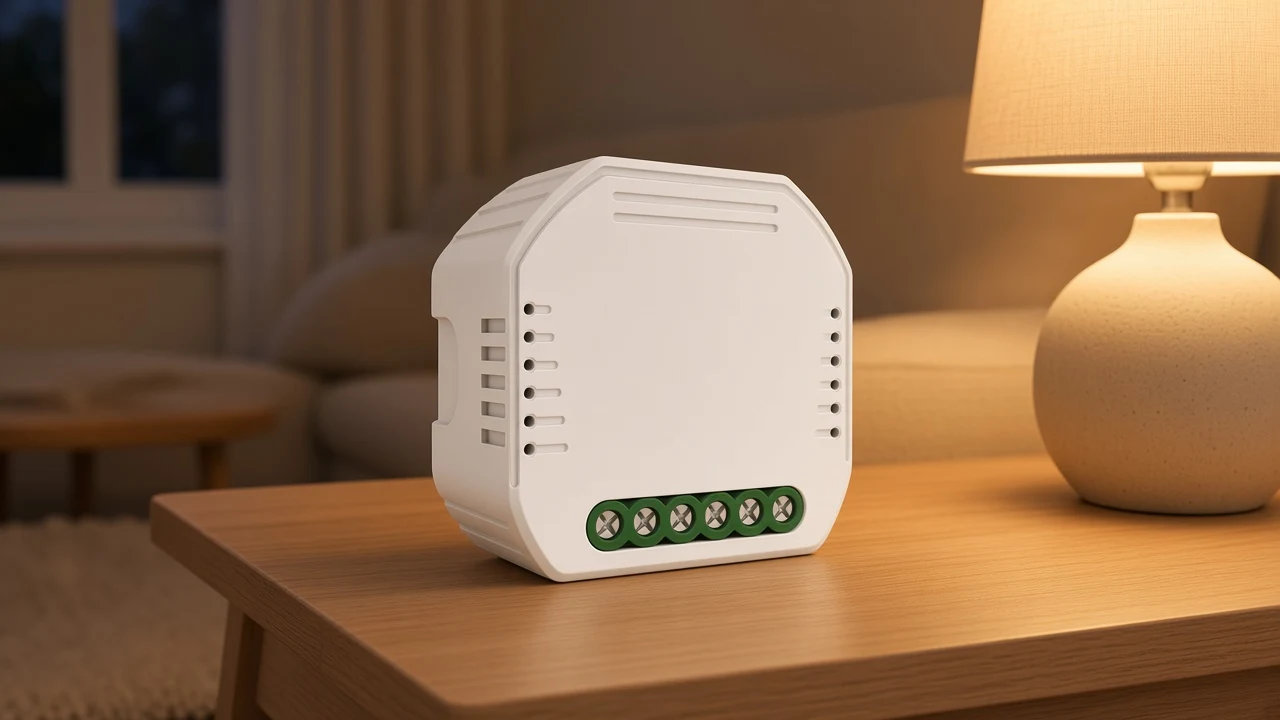
The module note says the part is only suitable for a reset switch. A rocker plate that stays up for on and down for off is a different mechanical habit.
If the existing plate is a rocker, the module page does not claim that plate. The wall Star Ring plate replaces the control instead of asking the old rocker to dim.
Neither Zigbee dimmer page prints a neutral sentence. Two Wi-Fi wall dimmer pages in this catalog do print that a neutral wire is required.
Borrowing the Wi-Fi neutral sentence for MS-105Z or Star Ring would invent a line. Leaving neutral off the Zigbee quote is the honest reading of those two pages.
A site survey can still find a neutral in the box. That finding belongs in the project notes, not as a catalog claim these pages never made.
| Quote field | MS-105Z module | Star Ring wall plate | Wi-Fi dimmer pages |
|---|---|---|---|
| Job | Brightness in the box | Brightness on the plate | Brightness on Wi-Fi or Wi-Fi plus RF |
| Radio line | ZigBee 3.0 | ZigBee 3.0 | Wi-Fi, or Wi-Fi plus RF433 on WRS |
| Hub sentence | Tuya ZigBee hub printed | No hub sentence printed | WS page says no hub |
| Neutral sentence | Not printed | Not printed | Printed as required on the wall Wi-Fi pages |
| Edge type | Not printed | Not printed | Not the Zigbee dimmer topic |
| Plate habit | Reset switch only | The plate is the dimmer | Rocker or reset appears on the Wi-Fi module page |
Three dimmer pages sit near this keyword and name a different radio. Treat them as dimmers, and keep the word Zigbee off them.
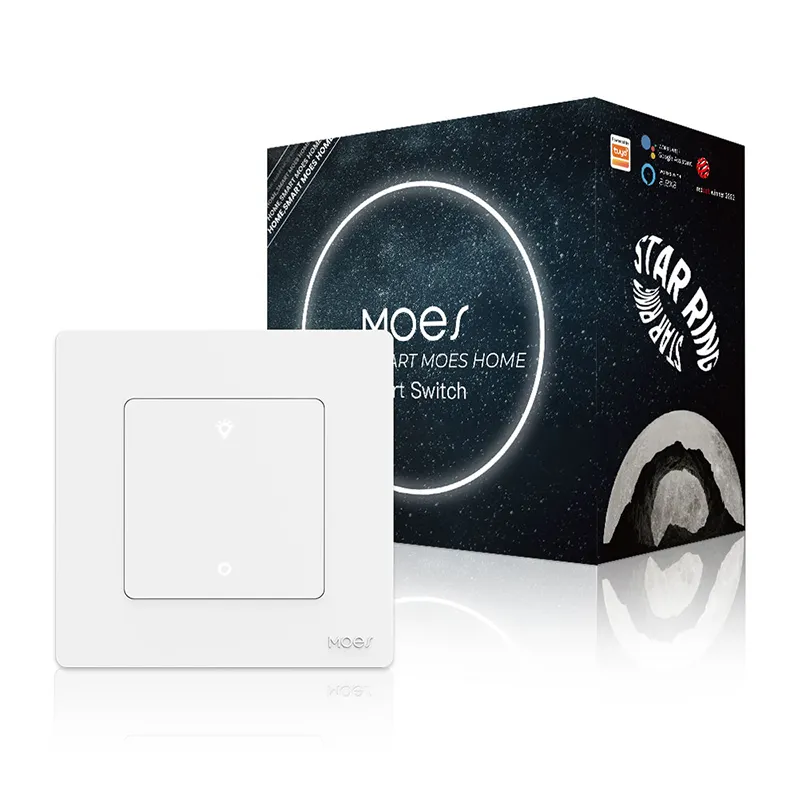
The WRS wall dimmer is typed as a Wi-Fi Smart Dimmer Switch. Its wireless line is Wi-Fi 2.4G plus RF433.
It prints a neutral wire and a full dimming span. It is a dimmer.
It is a Wi-Fi and RF dimmer.
The WM-105-M module is also a Smart Dimmer Module, and its protocol line is Wi-Fi. It describes a press-and-hold gradient between the bottom and the top of the range. Same physical idea as a hidden dimmer, different radio from MS-105Z.
The WS multi-gang wall dimmer prints Wi-Fi, says no hub is required on that page, and again prints a neutral wire. Voice dimming is on the page. ZigBee 3.0 is not.
A purchaser comparing cart rows will see “dimmer” on all of them. The radio cell is the filter.
If the project standard is a Zigbee hub already on site, WRS, WM-105-M, and WS do not fill that cell. If the project standard is Wi-Fi in the switch box, MS-105Z does not fill that cell either.
Matter shows up on some multiprotocol dimmers elsewhere in the market. It does not show up on MS-105Z or on Star Ring. Leave Matter off this quote.
The Zigbee relay module clarification owns the hidden on/off object. Use it when the load only needs to open and close.
MS-105Z’s shopping title mentions both dimmer and relay because the hardware can be described both ways in a catalog export. This keyword keeps the brightness sentences: app or voice level on the module, long-press level on the wall plate.
The smart switch clarification owns the wall-switch noun, the plate whose first job is still on and off at the wall. Star Ring is a wall control too, but the page spends its opening on brighten and dim.
Send a plain wall-switch question to that article. Keep a level question here.
A ceiling-fan article in this catalog prints a percent span for fan speed. That percent is speed of the fan, not lamp level.
It does not answer a zigbee dimmer quote, so this page does not fold that article in. A fan-and-light speed question stays on the fan page.
Public compatibility lists file dimmers apart from switches for the same reason. Once the buyer says “dim,” the load line, the plate habit, and the radio have to be read again. A switch listing will not carry the brightness sentence you need.
Open the MS-105Z Smart Dimmer Module when the quote is a hidden Zigbee dimmer behind a reset switch and the hub line is acceptable. The product photo shows the module that page is selling.
Open the Star Ring ZigBee dimmer when the quote is the wall plate, the 1%-100% brightness sentence, and the incandescent or LED/CFL load line printed there. The low glow in the scene below is the job the plate is for: a lamp that is on, but not at full output.
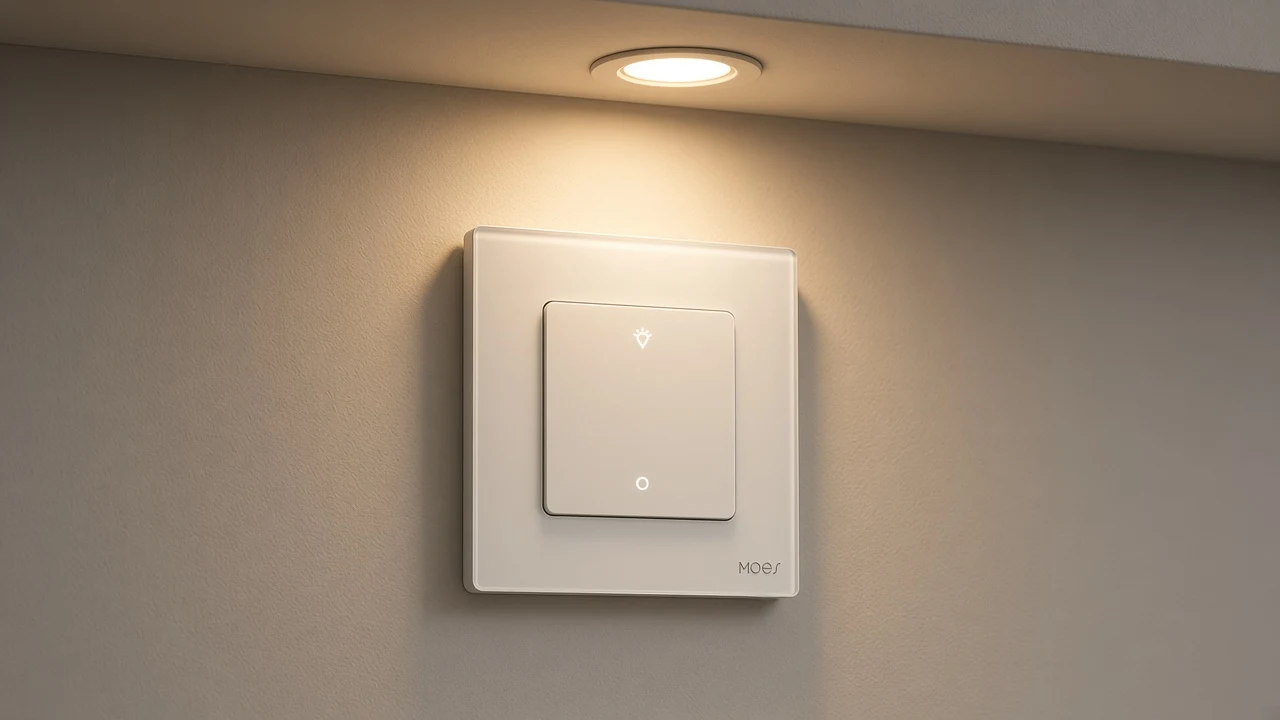
Say the form, the model, the radio line, and the load line in the same quote row. Add the hub only for MS-105Z.
Add neutral only if you have switched to a Wi-Fi page that prints it. Add edge type only when a certificate or a future page actually prints it.
That keeps the zigbee dimmer row checkable against the live page instead of against a shopping subtitle.
No neutral sentence is printed on MS-105Z. The Wi-Fi wall dimmer pages are the ones that print a neutral wire.
The lighting sentence prints adjustable brightness from 1%-100%. A separate curtain sentence on the same page is about a curtain, so lamp quotes stay with the brightness sentence.
No. WM-105-M prints Wi-Fi as its wireless protocol. It dims, and it is still a Wi-Fi module.
The title string includes both dimmer and relay wording. The product type line says Smart Dimmer Module, and the body tells you to adjust brightness. The on/off reading stays with the relay article.
They do not. Matter is absent from MS-105Z and from the Star Ring dimmer page.
MS-105Z says the module is only suitable for a reset switch. The Star Ring plate is its own wall control and does not use that sentence.
A percent printed as fan speed belongs on the ceiling-fan wall-control page. It is not the lamp brightness line on Star Ring, and it is not a reason to dim the fan motor from this dimmer.


OTHER SMART DEVICES
Jun 13,2026
OTHER SMART DEVICES
Jun 12,2026
TUYA SMART HOME PRODUCTS
Jun 12,2026
 +86 137 3639 3028





