


by NOVA

Oct 21, 2026
A smart home security camera is a networked indoor pan/tilt or outdoor solar camera that sends live video to a phone and can record. It is a video SKU, not a PIR switch, not a garage-door controller, and not a door lock that happens to carry a small lens.
The catalog prints one indoor model and two outdoor solar-panel cameras. The sections below name the class, copy those printed lines, and keep the lock and garage hardware on their own quotes.
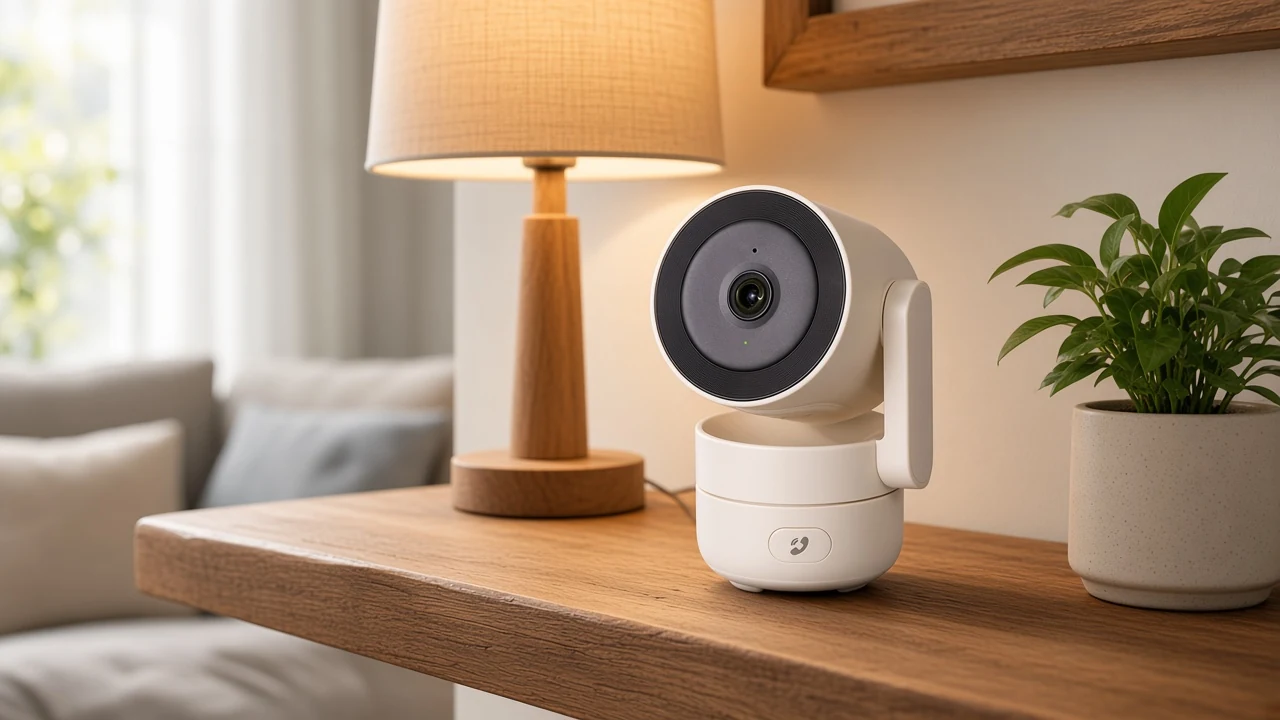
A smart home security camera makes live images and can send them to a phone over the house network. The UK National Cyber Security Centre describes that job in plain terms: the camera joins home Wi-Fi so someone can watch a live feed, get alerts away from the house, and sometimes record.
That is also the security camera smart home buyers mean when they type the class name. They want a video endpoint, not a lighting sensor and not a motor module.
Older analog CCTV still exists. Those cameras send a signal down a coaxial run to a digital video recorder. An IP camera encodes the picture itself and then moves the file across a network, which is the path a single Wi-Fi camera uses when the app is the recorder and the monitor.
A channel inbox often arrives as “need cameras for the house.” The useful reply asks whether the object is a room camera, a yard camera, a lock face-plate, or a garage opener add-on.
Indoor pan/tilt and outdoor solar cameras are two printed classes, not one interchangeable SKU. The indoor listing is a 5V pan/tilt camera for a room. The outdoor listings are solar-panel cameras aimed at a doorstep, garden, or garage wall.
A smart home outdoor camera enquiry should not inherit the indoor table. The indoor table should not inherit IP65, a 128GB card line, or a dual-band sentence.
| Buyer object | Live class on this catalog | What a quote copies |
|---|---|---|
| Room or hallway watch | Indoor pan/tilt camera, model WCM-P52 | 2.4 GHz table, 5V 1A, motion and two-way audio |
| Yard, eave, or garden | Outdoor solar camera, model WCM-S26 or WCM-JD-T1-EU | The printed weather, solar, and storage lines on that model |
| Front-door unlock | Door lock with a 1MP camera cell | The lock page, not this class |
| Existing garage opener | Garage-door controller | The controller page, not a camera |
A photo of a white indoor dome and a photo of a panel on a fence post are not the same carton. Mixing their numbers creates a SKU that none of the three pages print.
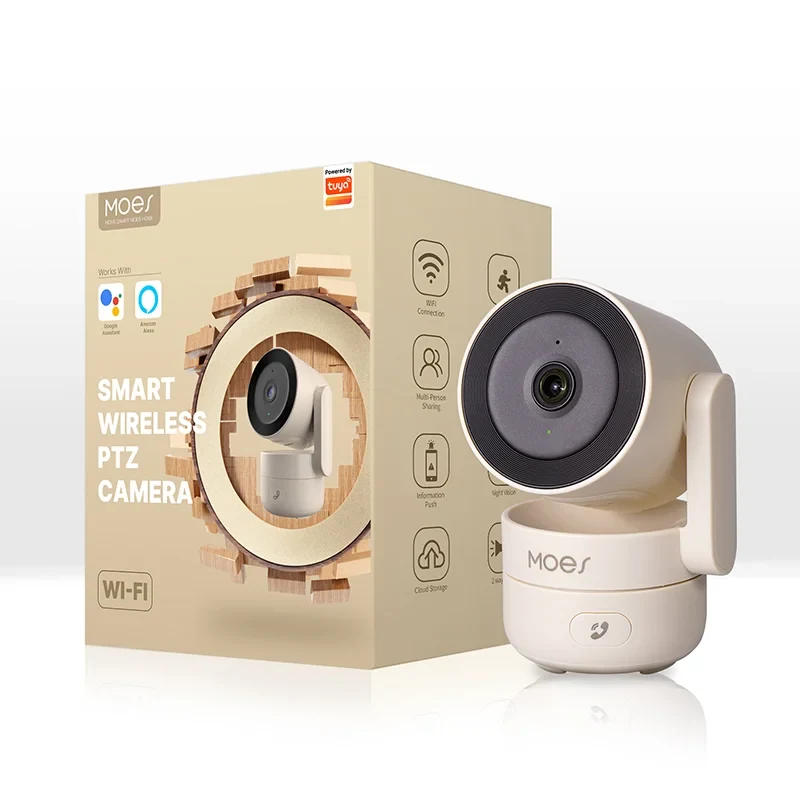
The indoor listing is model WCM-P52. It is a 2.4 GHz pan/tilt camera on 5V power.
The title names it a WiFi Indoor Pan/Tilt Smart Security Camera and prints 4MP HD plus infrared night vision. Those title words stay title words; the specification table does not repeat a megapixel cell or a pan/tilt degree.
The description adds motion detection with alerts for moving objects, a built-in microphone and speaker for two-way intercom, a one-click privacy mode, and automatic recording when a preset rule or a detected event fires.
| Printed item | What the indoor listing states |
|---|---|
| Model | WCM-P52 |
| Product name | Smart Camera |
| Light sensitivity | 0.1 lux |
| Video mode | H.265 and H.264 |
| Power supply | 5V 1A |
| Working temperature | -10°C to 45° |
| Shell | PVC |
| Network | 2.4GHz wireless, WPA and WPA2 |
| Radio transmit power | less than +17dBm |
| Frequency band | 2.400GHz |
| Other printed protocols | TCP/TP, IPv4, DHCP, RTSP, P2P |
The indoor table prints 0.1 lux, 5V 1A, -10°C to 45°, less than +17dBm, and a 2.400GHz band. It does not print a card size, a free-cloud month, 5 GHz, or an IR range.
A living-room sample is the usual indoor use. The camera sits on a shelf, talks two ways, and can hide the lens when the household wants the room private.
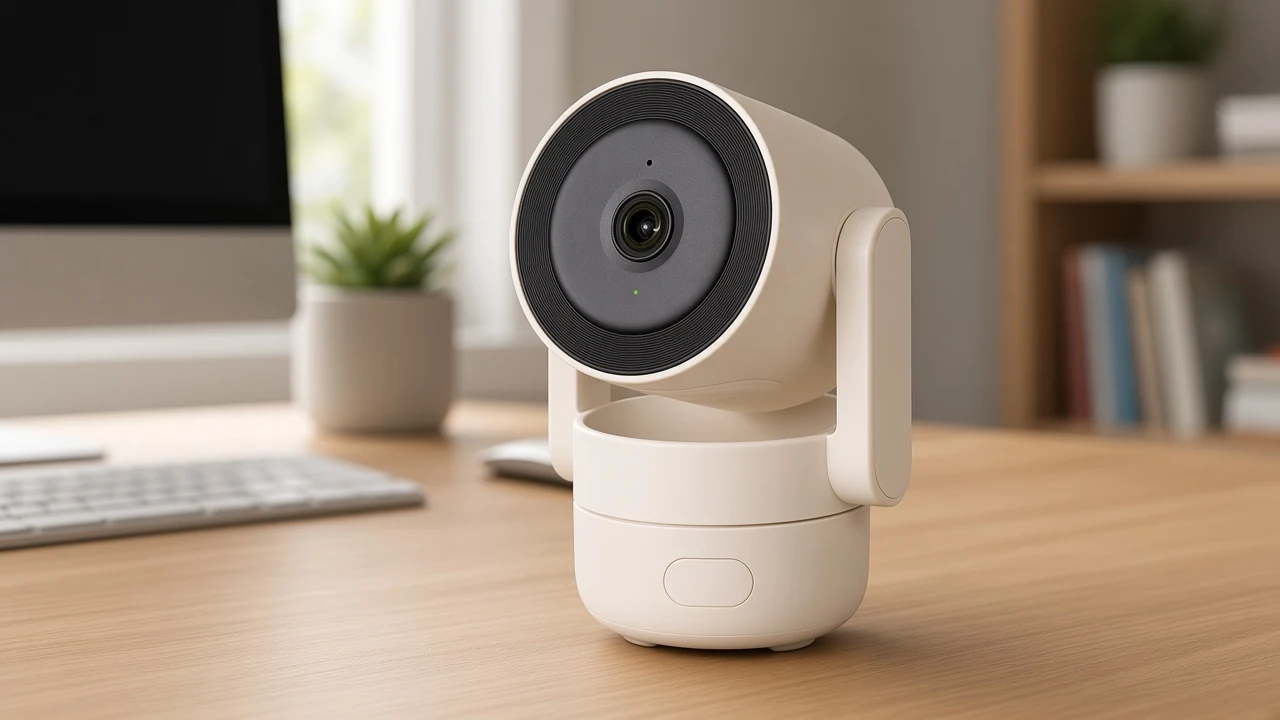
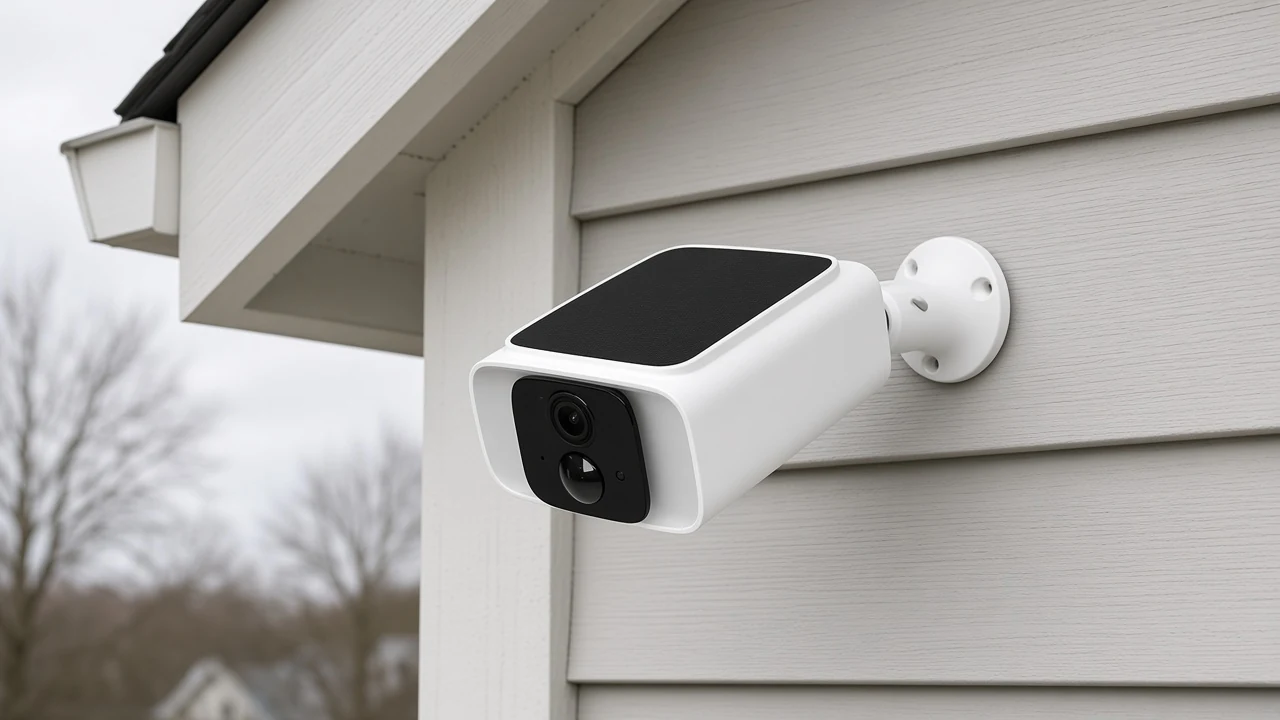
The outdoor class is two solar-panel cameras that do not share one megapixel or storage line. Both titles name a Tuya Wi-Fi 2.4GHz 5GHz dual-band smart solar power panel integrated camera. The printed bodies then diverge.
WCM-S26 prints 4MP HD and color night vision, Dual-Band WiFi at 2.4GHz and 5GHz, a built-in solar battery, IP65 waterproof, human motion detection, two-way talk, and spotlights. Its table adds DC 5V 1.5A, H.265 / H.264, a working range of -10° to 50°, ingress protection IP65, and a 4MP sensor. The same description prints 365-day outdoor performance; that phrase belongs to WCM-S26 only.
WCM-JD-T1-EU prints water and dust resistance, full-color night vision, an optional micro SD card up to 128GB, or cloud storage with one-month free storage space. It says to rotate the camera manually to the right angle.
The table prints 3MP, 25 frames per second, a maximum image of 2304 by 1296, SNR 35dB, 72dB dynamic range, and PCM two-way voice. Dual-band 2.4GHz and 5GHz sits in that title, not in the specification table.
| Printed item | WCM-S26 | WCM-JD-T1-EU |
|---|---|---|
| Form | Outdoor solar camera with built-in solar battery | Outdoor solar camera, solar-panel integrated |
| Image | Sensor 4MP | Image pixels 3MP, max 2304 × 1296 |
| Weather | IP65 | Water and dust resistance, no IP number |
| Radio in body or title | Dual-Band WiFi 2.4GHz and 5GHz in the description | 2.4GHz 5GHz dual band in the title |
| Storage | Not printed | micro SD up to 128GB, or one-month free cloud |
| Talk | 2-way talk and spotlights | PCM two-way voice intercom |
| Aiming | Not printed as a motor | Rotate the camera manually |
| Power / climate | DC 5V 1.5A, -10° to 50° | 25 frames per second; SNR 35dB |
A shaded north eave is the usual outdoor fork. If the buyer needs the printed IP65 and 4MP sensor, the quote opens WCM-S26. If the buyer needs the printed 128GB card or the one-month cloud line, the quote opens WCM-JD-T1-EU.
A door lock with a 1MP camera cell is still a lock. The live lock page is model WDL-T9P, titled as a Wi-Fi smart security door lock with 3D face recognition and a 1MP camera.
That lens watches the front door so a face or a visitor can be seen during unlock. It does not turn the carton into an indoor pan/tilt camera or an outdoor solar camera.
A lock RFQ that arrives with “security camera” in the subject still needs the hardware named back. If the photo is a handle and a keypad, the reply stays on the lock line.
A garage-door controller sits on the existing opener and is not a camera. The live controller is model MS-102. It adds app open and close to the motor that is already on the rail.
One outdoor camera page names garage as a place to point a yard camera. That is a mounting scene. It is not permission to file the controller as a camera.
The class split is already written in What Is A Smart Home Garage Door Opener: A B2B Clarification. This article does not retell that controller path.
A delivery-bay quote that asks for “a camera on the garage” still has two objects. The controller moves the door. The camera, if wanted, is a separate outdoor solar line.
A camera motion alert is a video event, not the PIR path. The indoor camera prints motion detection for moving objects.
WCM-S26 prints human motion detection. Neither page prints occupancy or presence.
A PIR motion sensor watches a heat change and can switch a load or send a radio event. That walk-by path is already set out in how a motion sensor works.
A lighting package that treats the camera as the occupancy switch is mixing two products. The camera can raise an alert when something moves in the frame. It does not replace the PIR article.
From the field: A Hubitat user bought a camera because it stored and viewed footage without a subscription, then found it still needed the internet when the wide-area link dropped. — source: Hubitat thread “Security Camera options UK.”
Local storage and a live remote view are different jobs. The printed 128GB card line on WCM-JD-T1-EU is the local-storage sentence this catalog actually gives. WCM-P52 and WCM-S26 do not print a card size.
Open WCM-P52 for a room; open WCM-S26 or WCM-JD-T1-EU for a yard. The indoor next step is the WiFi Indoor Pan/Tilt Smart Security Camera.
Copy the 2.4 GHz table and the printed two-way and privacy lines. Leave IR range and storage days off the sheet, because that page does not print them.
For a yard with a printed IP65 and 4MP sensor, open WCM-S26. For a yard that needs the printed 128GB card or the one-month free cloud line, open WCM-JD-T1-EU. Keep 365-day outdoor performance on WCM-S26 only.
Do not open the lock page or the garage controller and rename them as this class. Those cartons stay on their own lines.
The upward family for all three cameras is the Tuya smart home products hub.
It is a Wi-Fi video device that can livestream a room or a yard and record when the listing says so. On this catalog, smart home security cameras means the indoor pan/tilt camera or one of the two outdoor solar cameras.
The camera encodes digital frames and sends them across the house network. A phone then opens an app that acts as the viewer and, on many systems, the recorder.
The three live camera pages here print Wi-Fi. Analog CCTV can record without that radio, but that is a different architecture and not what these listings describe.
BSI treats those as two places footage can live: a card or box in the building, or a maker cloud. Only WCM-JD-T1-EU prints both a 128GB micro SD option and one-month free cloud storage.
The WCM-JD-T1-EU listing prints optional cloud storage with one-month free storage space. It does not print a required paid plan. Hub users still warn that a “no subscription” camera can need the internet for app login.
Not in the class sense. ADT’s explainer notes that some outdoor cameras use batteries or solar panels. The two outdoor pages here print a solar-panel camera; WCM-S26 also prints a DC 5V 1.5A supply.
No. WDL-T9P is a door lock with a 1MP camera cell for the front door. It stays on the lock quote.
No. MS-102 is a garage-door controller for an existing opener. A garage wall can still take an outdoor solar camera as a second line.
NCSC says some cameras ship with guessable defaults such as admin or 00000, and that those defaults are a remote-view risk. Change the password and keep firmware current. None of the three camera pages print a factory password.


OTHER SMART DEVICES
Jun 13,2026
OTHER SMART DEVICES
Jun 12,2026
TUYA SMART HOME PRODUCTS
Jun 12,2026
 +86 137 3639 3028





