by NOVA

Oct 13, 2026
The smart switch for ceiling fan class is a wall control that runs the fan and the light on separate paths. Both live pages in this catalog put that split in the opening, and both titles print 2/3-way multi-control association. A channel quote still has to name gang, the load split, the radio line, and the neutral sentence only where a page prints it.
The load itself is a ceiling fan: a nonportable, ceiling-suspended fan that moves air with blades. It is not the same purchase as a plain lamp, and it is not the same purchase as a generic wall switch.
The smart switch hub holds the wider wall-control family. This clarification stays on the fan-and-light panel.
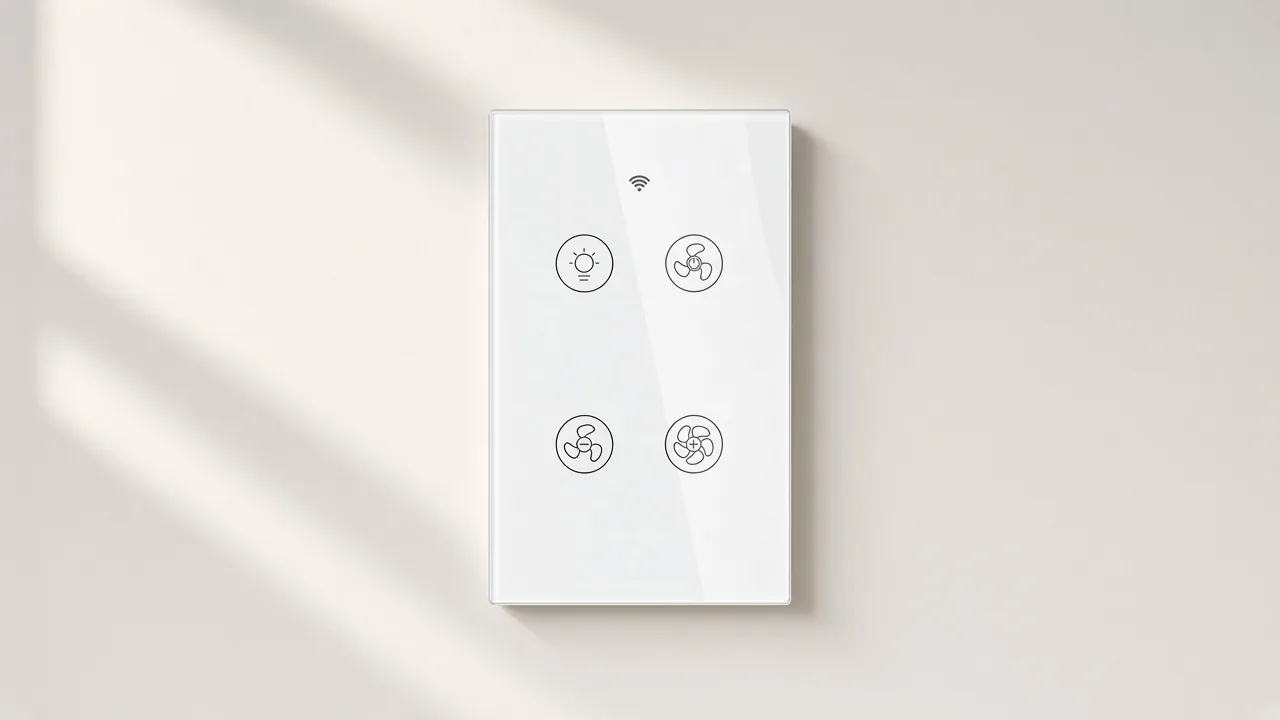
It names the wall device in front of a ceiling fan, and on these two pages it also names the light that shares that fan. Touch, the Smart Life app, voice, and an RF path are all printed as ways to reach those two jobs. The wall point remains the thing a guest can still press.
A retail search for the same words mostly returns fan-speed paddles and combo touch bars from other brands. Those pages are useful as a picture of the category. They are the wrong place to copy amps, speed counts, or motor limits into a MOES line.
Read the two openings before you borrow a sentence from a shopping result. Each one says the control runs the fan and the light separately, with no hub in the path, and with touch plus the Smart Life app. Each one also says the control mode moved to a separate three-gear adjustment.
That three-gear line is a printed control mode. It is not a promise about how a motor is built. The pages do not name a motor family, so the quote should not invent one.
| Quote phrase | What the buyer is actually naming | Where the next click goes |
|---|---|---|
| Generic wall switch | A wall control for a lighting circuit | The noun article already published |
| Fan-only speed control | Speed for the fan, with the light left off that device | Another brand’s fan-speed paddle, not these two pages |
| Fan-and-light wall control | Fan speed and light on separate paths in one panel | Products 1571 and 1539 |
| Whole smart fan | A fan with its own radio in the canopy | A fan supplier, not a wall-control SKU |
A coordinator who pastes the keyword into a lighting RFQ is usually in the third row. Ask whether the fan and the light already have separate switched conductors.
If they do, this class can be quoted. If one conductor feeds both, the wall panel cannot invent a second load.
The same question shows up when a homeowner wants a smart fan switch and means the fan they already own. The wall control leaves the fan in place. It changes the device at the wall.
Fan speed and the light are different jobs, on the fan and on the wall control. US design rules for ceiling fans, in force for fans made on or after the start of 2007, call for fan speed controls separate from any lighting controls, plus adjustable speed.
That rule describes the fan. It also explains why a wall quote should not collapse both jobs into one lighting dimmer.
A ceiling fan light switch, in ordinary speech, sometimes means only the lamp on the fan. On these pages the phrase is wider. The panel has a light icon and fan icons, and the text says the light can be off while the fan is still running.
From the field: A DIY poster wrote, “I cannot find a smart switch set that controls the light and fan separately.” The reply asked for a fan controller, because a fan motor needs a different speed path than a light bulb. — DIY Stack Exchange
That reply is user language, not a lab result on these SKUs. It still matches the way the pages are written.
They print fan current on one line and light current on another. They do not tell you to dim the fan with a lighting dimmer.
People also feel the split when they talk about comfort. Energy Saver describes the wind-chill of moving air, and it tells households to turn the fan off when the room is empty.
A schedule on the fan path can follow that habit. A schedule on the light path can follow a different habit.
One timer for both would fight the point of the split.
The longer page adds a practical line about sound. It says the updated control is without current sound when the fan is on. Quote that as a printed change from the older random adjustment, not as a measurement you took on a sample.
App control sits on top of the same split. Smart Life and Tuya are named, and Alexa and Google Home are named on the longer page for hands-free speed changes.
Voice is another way to reach the fan path or the light path. It does not replace the icons on the glass.
Timers, schedules, and countdown examples are printed on the longer page, including short countdowns and an hour example. Those are app features for the connected loads. They are not a wiring diagram.
Gang is how the wall opening is divided, and 2/3-way is the multi-location line printed in both titles. Multi-control association, in the page wording, means one ceiling fan can be tied to more than one of these switches, and the switch can be associated with other switches in the Smart Life app.
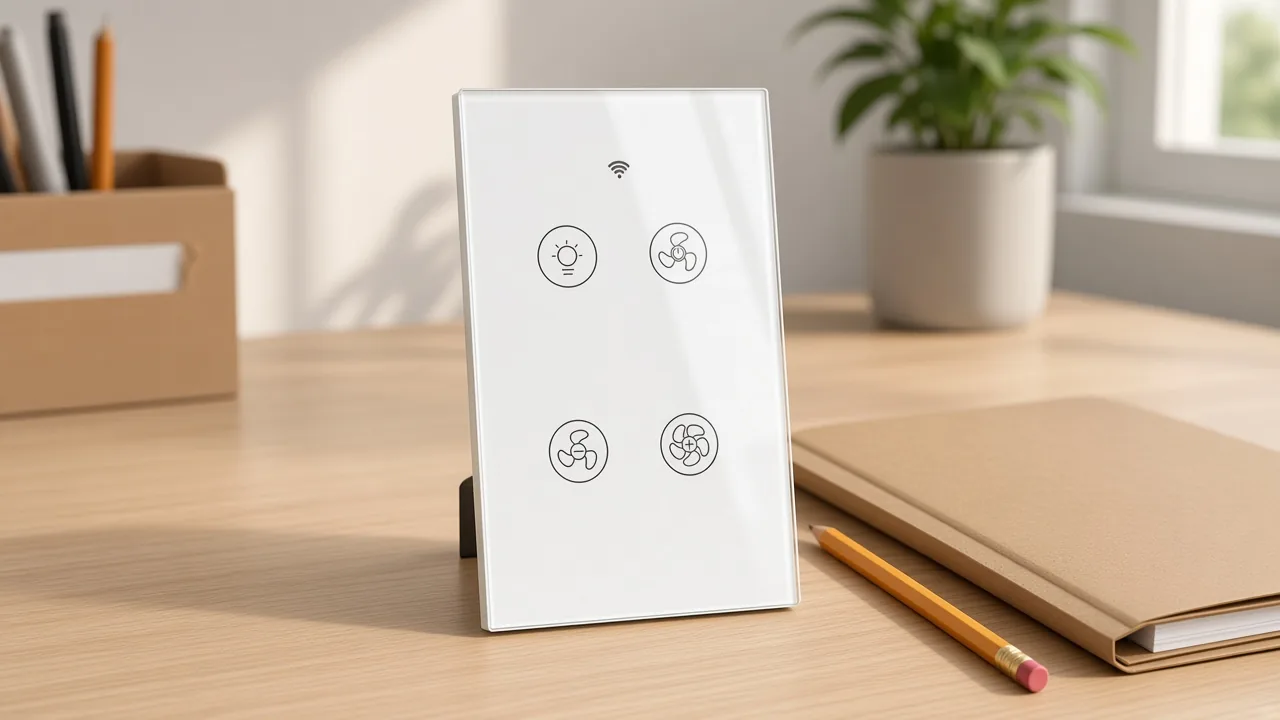
A single-gang panel like the glass face in the product photo carries both jobs on one device. A room that already has a two switch plate, one rocker for the fan and one for the light, is a different wall. The quote should say which of those walls it is buying for.
Load split is the conductor question behind that wall. A community thread starts from one switch that runs the fan and the overhead light together, and the writer wants them independent.
The practical answer there is another switched hot up to the fan, often by replacing a two-conductor cable with a three-conductor cable. That is a wiring project.
This article only needs the buying consequence: if the fan and the light do not already have separate hots, a new wall SKU will not create them.
The titles spell the multi-location feature as 2/3-way, with the page’s own spelling of “muilti.” Keep that spelling when you copy a title into a line sheet. In the body text, page 1571 says you can control one ceiling fan with multiple switches. That is the plain-language version of the title.
Association is an app step after the wires exist. It is not a traveler diagram, and it is not a lesson in how a mechanical 3-way switch swaps two travelers. If the project needs that copper explained, it needs an installer, not a longer definition.
Ask three things before the SKU line is filled. How many gangs does the wall opening have?
Do the fan and the light already leave on separate switched hots? Does a second wall location need to join the same fan?
Those three answers pick the row. They do not pick the amp rating.
Both pages print Wi-Fi plus RF433, and only the longer page prints a neutral sentence. The wireless line on each table is Wi-Fi 2.4G together with RF433. Page 1571 adds that the remote uses RF433 and 1527 encoding, and that the remote is not in the box.
No hub is printed on either opening. Pairing on the longer page is described as Wi-Fi plus Bluetooth, and the network line is limited to 2.4 GHz.
A 5 GHz-only SSID will not match that sentence. The phone can leave the radio after pairing.
The switch stays on the band the page names.
The neutral sentence is easy to over-copy. Page 1571 says a neutral wire is required in the switch boxes for the device to operate correctly.
Page 1539’s fetched description and table do not repeat that sentence. Use the neutral line when you quote 1571.
When you quote 1539, read that page again instead of pasting the other page’s feature list.
Projects that truly have no neutral belong on the no-neutral wire smart switch brief. That brief is about the missing conductor.
It is not a second definition of the fan-and-light panel. Link it once, when the 1571 sentence is the reason the job may be the wrong fit.
Radio choice also separates this panel from a hub-based fan paddle. Caseta and similar lines in the search results talk about a bridge before the app works.
These two pages say the opposite about a hub. Quote the sentence that is on the page you are selling.
Relay status and the backlight are also only in the longer feature list. The switch can remember the last relay status after power returns, and the backlight can be switched off.
Those are quote lines for 1571. They are not implied on the shorter model string.
The generic noun, the mechanism essay, and the circuit-job essay answer different questions. A smart switch, as a wall-control noun, is the broad class: a wall device that still switches a circuit and also joins a network. That page is the right stop when the RFQ says only “smart switch.”
A how a smart switch works page follows the path from the wall press to the radio and the app. Read it when the question is the mechanism. It will not tell you which conductor is the fan and which is the light.
A what a smart switch does page stays on the circuit job: opening and closing the load, plus the networked commands around that job. The fan-and-light panel still does that job. The extra fact is that two load paths are printed, with different current lines.
Keep the four articles in four quotes. Noun, mechanism, circuit job, and no-neutral inputs each have a URL. This URL is the one that should rank for the fan phrase, and it should hand the reader back when the question changes.
Search overlays will keep mixing the phrases. The AI overview on the fan query listed several brands’ speed counts and told shoppers to check motor type and neutral.
Those checks belong to the brand that printed them. They are not a license to write the same numbers onto WS_EUR_FL, WS_USR_FL, or WRS-EUFL.
If a line sheet already uses the generic noun, add the fan-and-light qualifier in the description rather than renaming the whole family. The hub page can still collect every wall control. The product click should land on a fan page only when the load split is real.
The shared table prints voltage and current. The percent speed line is only on page 1571. The longer page also prints a fan-speed span from 1% to 100%.
Model strings differ. Page 1571 lists WS_EUR_F, WS_USR_F, WS_EUR_FL, and WS_USR_FL.
Page 1539 lists WRS-EUFL. The F and FL suffixes are on the page.
The fetched body leaves the F and FL suffixes unexplained, so the quote should not expand them into a feature the table does not show.
| Printed line | Product 1571 | Product 1539 |
|---|---|---|
| Models | WS_EUR_F / WS_USR_F / WS_EUR_FL / WS_USR_FL | WRS-EUFL |
| Working voltage | 100-250V AC, 50/60 Hz | 100-250V AC, 50/60 Hz |
| Max current | 10A light; 0.7A fan | 10A light; 0.7A fan |
| Light load | 2200W at 220V; 1100W at 110V | 2200W at 220V; 1100W at 110V |
| Fan load | 150W at 220V; 75W at 110V | 150W at 220V; 75W at 110V |
| Wireless | Wi-Fi 2.4G + RF433 MHz | Wi-Fi 2.4G + RF433 MHz |
| Working temperature | 0°C to 40°C | 0°C to 40°C |
| Radio transmit power | less than +16 dBm | less than +16 dBm |
| Frequency band | 2.412–2.484 GHz | 2.412–2.484 GHz |
| Three-gear line | Printed in the opening | Printed in the opening |
| 1% to 100% speed line | Printed in feature 3 | Not repeated in the fetched body |
| Neutral sentence | Printed | Not repeated in the fetched body |
| Relay status and backlight | Printed | Not repeated in the fetched body |
Fan watt lines on the table are the switch’s max load power, printed beside the voltage. They are not a field measurement of a particular fan. If the fan nameplate sits above the fan row, this panel is the wrong device, and the quote should say so with the nameplate in hand.
On the light row, the watt figures sit much higher than the fan row. That gap is the reason the two currents are printed separately. A buyer who adds the fan and the light and then compares the sum with the light row alone will misread the table.
Working temperature and the radio power line are the same on both tables. Support is listed as Android and iOS.
None of those rows is a country approval. The EUR and USR tokens in the model strings are nameplate text.
Warranty text is another 1571-only block in the fetch: a full two-year warranty and a 60-day refund. Leave it off the 1539 line until that page shows the same sentence.
Open the longer page when the quote needs the neutral sentence, the percent speed line, relay status, and the backlight. Open the shorter page when the model string is WRS-EUFL and the shared table is enough.
Both sit in the smart-switch family. Neither one is a lighting-only paddle.
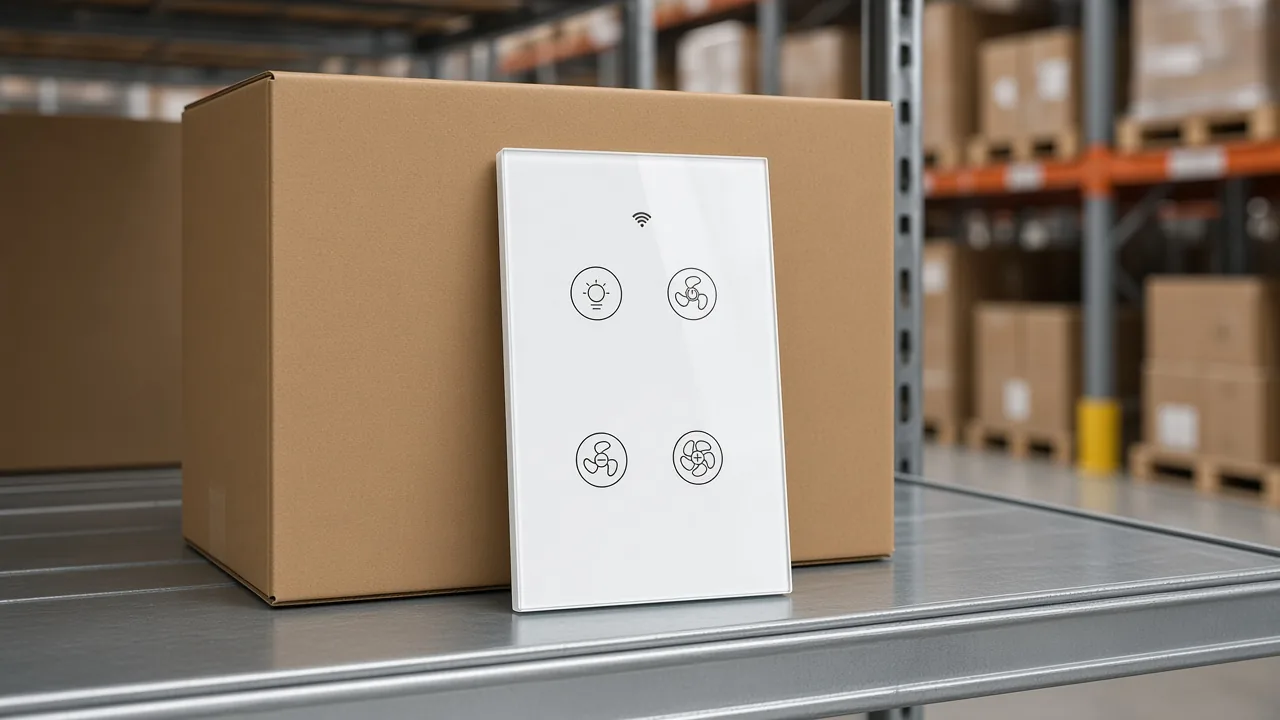
The Wi-Fi RF ceiling fan light switch with relay status and backlight is product 1571. Use it when the feature list you just read has to be on the URL you send. The glass face in the product photo is the visual for that fan-and-light panel: a light icon, fan icons, and a Wi-Fi mark.
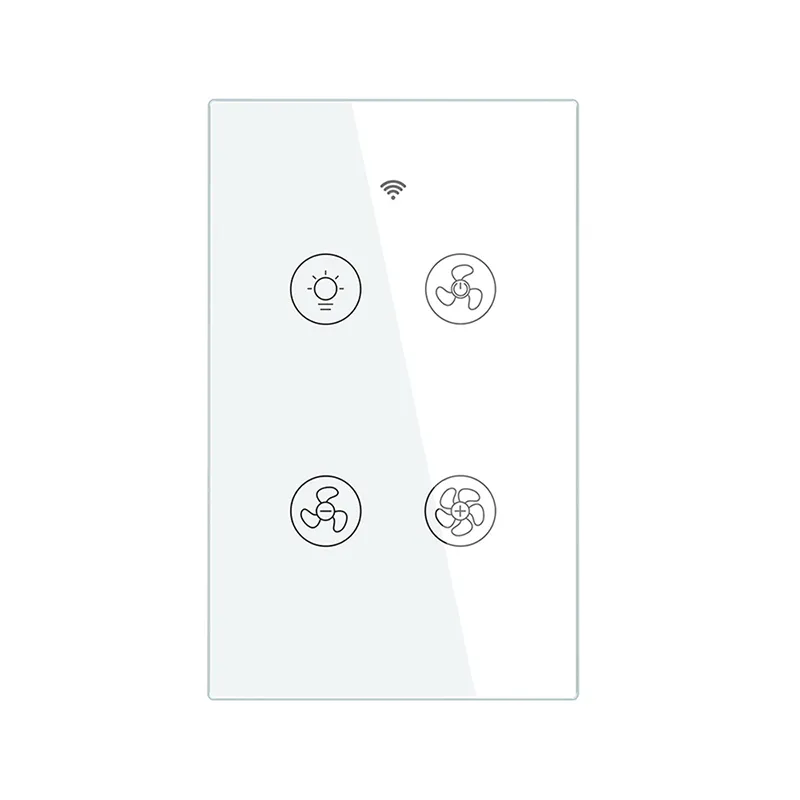
The shorter Wi-Fi RF fan-and-light switch is product 1539, model WRS-EUFL. Its opening still says the fan and the light are controlled separately, with the three-gear line and no hub. Send this URL when that is the model the line sheet already names.
Put the quote fields in the email with the URL. Gang count.
Whether the fan and the light already have separate switched hots. Whether a second wall location is part of the job.
Wi-Fi plus RF433, including the note that the 1527 remote is not included on 1571. The neutral sentence if, and only if, the URL is 1571.
A sample request can then be checked against the table instead of against a competitor’s four-speed paddle. If the sample that arrives does not match the model string, stop and match the carton to the URL before the project proceeds.
Yes, when the device is built as a fan-and-light wall control and the fan and light already have the load split the page assumes. The two MOES pages print that split, with fan current and light current on separate rows. A lighting-only wall switch is a different quote.
You can add a wall control in front of the fan you already have. That is the path these pages describe: the fan stays, and the switch at the wall gains app, touch, voice, and RF. A fan that already carries its own canopy radio is a different product, sold by the fan brand.
Replace the wall control with a fan-and-light model when the existing wall already separates the fan hot from the light hot. The pages say they replace a traditional switch directly, with no hub. They do not say a single shared hot will split itself into two loads.
A light switch can turn a fan on and off only in the weak sense that any switch can open a hot. Speed control is a different path.
The DIY reply on this topic asked for a fan controller rather than a second lighting dimmer. These pages print fan icons and a fan current row for that reason.
The pages describe independent control, including light off while the fan runs. That description assumes the two loads can be fed separately.
A single switch that currently runs both, as in the “two switch plate” question on the DIY thread, needs another switched hot before two wall jobs exist. This page does not draw that cable.
Yes. Product 1571 says a neutral wire is required in the switch boxes.
Product 1539’s fetched body does not repeat that sentence. Quote the sentence only with the 1571 URL, and use the no-neutral brief when the box has no neutral to land.
Product 1571 prints it, in the same feature block as voice control and relay status. Product 1539 prints the three-gear sentence in the opening and does not repeat the percent line in the fetched body. Keep the percent line on the longer URL.


OTHER SMART DEVICES
Jun 13,2026
OTHER SMART DEVICES
Jun 12,2026
TUYA SMART HOME PRODUCTS
Jun 12,2026
 +86 137 3639 3028